EasyManua.ls Logo

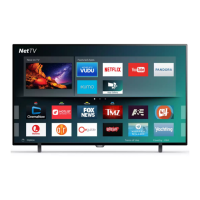
Philips 55PFL5604 - User Manual

Philips 55PFL5604
39 pages
Print Icon
To Next Page IconTo Next Page
Loading...
Telev isions
5704 series
5604 series
55PFL5704
55PFL5604
50PFL5704
50PFL5604
43PFL5704
43PFL5604
EN
User manual
FR
Manuel d’utilisation
Register your product and get support at
www.philips.com/support
EN For further assistance, please call the customer support in your
country or check the Philips website for chat support.
To obtain assistance, contact Philips customer care center;
In the U.S.A., Canada, Puerto Rico, or the U.S. Virgin Islands
1 866 309 5962
FR Pour plus de l’aide, s’il vous plaît contactez le service clientèle de
votre pays ou consultez le site Web de Philips pour obtenir une
assistance par chat.
Pour obtenir de l’aide, communiquez avec le centre de service à la
clientèle Philips au;
Dans le États-Unis, au Canada, à Puerto Rico ou aux Îles Vierges
américaines; 1 866 309 5962

Other manuals for Philips 55PFL5604

Questions and Answers

  • D
    David JohnsonAug 7, 2025
    How to fix Philips TV cannot connect to network?
    • K
      Kathleen WeeksAug 7, 2025
      If you cannot connect your Philips TV to the network, check that your router and/or modem is properly connected and that the Ethernet cable connection between the TV and your router or modem is properly secured. Try power cycling the router and/or modem. Also, verify your network settings.
  • T
    Travis AllenAug 12, 2025
    What to do if Philips 55PFL5604 power is on but screen image is off?
    • L
      Laurie SampsonAug 12, 2025
      If your Philips TV power is on but the screen image is off, check if the connection for your source device is properly secured. Also, check if the correct input is selected by pressing the w (INPUTS) button. Verify that your HDMI mode for the selected input matches the resolution output of your source device. You can also try changing the source input until you get picture and sound.
  • M
    Matthew BeckAug 17, 2025
    How to fix slow data connection or buffering on Philips TV?
    • B
      Brandi Hampton MDAug 17, 2025
      If you are experiencing a slow data connection or buffering on your Philips TV, check the settings between your router and ISP modem or gateway (if applicable). Connect to a stable wireless connection from your home wireless or wired network. The use of mobile hot spots or public wireless connections is not recommended.
  • N
    natasha02Aug 22, 2025
    How to turn off talkback on Philips 55PFL5604?
    • D
      Diana SandersAug 22, 2025
      To disable the talkback (text to speech) feature on your Philips TV, press the HOME button on your remote control, navigate to the settings icon in the upper right corner of the home screen and select accessibility, then select talkback, and press OK to toggle between on or off.
  • N
    Nicolas HinesAug 27, 2025
    What to do if my Philips 55PFL5604 has no power?
    • L
      Laurie BarnettAug 27, 2025
      If your Philips TV has no power, first ensure that the AC outlet supplies the proper voltage. Try plugging another electrical appliance into the same outlet to check if it works. If a power failure has occurred, unplug the AC power cord for 1 minute to allow the TV to reset.
  • L
    Lisa BakerSep 1, 2025
    Why is my Philips TV remote response delayed during initial use?
    • C
      Christina MclaughlinSep 1, 2025
      When you first use your Philips television, it automatically downloads and installs the latest applications to give you the best experience. During this process, the remote control's response might be slower than normal. Once the installation is done, the remote should work as expected.

Summary

Notice

Important Safety Instructions

Comprehensive list of instructions to ensure safe operation and installation of the TV.

Regulatory Compliance

Covers FCC, Canadian notices, RF exposure, modifications, and cable requirements.

TV Placement and Care

Guidance on safe placement, ventilation, environmental care, and battery safety.

Getting Started

Included Accessories

Lists items that come with the TV, like quick start guide, remote, and batteries.

Unpacking and Stands

Guides for safely removing TV from box and installing stands.

Use Your TV

Getting More From Your TV

Useful Tips

Troubleshooting

Solutions for issues with power, remote, picture, sound, screen, and network connectivity.

Information

Specifications

Warranty

Philips 55PFL5604 Specifications

General IconGeneral
Screen shapeFlat
Response time16 ms
Display diagonal54.6 \
Display brightness- cd/m²
Display technologyLED
Native aspect ratio16:9
Supported video modes480i, 480p, 720p, 1080i, 1080p, 2160p
Contrast ratio (typical)1000:1
Display diagonal (metric)139.7 cm
Screen format adjustments4:3, 16:9
Supported graphics resolutions640 x 480 (VGA), 720 x 480, 800 x 600 (SVGA), 1024 x 768 (XGA), 1280 x 1024 (SXGA), 1280 x 768 (WXGA), 1360 x 768 (WXGA), 1400 x 1050 (SXGA+), 1440 x 900 (WXGA+), 1680 x 1050 (WSXGA+), 1920 x 1080 (HD 1080), 3840 x 2160, 4096 x 2160
Motion interpolation technology-
RMS rated power20 W
Number of speakers2
AC input voltage120 V
AC input frequency60 Hz
Power consumption (standby)0.5 W
Power consumption (typical)135 W
Product colorBlack
Panel mounting interface300 x 300 mm
Wi-Fi standardsWi-Fi 5 (802.11ac)
Bluetooth version4.2
High Dynamic Range (HDR) technologyHigh Dynamic Range 10 (HDR10)
Operating system versionOreo
Operating system installedAndroid
3DNo
Quantity per pack1 pc(s)
Network streaming services supportedChromecast
Tuner typeAnalog & digital
Supported TV bandsUHF, VHF
Analog signal format systemNTSC
Digital signal format systemATSC
Audio (L/R) in1
HDMI ports quantity3
USB 2.0 ports quantityUSB 2.0 ports have a data transmission speed of 480 Mbps, and are backwards compatible with USB 1.1 ports. You can connect all kinds of peripheral devices to them.
Component video (YPbPr/YCbCr) in0
Consumer Electronics Control (CEC)EasyLink
Operating temperature (T-T)5 - 40 °C
Cables includedAC
Package depth152.4 mm
Package width1412.24 mm
Package height810.26 mm
Package weight15399.46 g
Weight and Dimensions IconWeight and Dimensions
Depth (with stand)223.52 mm
Height (with stand)751.84 mm
Weight (with stand)10500.66 g
Depth (without stand)78.74 mm
Width (without stand)1249.68 mm
Height (without stand)723.9 mm
Weight (without stand)10400.87 g

Related product manuals