Need help?
Do you have a question about the Philips 55PFL7007K/12 and is the answer not in the manual?
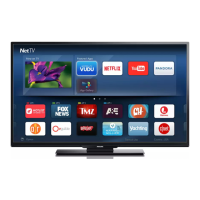
Connect to the Internet for access to a new world of television and smart features.
Browse and access tailored websites and applications directly on your TV.
Rent the latest movies from your regional online video store from the comfort of your home.
Watch TV programmes you missed or view them at your convenience using Online TV apps.
Access popular social networks like Facebook and Twitter directly on your TV.
Make free video calls on your TV to friends and family anywhere in the world.
Use your smartphone or tablet as a TV remote control or media controller.
Pause live TV broadcasts or record digital TV channels using a USB Hard Drive.
Automatically optimizes TV settings for an ideal gaming experience.
Operate connected devices, like Blu-ray players, using the TV's remote control.
Instructions for assembling the TV stand and mounting the TV on a wall.
Recommendations for optimal TV placement regarding light, viewing distance, and sound.
Instructions for connecting and disconnecting the TV's power cable.
Connecting the antenna cable for DVB-T and DVB-C input signals.
Connecting the F-type satellite connection for your satellite dish.
Connecting the TV to your home network wirelessly or via a wired connection.
HDMI connection for superior picture and sound quality.
Enables operation of HDMI-connected devices with the TV remote control.
Connect devices with DVI output using a DVI to HDMI adapter and audio cable.
Connect older devices using the SCART connection for video and audio.
High-quality audio connection for 5.1 audio channels.
Component video connection for High Definition TV signals.
Connect a computer to use the TV as a monitor, with optional audio.
Use CI+ for premium HD programs by inserting a Conditional Access Module.
Instructions for inserting and setting up a CAM module for TV broadcasts.
Connect a digital receiver (Set-top box) using antenna and HDMI/SCART cables.
Connect and configure your Home Theatre System for optimal audio output.
Adjust audio delay to synchronize sound with video for a seamless viewing experience.
Configure audio output format (Stereo/Multichannel) and volume leveling.
Connect and operate a Blu-ray Disc player using HDMI or EasyLink.
Connect a DVD player using HDMI or SCART for playback.
Connect a game console using HDMI, YPbPr, or SCART for gaming.
Requirements for pause TV and recording functions.
Connect and use USB keyboards and mice for easier navigation and text input.
Connect your computer via VGA or HDMI to use the TV as a PC monitor.
Accessing and navigating the TV's setup menu.
Easily adjust basic picture preferences for different activities or devices.
Configure picture, sound, Ambilight, and general settings.
Update, search, and reinstall TV channels for optimal reception.
Configure settings for DVB-T/C reception, including symbol rate and frequency.
Adjust the picture aspect ratio to fill the screen or hide black bars.
Open, select, and manage Teletext pages and options.
Utilize interactive services like HbbTV and MHEG for enhanced viewing.
View current and scheduled TV programs, set reminders, and search by genre.
Switch between connected devices using the Source menu.
Manage subtitles and audio language preferences for programs.
Set sleep timers, adjust the clock, and configure automatic switch-off.
Adjust various picture parameters like style, sharpness, and colour saturation.
Configure sound parameters like bass, treble, balance, and surround mode.
Adjust Ambilight for optimal effect, including dynamic and static modes.
Enable features for visually and hearing impaired users.
Enable audio feedback for remote control key presses.
Understand all safety instructions before using the TV to prevent damage or injury.
Precautions to avoid electrical hazards and fire.
Guidelines for safe handling, lifting, and mounting the TV.
Ensure correct power voltage and connection to prevent TV damage.
Prevent toppling hazards and ensure child safety around the TV.
Ensure adequate ventilation space around the TV to prevent overheating.
Disconnect TV from power and antenna during lightning storms.
Avoid prolonged exposure to high volumes to prevent hearing damage.
Instructions for safely cleaning and maintaining the TV screen.
Instructions for turning the TV on, switching to standby, and powering off.
Configure faster TV startup by activating Automatic or Manual Quick start.
Overview and functions of the TV's remote control.
Using the keyboard on the back of the remote for text input.
Pairing the remote control with the TV using radio frequency.
Replacing the batteries in the remote control.
Basic instructions for watching TV channels.
Switching between TV channels using various methods.
Updating, reinstalling, and managing TV channels.
Lock channels or age-rated programs and set or change the child lock code.
Adjust aspect ratio for optimal picture display, hiding black bars.
Manage subtitle and audio language preferences for programs.
Adjust picture style, sharpness, colour, and other visual parameters.
Configure sound settings like bass, treble, balance, and audio format.
Customize Ambilight effects, modes, brightness, and wall color influence.
Enable and configure features for hearing and visually impaired users.
Tune into satellite channels, manage channel lists, and mark favorites.
Install satellite channels, connect LNBs, and troubleshoot reception issues.
Automatically or manually update satellite channel lists.
Copy and upload channel lists between TVs for easy setup.
Manually tune satellite channels and check signal strength.
Resolve issues with satellite installation and poor channel reception.
Requirements for watching 3D content, including glasses and compatible sources.
Information on rechargeable active 3D glasses PTA507 and PTA508.
Start, stop, and switch between 3D viewing modes and 2D to 3D conversion.
Recommendations for the best 3D viewing experience.
Health precautions for 3D viewing, especially for photosensitive individuals.
Instructions for cleaning and maintaining your 3D glasses.
Navigate the main menu to access TV, Satellite, Smart TV, Source, and more.
Access and configure Smart TV applications and internet services.
Manage your list of applications on the Smart TV start page.
Discover and add available applications from the App gallery.
Browse the World Wide Web on your TV using the Internet App.
Search the App gallery for relevant applications by keyword.
Rent movies online and pay securely using video store applications.
Watch rental movies via streaming video format, potentially requiring a USB drive.
Watch missed TV programs or view them at your convenience.
View media files from USB devices or your home network.
Pause digital TV broadcasts and resume watching later.
Record digital TV broadcasts, manage recordings, and schedule future recordings.
Use your smartphone or tablet as a TV remote control and media manager.
Download the MyRemote App on your smartphone or tablet via QR codes.
Watch TV channels on your smartphone or tablet using Wi-Fi smart screen.
Make free video calls on your TV and talk to friends worldwide.
Connect and position the TV camera for Skype calls.
Sign in to Skype or create a new account for TV calls.
View, add, block, or delete your Skype contacts.
Block Skype users to prevent them from contacting you.
Call landline phones and mobile phones using Skype Credit.
Make video or voice calls on Skype, with options to mute or control the camera.
Accept or decline incoming Skype calls with on-screen notifications.
Manage and play voicemail messages left on your Skype account.
Purchase Skype Credit or subscriptions for calling phones and mobiles.
Configure automatic sign-in, contact notifications, and ringtone volume.
Test your Skype camera and microphone, and adjust zoom and framing.
Change your current Skype password and set a new one.
Sign out of your Skype account on the TV.
Review the Terms of Use and Privacy Statement for Skype.
Connect a game console and play games on your TV.
Optimize TV settings for speed and precision in games.
Play two-player games with split screens using 3D technology.
Energy saving features and environmental considerations for the TV.
Technical specifications related to the TV's power consumption and features.
Details on antenna, DVB-T/C, and satellite reception capabilities.
Specifications for the TV's screen type, size, and resolution.
Audio output power, sound enhancement features, and loudspeaker types.
Information on connections (USB, Ethernet, Wi-Fi) and supported file systems.
Physical dimensions and weight of the TV model, with and without stand.
Details of rear and side AV connections, USB, and network ports.
Check the current version of the TV's software.
Update TV software via Internet or USB for new features and improvements.
Information regarding the open source software used in the television.
Details of the licenses governing the open source software.
Register your TV to access benefits like downloads and exclusive offers.
Access on-screen help, search topics, and view instructions.
Consult Philips online support for troubleshooting and product information.
Contact Consumer Care for support and find TV model/serial numbers.
Information regarding HDMI licensing terms and trademarks.
Licensing information for Dolby audio technologies.
Information on Microsoft Windows Media and PlayReady content protection.
List of other registered and unregistered trademarks.
 General
| Screen Size | 55 inches |
|---|---|
| Display Type | LED |
| Resolution | 1920 x 1080 pixels |
| Smart TV | Yes |
| HDMI Ports | 4 |
| USB Ports | 3 |
| Wi-Fi | Yes |
| Ethernet | Yes |
| Audio Output | 20 W |
| 3D | Yes |
| Ambilight | Yes |
| Refresh Rate | 400 Hz |
| Response Time | 2 ms |
| Bluetooth | No |








 To Next Page