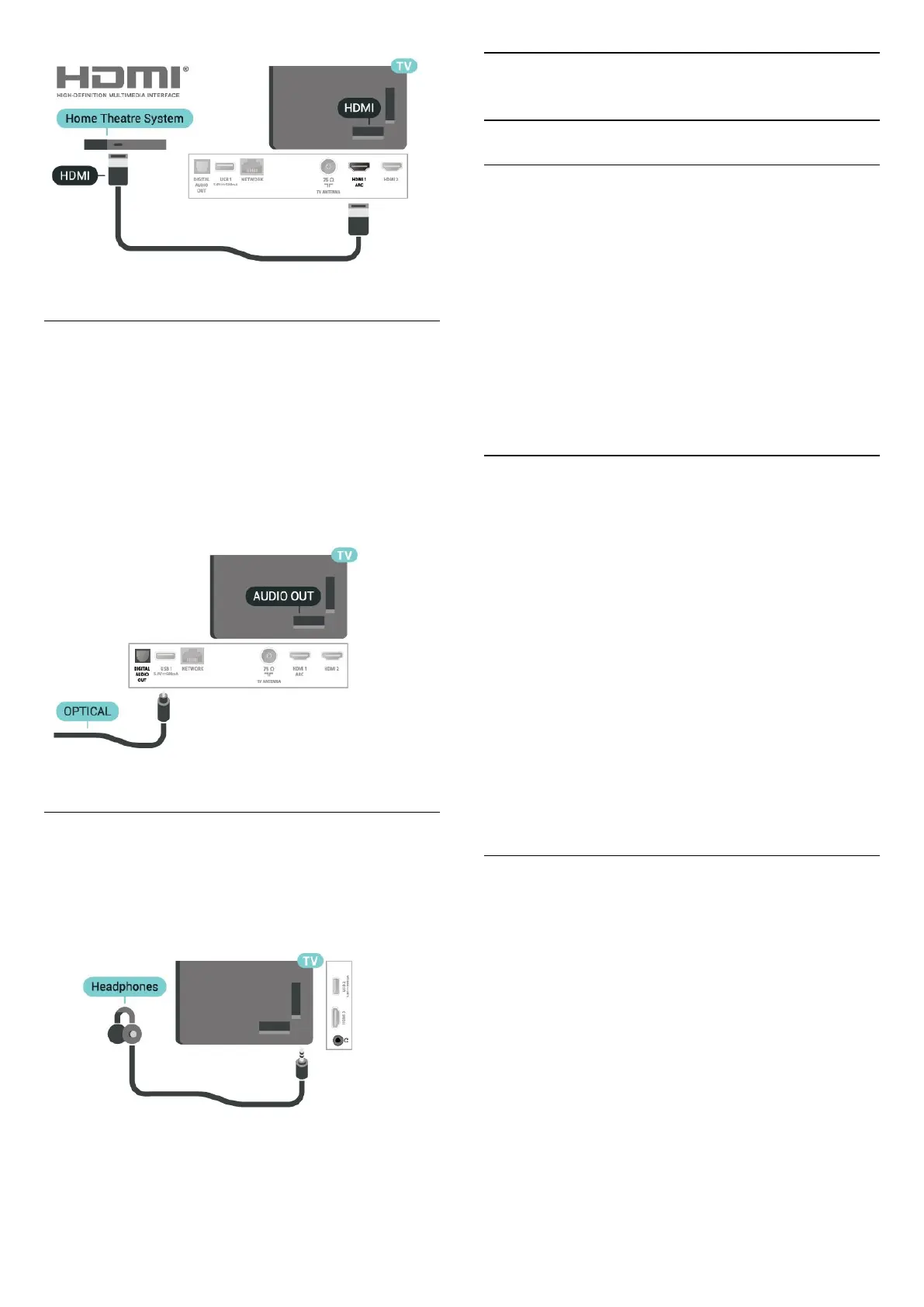
Digital Audio Out - Optical
Audio Out - Optical is a high quality sound
connection.
This optical connection can carry 5.1 audio channels.
If your device, typically a Home Theatre System
(HTS), has no HDMI ARC connection, you can use this
connection with the Audio In - Optical connection on
the HTS. The Audio Out - Optical connection sends
the sound from the TV to the HTS.
Headphones
You can connect a set of headphones to
the connection on the side of the TV. The
connection is a mini-jack 3.5mm. You can adjust the
volume of the headphones separately.
5.5
Mobile Device
Screen Mirroring
Using Screen Mirroring
Switch on Screen mirroring
Press SOURCES > Screen mirroring
Share a Screen on TV
1 - Activate Screen mirroring on your mobile device.
2 - On your mobile device, select the TV. (This TV will
be displayed as TV model name)
3 - Select the TV name on your mobile device, after
connection, you can enjoy using Screen mirroring.
Stop Sharing
You can stop sharing a screen from the TV or from the
mobile device.
From the device
With the application you use to start Screen mirroring,
you can disconnect and stop watching the screen of
the device on TV. The TV will switch back to the last
selected programme.
From the TV
To stop watching the screen of the device on TV, you
can . . .
• press EXIT to watch a TV broadcast
• press (Home) to start another activity on TV
• press SOURCES to open the Sources menu
and select a connected device.
Block a Device
The first time you receive a request to connect from a
device, you can block the device. The request from
this device and all its requests in the future, will be
ignored.
Note: Some devices do not support this function.
To block a device…
Select Block… and press OK.
Unblock all devices
All previously connected and also blocked devices
are stored in the Screen mirroring list of connections.
If you clear this list, all blocked devices will be
unblocked.
To unblock all blocked devices…
10










 To Next Page