TV as PC monitor
You can connect the TV to your home network wireless and with
Wi-Fi MediaConnect, you can use the TV as a PC monitor. Read
Help > Setup > Network > Wi-Fi MediaConnect.
Read on to connect a computer to the TV as a PC monitor wired.
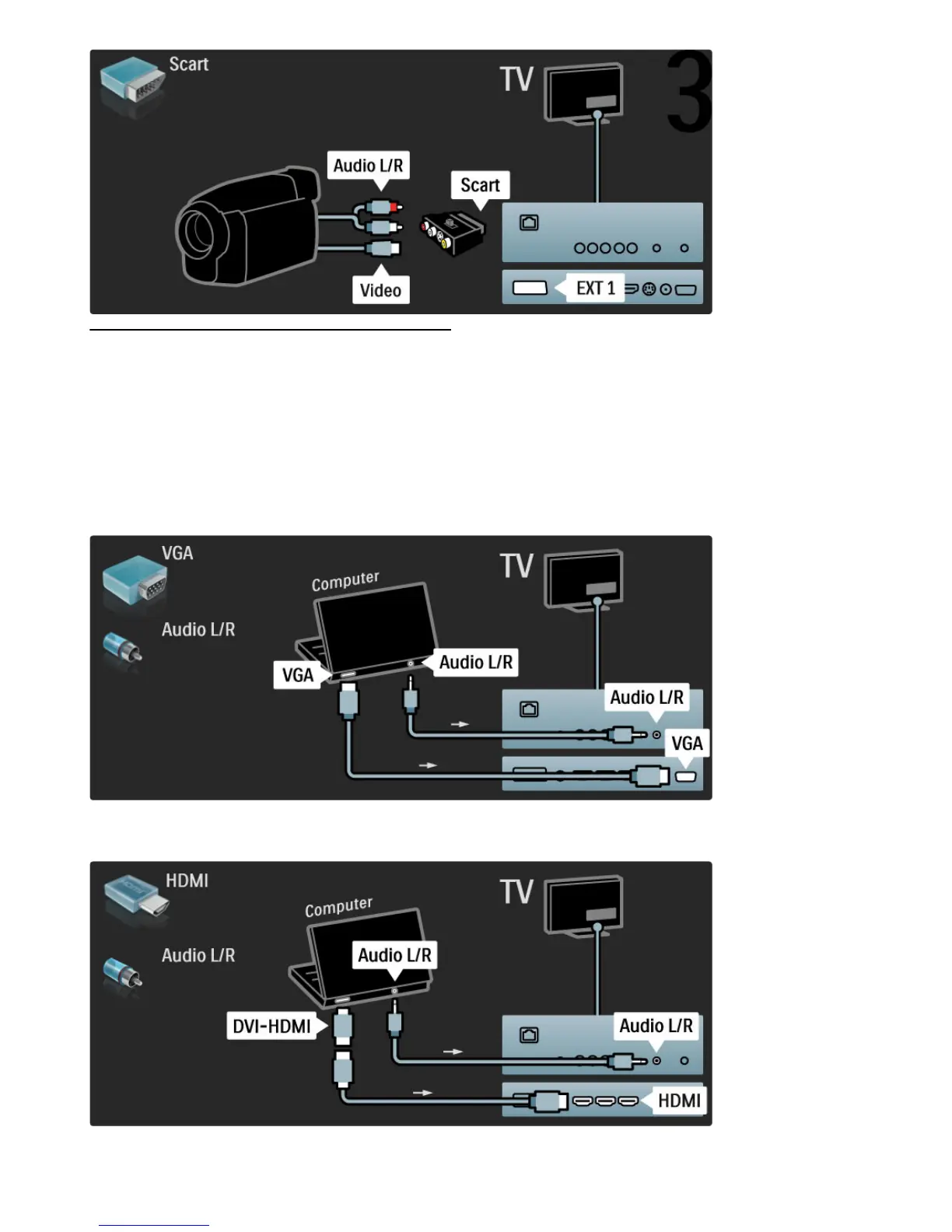
You can use a VGA cable or a DVI to HDMI adapter.
Use a VGA cable to connect the PC to the VGA connector and an
audio L/R cable to connect the VGA Audio L/R to the back of the
TV.
Use a DVI to HDMI adapter to connect the PC to HDMI and an
audio L/R cable to connect the Audio L/R to the back of the TV.







 To Next Page