65BDL3550Q
22
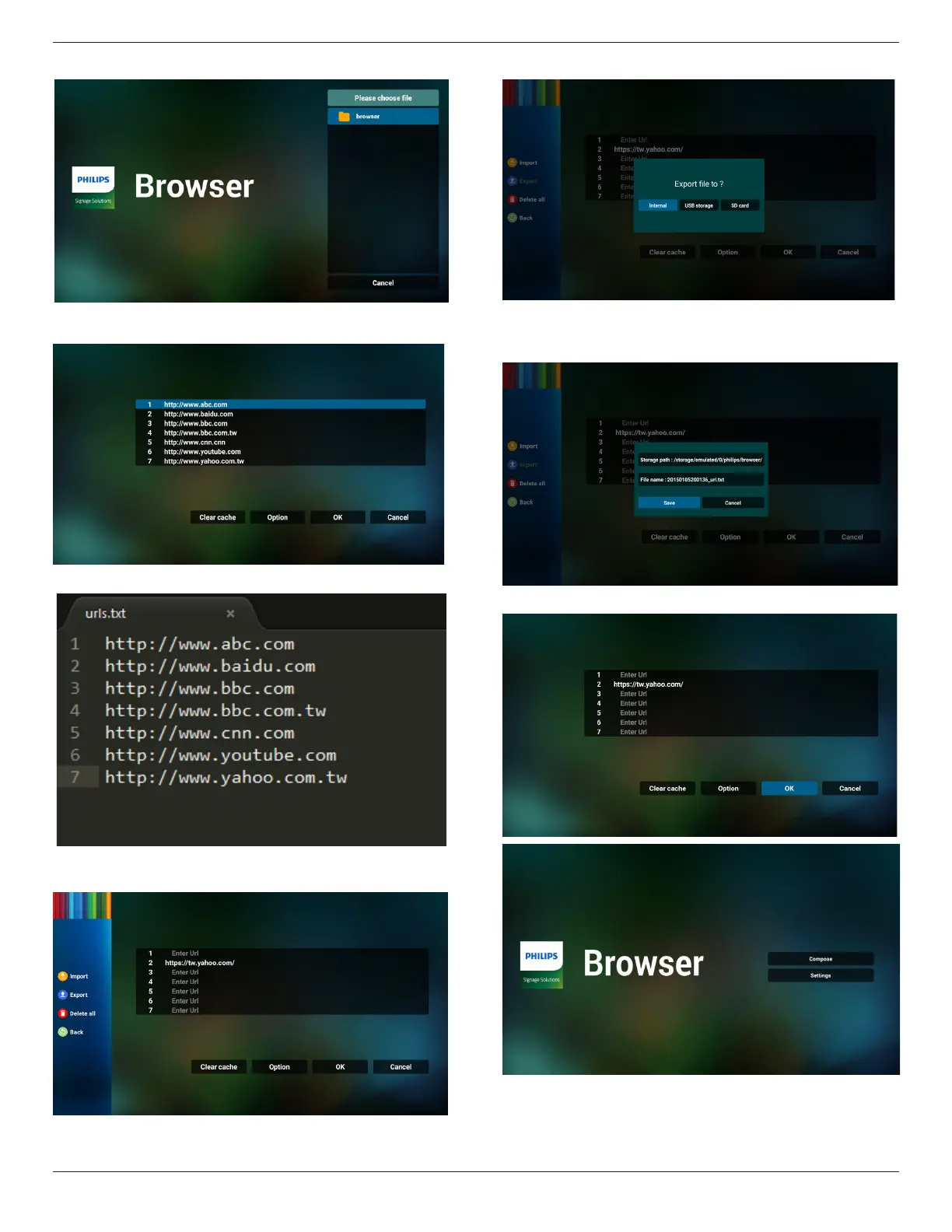
• Select a browser le
• Import the browser le and the URL will be listed on the
screen.
• The le format supported for import is “.txt”.
4.2 Export:
• Select export
• Select the storage where the le will be exported to.
• A dialog box displays the path of the le to be saved as
well as the le name. Press the “Save” button to save the
URL.
5. Press the “OK” button to save the URL record.



 To Next Page