65BDL3550Q
21
4.5. Browser
Before using this feature, ensure that the system is
connected successfully to the network.
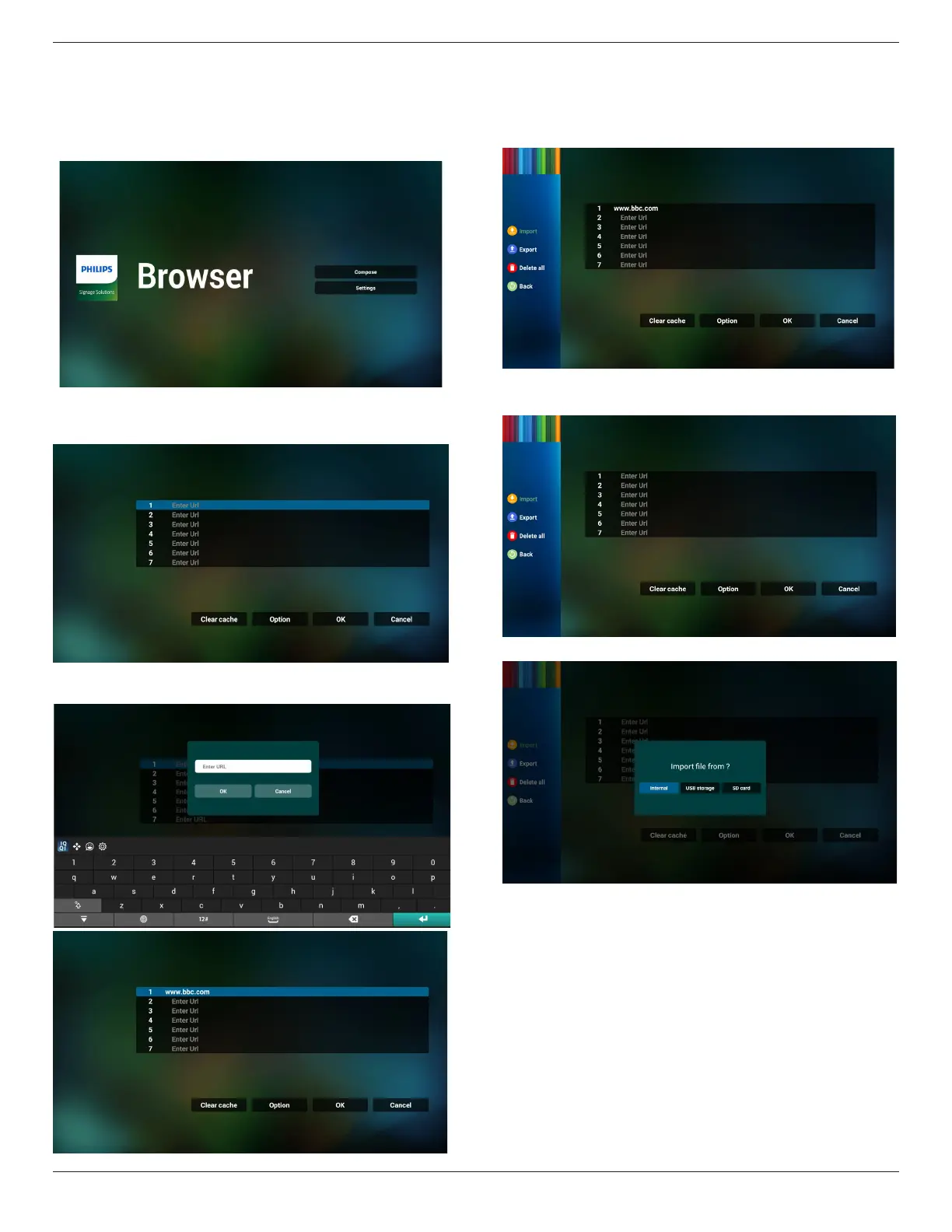
1. Main page of “Browser” App which allows you to make
related settings.
2. Press “Compose” then enter next page.
Users can choose 1-7.
Press any one will show a dialog.
3. Use the on-screen keyboard to enter URL and press the
OK button, the data will be saved in the List
4. Press Option then a list will pop up on the left side.
Import: Import the le of URL list
Export: Export the le of URL list
Delete all: Delete all URL records from the main screen
Back: Close the side menu bar
4.1 Import
• Select import.
• Select the storage where the le will be imported from.



 To Next Page