65BDL4650D/75BDL4650D/86BDL4650D
48
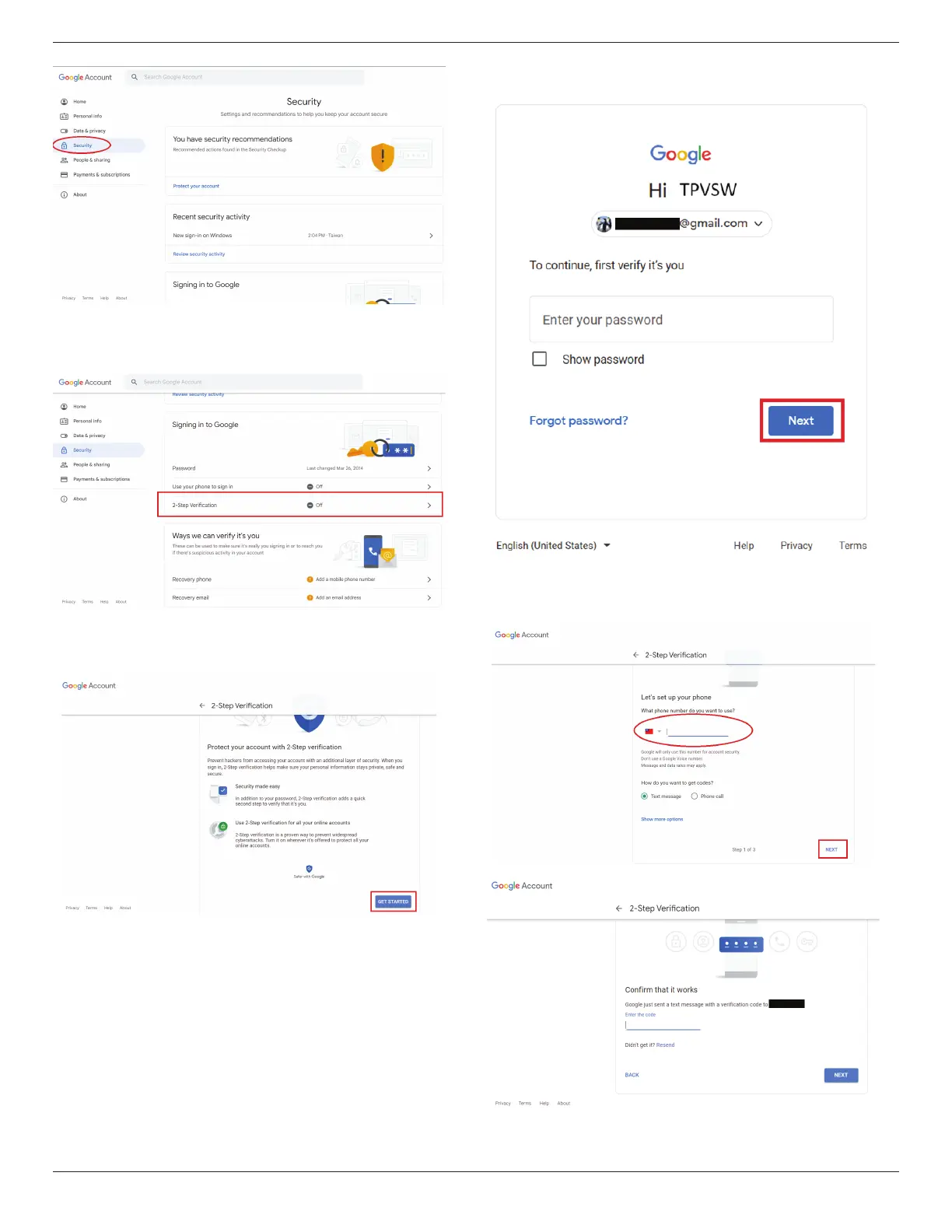
Step 1 - Select “2-Step Verication”
If 2-Step Verication is o, click to enable it.
Step 2 - Congure 2-Step verication
Click the “GET STARTED” button to start conguring the 2-step
verication options.
You may be prompted to log in to your Google Account again
to conrm your identity.
Step 3 - Use your phone to complete conguration
Use on-screen instructions and available options to complete
2-Step verication using your phone.















 To Next Page