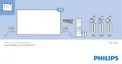
7
Remote Control
7.1
Key overview
Top
1 -
Standby / On
To switch the TV on or back to Standby.
2 -
AMBILIGHT
To select one of the Ambilight style.
3 -
TOP PICKS
To open the menu with recommended programmes,
Video on Demand (Rental Videos) or Online TV
(Catch Up TV).
If available.
4 -
TV GUIDE
To open or close the TV Guide.
5 -
SOURCES
To open or close the Sources menu.
6 -
SETTINGS
To open the Frequent Settings menu and All Settings.
7 -
EXIT
To switch back to watching TV. To leave an interactive
TV application.
8 -
SEARCH
To open the searches page.
9 -
LIST
To open or close the channel list.
10 -
TV Menu
To open the TV Menu with typical TV functions.
Middle
1 - OK key / Arrow / navigation keys
To confirm a selection or setting.
To navigate up, down, left or right.
2 -
BACK
To switch back to the previous channel you selected.
To close a menu without changing a setting.
To go back to the previous App/Internet page.
3 -
Colour keys
Direct selection of options. Blue key
, opens Help.
4 -
OPTIONS
To open or close the Options menu.
5 -
HOME
To open the Home menu.
Bottom
1 -
To open the Netflix App directly. With the TV switched
on or from standby.
2 -
Volume
To adjust the volume level.
30







 To Next Page