Discover your phone
Philips continuously strives to improve its products.
Therefore, Philips reserves the right to revise this user
guide or withdraw it at any time without prior notice.
Philips provides this user guide "as is" and does not
accept, except as required by applicable law, liability
for any error, omission or discrepancy between this
user guide and the product described. The device is
meant to be connected to GSM/GPRS networks.
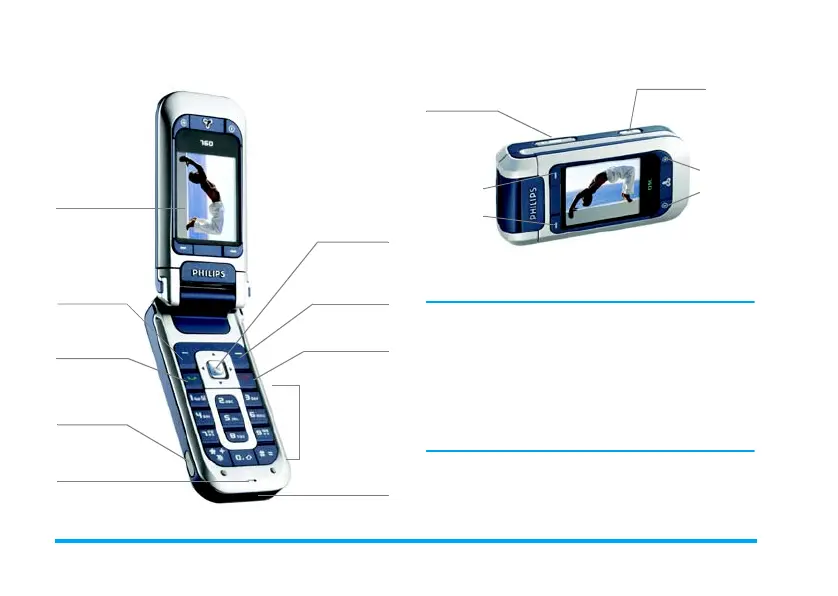
eft softkey
Right softke
Pick up key
Alphanumeric
keypad
Microphone
65K-colour
screen
Hang up and
on/off key
Navigation
and OK key
Infrared
port
Charger &
headset
connecter
Phone mode
Side keys
Camera key
Camera
softkeys
Camera
softkeys
Camera mode











 To Next Page