10 EN
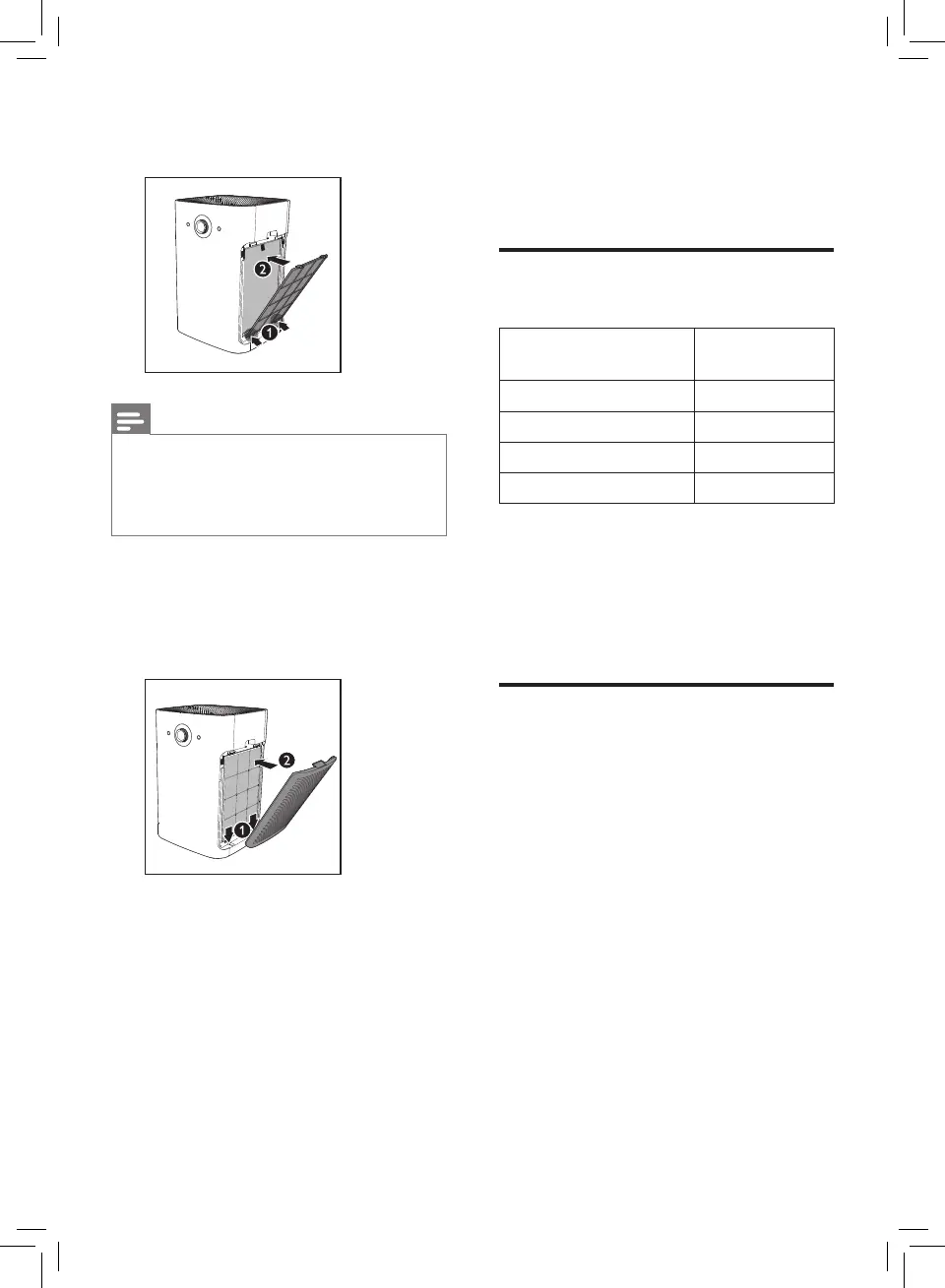
5 Put the pre-filter back into the
appliance.
Note
• Make sure that the side with the two
clips is pointing towards you, and
that all hooks of the pre-filter are
properly attached to the purifier.
6 To reattach the side panel, mount
the panel onto the bottom of the
appliance first (1). Then, gently push
the panel against the body of the
appliance (2).
7 Repeat the above steps and
assemble the air purification filters
for the other side of the appliance.
4 Using the
appliance
Understanding the air
quality light
Color of the air
quality light
Air quality
level
Blue Good
Blue-violet Fair
Red-purple Unhealthy
Red Very unhealthy
The air quality light automatically goes
on when the appliance is switched on,
and lights up all colors in sequence.
In a short time the air quality sensors
select the color that corresponds to the
ambient air quality.
Switching on
1 Put the plug of the appliance into
the wall socket.
» The appliance beeps.
» All lights go on once and then
go out again.



 To Next Page