EasyManua.ls Logo

Philips AE 3905 - Alarm Functionality Details; Alarm Activation Methods; Alarm Deactivation and Snoozing

Philips AE 3905
22 pages
Print Icon
To Next Page IconTo Next Page
To Previous Page IconTo Previous Page
Loading...
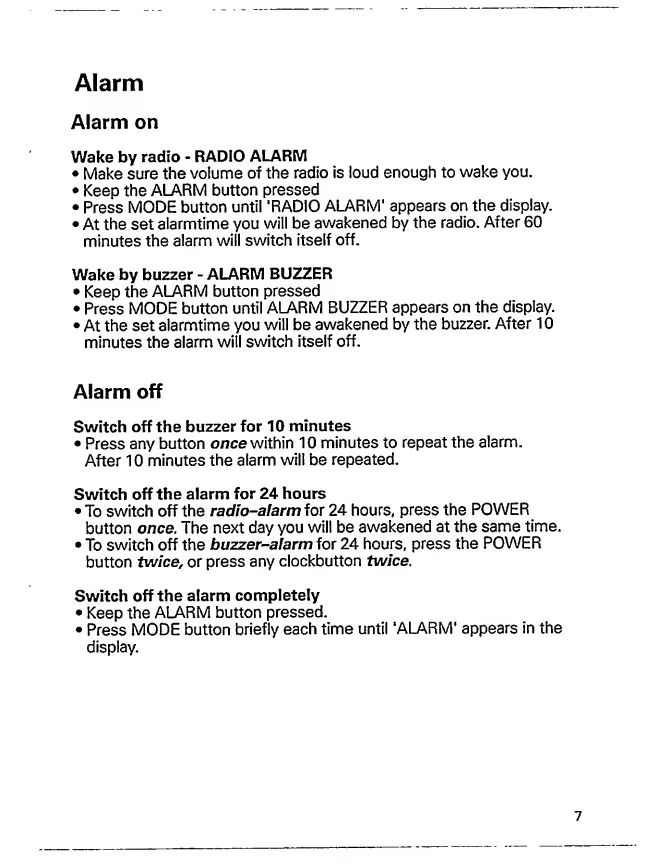
Alarm
Alarm
on
Wake
by
radio
-
RADIO
ALARM
Make
sure
the
volume
of
the
radio
is
ioud
enough
to
wake
you.
Keep
the
ALARM
button
pressed
Press
MODE
button
until
'RADIO
ALARM'
appears
on
the
display.
At
the
set
alarmtime
you
will
be
awakened
by
the
radio.
After
60
minutes
the
alarm
will
switch
itself
off.
Wake
by
buzzer
-
ALARM
BUZZER
Keep
the
ALARM
button
pressed
Press
MODE
button
until
ALARM
BUZZER
appears
on
the
display.
At
the
set
alarmtime
you
will
be
awakened
by
the
buzzer.
After
10
minutes
the
alarm
will
switch
itself
off.
Alarm
off
Switch
off
the
buzzer
for
10
minutes
Press
any
button
once
within
10
minutes
to
repeat
the
alarm.
After
10
minutes
the
alarm
will
be
repeated.
Switch
off
the
alarm
for
24
hours
To
switch
off
the
radio-alarm
for
24
hours,
press
the
POWER
button
once.
The
next
day
you
will
be
awakened
at
the
same
time.
To
switch
off
the
buzzer-alarm
for
24
hours,
press
the
POWER
button
twice,
or
press
any
clockbutton
twice.
Switch
off
the
alarm
completely
Keep
the
ALARM
button
pressed.
Press
MODE
button
briefly
each
time
until
'ALARM'
appears
in
the
display.
7

Other manuals for Philips AE 3905

Related product manuals