EasyManua.ls Logo

Philips AEA2000/12 - User Manual

Philips AEA2000/12
9 pages
Print Icon
To Next Page IconTo Next Page
Loading...
www.philips.com/support
AEA2000
Always there to help you
User Manual
Question?
Contact
Philips
Register your product and get support at
Question and Answer IconNeed help?

Do you have a question about the Philips AEA2000/12 and is the answer not in the manual?

Summary

Important Safety Instructions

Your Bluetooth Adapter

Introduction to Bluetooth Adapter

Overview of connecting the Bluetooth adapter to your Hi-Fi system for wireless audio.

Whats Included in the Box

List of items included in the product package for initial setup.

Playing Audio with Bluetooth

Connecting Audio Cables

Instructions for connecting the Bluetooth adapter to your Hi-Fi system using audio cables.

Connecting Power

Guide on how to connect the power adapter to the Bluetooth adapter and wall outlet.

Entering Pairing Mode

Steps to put the Bluetooth adapter into pairing mode for device connection.

Streaming from Bluetooth Devices

How to stream audio from your Bluetooth device to the Hi-Fi system.

Product Specifications

Detailed Specifications

Technical specifications for the Bluetooth adapter, including amplifier and Bluetooth parameters.

Troubleshooting Common Issues

Resolving Power Issues

Steps to resolve issues where the device is not powering on.

Resolving No Sound

Guidance for resolving no sound issues from the Hi-Fi system during playback.

Improving Bluetooth Audio Quality

Advice for poor audio quality when connected via Bluetooth.

Fixing Connection Problems

Steps to resolve issues when the device cannot connect.

Addressing Connection Instability

Solutions for when the paired device constantly connects and disconnects.

Important Notices

Overview

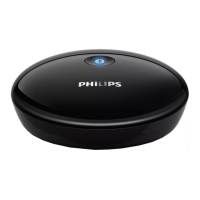
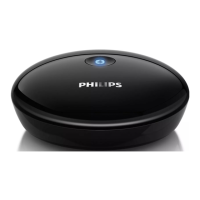
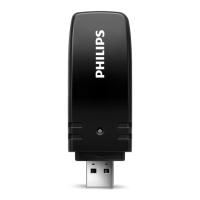
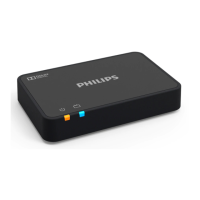
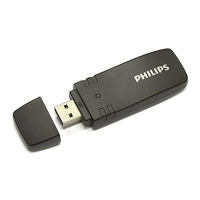
The Philips AEA2000 is a Bluetooth adapter designed to connect your Bluetooth-enabled devices to your Hi-Fi speaker system, allowing you to enjoy audio wirelessly. This compact and sleek black device features a single button on its top surface, which serves multiple functions for pairing and connection management. The adapter is identified by the Philips logo prominently displayed on its front.

Function Description

The primary function of the AEA2000 is to act as a bridge between your Bluetooth-enabled audio source (such as a smartphone, tablet, or computer) and your existing Hi-Fi speaker system. By connecting the adapter to your Hi-Fi system, you can stream audio wirelessly, eliminating the need for physical audio cables between your source device and the speakers. This enhances convenience and reduces cable clutter in your entertainment setup.

The adapter supports Bluetooth wireless connection, allowing for a seamless audio experience. It automatically enters Bluetooth pairing mode when connected to power, simplifying the initial setup process. An LED indicator on the device provides visual feedback on its status, such as solid blue for a connected state, flashing blue for pairing mode, and dim light when not connected or in pairing mode.

Usage Features

Setting up the AEA2000 involves two main steps: connecting audio cables and connecting power. There are two options for connecting audio cables to your Hi-Fi system, ensuring compatibility with various setups. Once the audio cables are connected, you simply plug in the AC power adapter to the DC IN socket on the back of the Bluetooth adapter and then to a wall outlet.

Upon power-up, the adapter automatically enters Bluetooth pairing mode. To connect your Bluetooth-enabled device, you need to turn on its Bluetooth function, search for available devices, and select "PhilipsBT" from the list. If prompted, the default password is "0000". Once successfully paired, the LED indicator will turn solid blue, and audio from your device will stream to your Hi-Fi system.

The AEA2000 offers several convenient usage features:

  • Automatic Reconnection: If your Bluetooth device has been previously paired with the adapter, pressing the button on the adapter will attempt to reconnect to the last connected device. If this fails, it will revert to pairing mode.
  • Pairing Mode Activation: If the adapter exits pairing mode without a successful connection, you can press the button to re-enter pairing mode.
  • Disconnecting Devices: To disconnect a currently paired Bluetooth device, you can press the button again, tap "PhilipsBT" on your device's Bluetooth menu, deactivate Bluetooth on your device, or move the device out of the communication range.
  • Connecting Another Device: To connect a new Bluetooth device, you must first disconnect any previously connected device, then proceed with the pairing process for the new device.
  • Clearing Pairing History: The adapter can memorize up to 8 previously paired devices. To clear this history, press and hold the button for 7 seconds. The Bluetooth indicator will stay solid blue for 2 seconds, then return to its previous status, indicating the history has been cleared.

For optimal audio quality and connection stability, it is recommended to keep the Bluetooth adapter and your paired device within approximately 10 meters (30 feet) of each other and to minimize obstacles between them. Ensure your Hi-Fi system is set to the correct Audio-in or line-in mode to receive the streamed audio.

Maintenance Features

The AEA2000 is designed for straightforward use with minimal maintenance requirements. Key maintenance considerations are primarily related to ensuring its proper functioning and longevity:

  • Power Cord Protection: Always protect the power cord from being walked on or pinched, especially at the plugs and where it exits the apparatus, to prevent damage.
  • Accessory Use: Only use attachments and accessories specified by the manufacturer to ensure compatibility and avoid damage.
  • Environmental Protection: Avoid placing the apparatus near heat sources like radiators, heat registers, stoves, or other heat-producing apparatus (including amplifiers). Do not expose the apparatus to dripping or splashing liquids, and do not place liquid-filled objects or lighted candles on it.
  • Lightning Storms and Non-Use: Unplug the apparatus during lightning storms or when it will be unused for long periods to prevent potential damage.
  • Servicing: Refer all servicing to qualified service personnel. Servicing is required if the apparatus has been damaged in any way, such as a damaged power-supply cord or plug, liquid spills, objects falling into the apparatus, exposure to rain or moisture, or if it does not operate normally or has been dropped.
  • Casing Integrity: Never remove the casing of the apparatus. Attempting to do so can void the warranty and may expose you to electric shock.
  • Electrical Safety: Do not place the apparatus on other electrical equipment. Always ensure easy access to the power cord, plug, or adapter to disconnect the apparatus from the power when needed.
  • Cleaning: While not explicitly detailed, general electronic device care suggests wiping the exterior with a soft, dry cloth to keep it clean. Avoid using abrasive cleaners or solvents.
  • Troubleshooting: The manual provides a troubleshooting section to address common issues like no power or no sound. If problems persist, users are directed to the Philips Web page for support, ensuring they have the device nearby and its model/serial number available.
  • Recycling: The product is designed with high-quality materials that can be recycled and reused. When disposing of the product, observe local rules for the separate collection of electrical and electronic products, indicated by the crossed-out wheel bin symbol. This helps prevent negative environmental and health consequences. The packaging materials (cardboard, polystyrene foam, polyethylene) are also designed to be easily separated for recycling.

Philips AEA2000/12 Specifications

General IconGeneral
Bluetooth profilesA2DP, AVRCP
Operating range10 m
Product typeBluetooth adapter
Range10 m
Audio output3.5mm audio output
Output voltage5V
Connector type3.5 mm

Related product manuals