Need help?
Do you have a question about the Philips SNU5600/00 and is the answer not in the manual?
Provides essential safety instructions, warnings, and precautions for using the wireless USB adapter.
Explains how environmental factors and interference affect wireless network range, speed, and strength.
Details product conformity to directives, software licenses, and legal disclaimers.
Outlines instructions for the proper recycling and disposal of the product and its packaging.
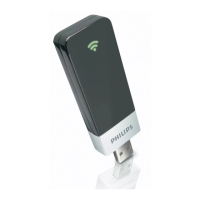
Lists the items contained within the product packaging, including the adapter and guides.
Specifies the necessary hardware and software components required to use the wireless USB adapter.
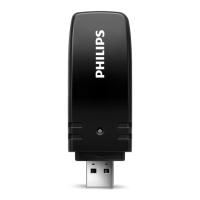
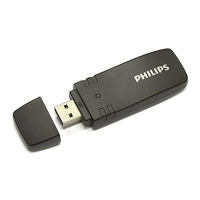
Explains the meaning of the LED status lights on the adapter and the function of the integrated antenna.
Describes the information found on the product labels, including MAC address, Serial Number, and Model Number.
Step-by-step guide on how to install the wireless USB adapter software and drivers from the CD.
Instructions on how to physically connect the wireless USB adapter to your computer and establish a connection.
Details on how to open the Philips Wireless Network Manager program from the desktop or system tray.
Manages profiles, wireless network, and encryption settings via Common, Security, and Auto Config sub-tabs.
Displays information about the current wireless connection, signal strength, speed, and channel.
Shows IP address, gateway, host name, and netmask, with options to release/renew IP.
Lists available wireless network access points, network type, SSID, and Wi-Fi standard.
Displays vendor and software version information for the wireless adapter and its application.
Explains wired network types: one-on-one, more than 2 PCs, and interconnection methods like hubs/switches.
Defines wireless network types: Ad Hoc, Infrastructure, and connecting wireless to wired networks.
Details radio standards, operating frequency, channel numbers, antenna type, and data rate.
Lists supported wireless security protocols including WEP, WPA, and WPA2.
Specifies the host interface (USB 2.0) and power consumption requirements of the adapter.
Provides dimensions, weight, operating/storage temperatures, and humidity guidelines.
Lists relevant electromagnetic compatibility and safety standards the product conforms to.
Defines networking terms like DHCP, DNS, Ethernet, IP Address, ISP, NAT, PPPoE, Router, TCP/IP, and WAN.
Explains terms related to network addressing and security, including HPNA, LAN, MAC Address, Subnet Mask, and SPI.
Addresses common problems with PC not finding the adapter or driver installation failures.
Troubleshoots issues related to accessing network resources or Windows/NetWare services.
Helps resolve problems with communication in infrastructure mode and network speeds not exceeding 11 Mbps.
Provides solutions for product behavior issues, such as the link green LED not lighting up.

 To Next Page

 General