Need help?
Do you have a question about the Philips AEA2000 and is the answer not in the manual?
Read, heed, and follow all safety instructions provided to ensure safe operation and prevent damage.
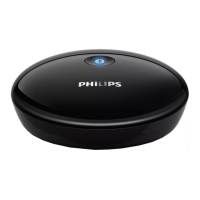
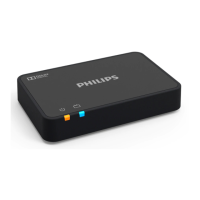
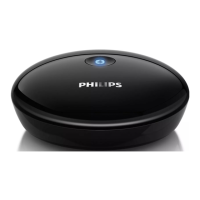
Explains how connecting the adapter to your Hi-Fi system enables wireless audio playback.
Lists the items included in the package for setup and operation.
Guides on connecting the Bluetooth adapter to your Hi-Fi system using audio cables.
Instructions for connecting the power adapter to the Bluetooth adapter and wall outlet.
Details how the adapter automatically enters pairing mode upon connection to power.
Steps to pair and play audio from your Bluetooth-enabled device to the Hi-Fi system.
Technical details of the amplifier, including output voltage and distortion levels.
Technical details of the Bluetooth adapter, including standard, frequency band, and range.
Provides AC power, power consumption, dimensions, and weight of the main unit.
Check power connections and outlets if the device is not powering on.
Troubleshoot issues related to Hi-Fi system connection, Bluetooth, volume, and input mode.
Address initial connection, intermittent disconnection, and pairing problems.
Improve audio quality by ensuring good Bluetooth reception and minimizing interference.
Details FCC and IC compliance, RF radiation exposure limits, and operating conditions.
Instructions for environmentally responsible disposal of the product and packaging.
Information regarding packaging materials and efforts towards sustainability.
Legal information regarding copyright, trademarks, and specifications.
 General
| Bluetooth version | 2.1+EDR |
|---|---|
| Bluetooth profiles | A2DP, AVRCP |
| Transmission distance | 10 m |
| Apple devices compatibility | - |
| Cables included | AC |
| Quick start guide | Yes |
 Weight and Dimensions
| Width | 74 mm |
|---|---|
| Height | 22 mm |
| Weight | 40 g |

 To Next Page