Need help?
Do you have a question about the Philips AirBridge and is the answer not in the manual?
Guidelines for protecting the device from damage and ensuring safe operation.
Advice on using headphones safely to prevent hearing damage.
Warning about small parts posing a choking hazard to children.
Information on potential interference with medical devices.
Potential interference with hearing aids and advice.
Impact of RF signals on vehicle electronic systems.
Instructions to turn off the device when traveling in aircraft.
Methods for cleaning and disinfecting the device safely.
Guidance on environmentally friendly disposal of old products.
An overview of the user manual and how to use it.
Explanation of symbols (TIP, NOTE, CAUTION) used in the manual.
Lists the items included in the product packaging.
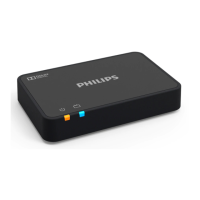
Identifies and describes the main components of the AirBridge.
Step-by-step instructions for connecting the AirBridge to a SpeechOne headset.
Instructions on how to manually power down the SpeechOne headset.
Step-by-step instructions for connecting the AirBridge to a SpeechMike Premium Air.
Details about the AirBridge's connectivity options and range.
Information regarding the power consumption of the device.
Physical dimensions and weight of the AirBridge.
Compliance with environmental standards like RoHS.
Specifies the operating temperature and humidity ranges.
Important warnings and compliance statements related to FCC regulations.
Detailed compliance information for the device under FCC rules.
Compliance with radiation exposure limits for uncontrolled environments.
Regulatory information specific to Industry Canada (IC) standards.
Information regarding open source software used in the product.
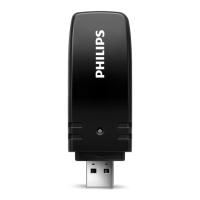
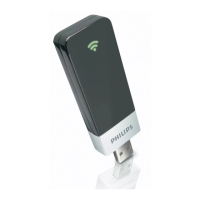
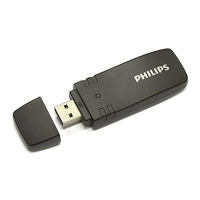
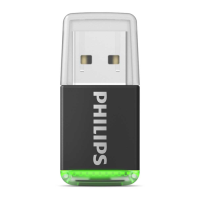
The Philips AirBridge (ACC4100) is a compact USB device designed to provide seamless wireless connectivity for Philips SpeechOne headsets and SpeechMike Premium Air microphones to a computer. Its primary function is to establish a stable and reliable wireless link, enabling users to operate their dictation devices without the constraints of cables, thereby enhancing mobility and convenience in professional environments.
The AirBridge acts as a dedicated wireless receiver, plugging into a standard USB Type-A port on a computer. Once connected and paired with a compatible Philips dictation device, it facilitates the transmission of audio and control signals between the device and the computer. This allows for hands-free dictation with the SpeechOne headset or flexible control with the SpeechMike Premium Air, supporting various professional workflows such as medical transcription, legal documentation, and general office dictation. The device utilizes 2.4 GHz ISM Band wireless technology, ensuring a robust connection within a specified range, typically up to 5 meters (16 feet) in clear view, which is ample for most office settings. The pairing process is straightforward, often involving holding a pairing button on both the AirBridge and the dictation device for a few seconds until a visual indicator, such as an LED, confirms a successful connection. This simplicity ensures that users can quickly set up their wireless dictation system without requiring extensive technical knowledge. The AirBridge is designed to automatically reconnect to previously paired devices, streamlining daily use and minimizing the need for repetitive setup procedures. This intelligent reconnection feature is particularly beneficial for users who frequently move between different workstations or disconnect their devices.
The AirBridge significantly enhances the user experience by offering untethered operation of Philips dictation devices. For SpeechOne headset users, this means complete freedom of movement within their workspace, allowing them to dictate while standing, gesturing, or accessing physical documents without being restricted by a cable. The wireless connection ensures that audio quality remains high, crucial for accurate speech recognition and clear communication. The pairing process is intuitive: users connect the AirBridge to their computer, then activate a pairing mode on both the AirBridge and their SpeechOne headset by holding a designated button for a few seconds. A status LED on both devices will flash orange during pairing and then illuminate green upon successful connection. The SpeechOne headset also features an automatic power-off function after 6 hours of inactivity to conserve battery life, which can be manually overridden if needed.
Similarly, for SpeechMike Premium Air users, the AirBridge provides the flexibility of a wireless microphone, allowing them to dictate from various positions around their desk or even move to a nearby whiteboard during a meeting. The SpeechMike Premium Air also benefits from the AirBridge's automatic reconnection capability, ensuring that once paired, the microphone is ready for use whenever it's within range and powered on. The pairing procedure for the SpeechMike Premium Air involves connecting the AirBridge to the computer and then holding specific function buttons (F1 and F2) on the SpeechMike for a few seconds until the status LEDs on both devices indicate a successful connection. The AirBridge is designed to be a plug-and-play solution, requiring minimal software installation beyond standard drivers, which are often automatically recognized by modern operating systems. This ease of use makes it an accessible tool for a wide range of professionals. The device's compact size also means it can be left connected to a laptop or desktop computer without being obtrusive, or easily carried in a laptop bag for mobile use.
Maintaining the Philips AirBridge is straightforward, focusing primarily on proper handling and cleaning to ensure longevity and optimal performance. The device is designed to be robust, but users are advised to protect it from physical damage, such as impacts or drops, especially when connected to a computer. It is crucial to avoid exposing the AirBridge to rain, liquids, or excessive heat, as these can cause internal damage or short circuits. Users should also ensure that the AirBridge is not subjected to undue stress when plugged into a USB port, particularly on laptops or portable devices, to prevent damage to both the AirBridge and the computer's USB port. Unplugging the AirBridge from laptops or other portable computers before transport is recommended to prevent accidental damage.
For cleaning, the AirBridge should be disconnected from the computer. A soft, dry cloth is recommended for wiping the device's surface. Harsh chemicals, strong detergents, or abrasive materials should be avoided, as these can scratch or damage the plastic casing and internal components. It is also important to prevent moisture from entering any openings on the device. The AirBridge does not require any user-serviceable parts or internal maintenance; any repairs should only be performed by authorized service centers. Users are cautioned against disassembling the device, as this can void the warranty and potentially cause further damage. Regularly backing up data and recordings from connected dictation devices is a good practice, although the AirBridge itself does not store user data. Adhering to these simple maintenance guidelines will help ensure the AirBridge continues to provide reliable wireless connectivity for Philips dictation solutions.
 General
| Model | AirBridge |
|---|---|
| Category | Adapter |
| Connectivity | Wireless |
| Connectivity Technology | Wi-Fi |
| Power Source | USB |
| Data Link Protocol | IEEE 802.11ac |

 To Next Page