EasyManua.ls Logo

Philips AJ 3240 - Installation and Operation; Button functions; Mains connection and aerials; Setting the clock time

Philips AJ 3240
12 pages
Print Icon
To Next Page IconTo Next Page
To Previous Page IconTo Previous Page
Loading...
English
installation
Radio/Clock
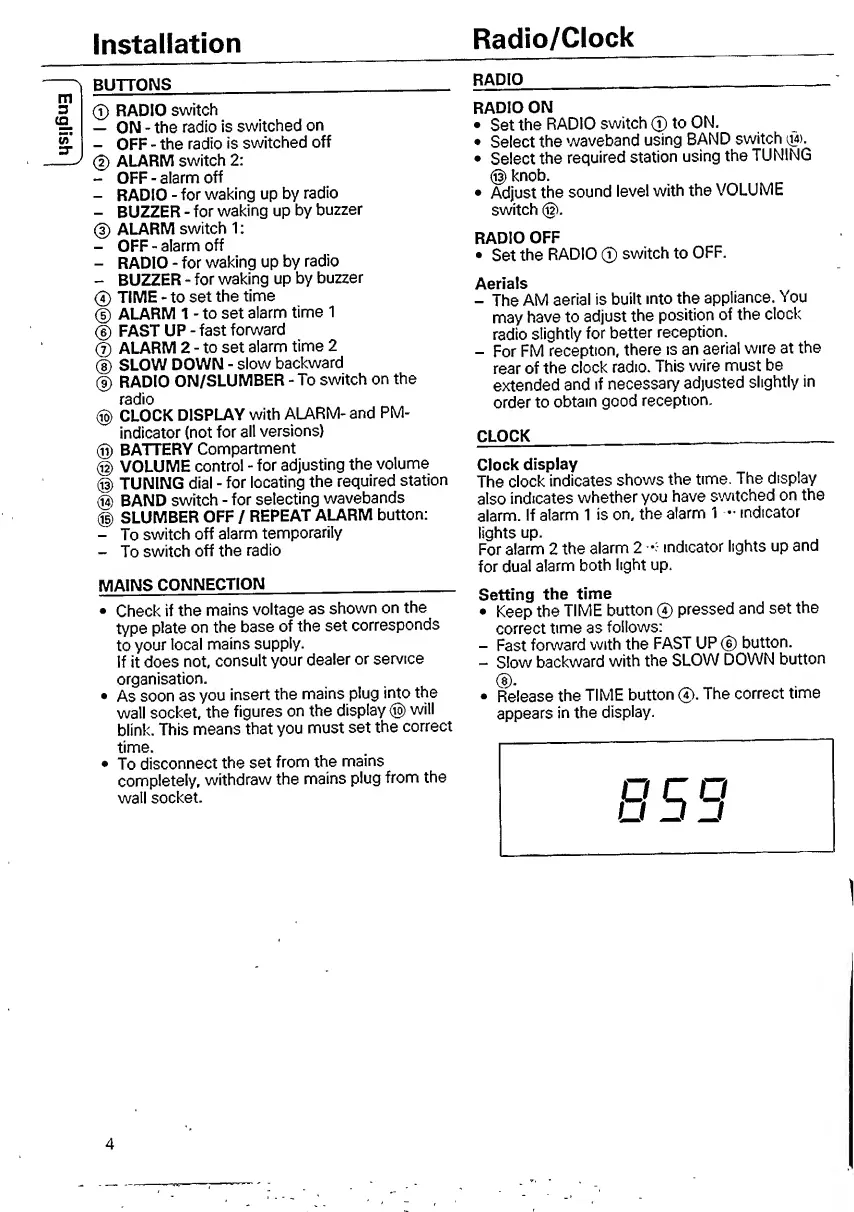
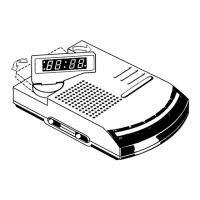
BUTTONS
__
®
RADIO
switch
-
ON
-
the
radio
is
switched
on
-
OFF
-
the
radio
is
switched
off
(D
ALARM
switch
2:
-
OFF
-
alarm
off
-
RADIO
-
for
waking
up
by
radio
-
BUZZER
-
for
waking
up
by
buzzer
@
ALARM
switch
1:
-
OFF
-
alarm
off
-
RADIO
-
for
waking
up
by
radio
-
BUZZER
for
waking
up
by
buzzer
0
TIME
-
to
set
the
time
®
ALARM
1
-
to
set
alarm
time
1
®
FAST
UP
-
fast
forward
0
ALARM
2
-
to
set
alarm
time
2
®
SLOW
DOWN
-
slow
backward
@
RADIO
ON/SLUMBER
-
To
switch
on
the
radio
@
CLOCK
DISPLAY
with
ALARM-
and
PM-
indicator
(not
for
all
versions)
®
BATTERY
Compartment
@
VOLUME
control
-
for
adjusting
the
volume
@
TUNING
dial
-
for
locating
the
required
station
@
BAND
switch
-
for
selecting
wavebands
®
SLUMBER
OFF
/
REPEAT
ALARM
button;
-
To
switch
off
alarm
temporarily
-
To
switch
off
the
radio
MAINS
CONNECTION
___
Check
if
the
mains
voltage
as
shown
on
the
type
plate
on
the
base
of
the
set
corresponds
to
your
local
mains
supply.
If
it
does
not,
consult
your
dealer
or
service
organisation.
As
soon
as
you
insert
the
mains
plug
into
the
wall
socket,
the
figures
on
the
display
®
will
blink.
This
means
that
you
must
set
the
correct
time.
To
disconnect
the
set
from
the
mains
completely,
withdraw
the
mains
plug
from
the
wall
socket.
RADIO
_
-
RADIO
ON
Set
the
RADIO
switch
0
to
ON.
Select
the
waveband
using
BAND
switch
Select
the
required
station
using
the
TUNING
@
knob.
Adjust
the
sound
level
with
the
VOLUME
switch
®.
RADIO
OFF
Set
the
RADIO
0
switch
to
OFF.
Aerials
-
The
AM
aerial
is
built
into
the
appliance.
You
may
have
to
adjust
the
position
of
the
clock
radio
slightly
for
better
reception.
-
For
FM
reception,
there
is
an
aerial
wire
at
the
rear
of
the
clock
radio.
This
wire
must
be
extended
and
tf
necessary
adjusted
slightly
in
order
to
obtain
good
reception.
CLOCK
____
Clock
display
The
clock
indicates
shows
the
time.
The
display
also
indicates
whether
you
have
switched
on
the
alarm.
If
alarm
1
is
on,
the
alarm
1
indicator
lights
up.
For
alarm
2
the
alarm
2
•:
indicator
lights
up
and
for
dual
alarm
both
light
up.
Setting
the
time
Keep
the
TIME
button
@
pressed
and
set
the
correct
time
as
follows:
-
Fast
forward
with
the
FAST
UP
®
button.
-
Slow
backward
with
the
SLOW
DOWN
button
Release
the
TIME
button
0.
The
correct
time
appears
in
the
display.
4

Other manuals for Philips AJ 3240

Related product manuals