EasyManua.ls Logo

Philips AJ 3240 - Advanced Features and Care; Slumber function operation; Power failure and battery backup; Maintenance and cleaning advice

Philips AJ 3240
12 pages
Print Icon
To Next Page IconTo Next Page
To Previous Page IconTo Previous Page
Loading...
English
Slumbering
Additional
SLUMBER
The
clock
radio
has
a
built-in
slumber
function.
This
function
enables
you
to
listen
to
the
radio
before
you
fall
asleep.
You
will
not
have
to
switch
off
the
clock
radio
yourself.
This
will
take
place
automatically.
The
period
during
which
you
continue
to
listen
to
the
radio
is
called
the
slumbertime.
You
can
set
this
yourself.
The
maximum
slumbertime
is
59
minutes.
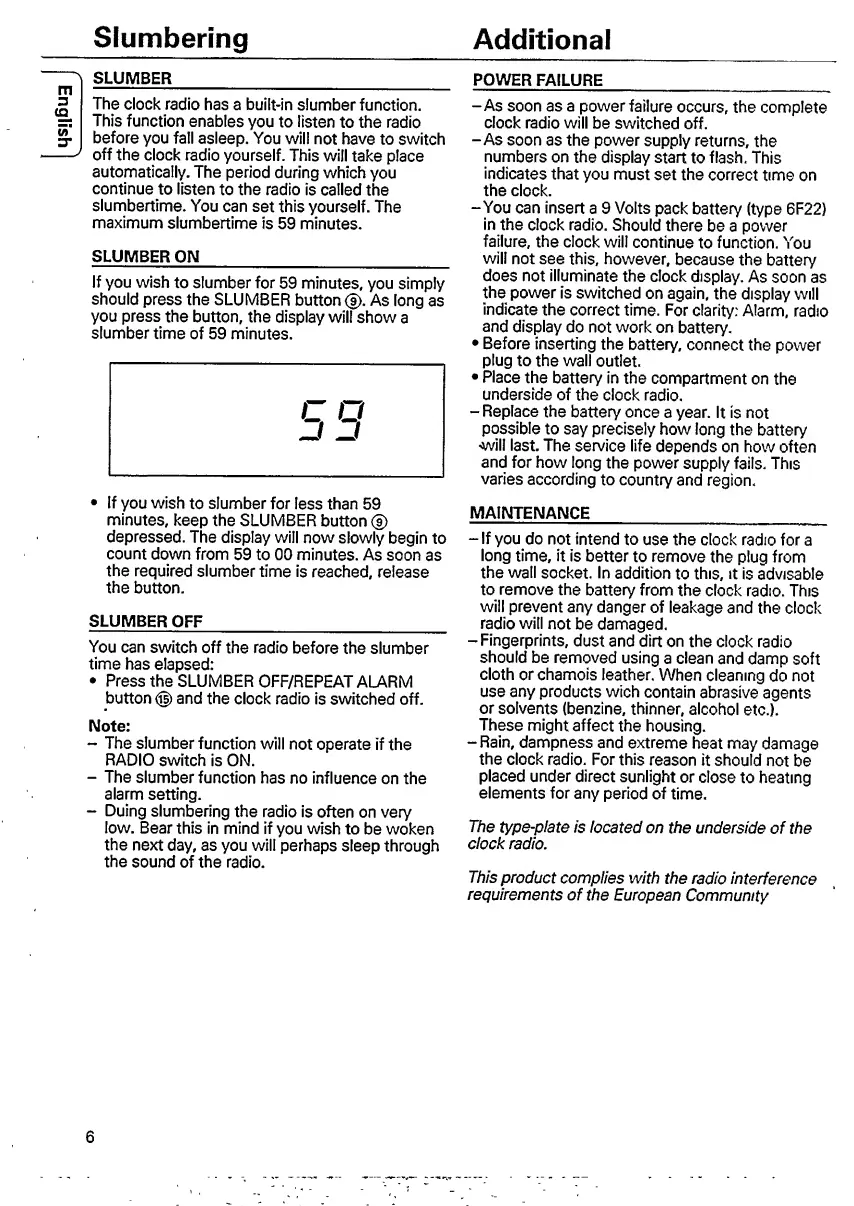
SLUMBER
ON
_
If
you
wish
to
slumber
for
59
minutes,
you
simply
should
press
the
SLUMBER
button
(?).
As
long
as
you
press
the
button,
the
display
will
show
a
slumber
time
of
59
minutes.
C
O
If
you
wish
to
slumber
for
less
than
59
minutes,
keep
the
SLUMBER
button
®
depressed.
The
display
will
now
slowly
begin
to
count
down
from
59
to
00
minutes.
As
soon
as
the
required
slumber
time
is
reached,
release
the
button.
SLUMBER
OFF
_
You
can
switch
off
the
radio
before
the
slumber
time
has
elapsed:
Press
the
SLUMBER
OFF/REPEAT
ALARM
button
(g)
and
the
clock
radio
is
switched
off.
Note:
-
The
slumber
function
will
not
operate
if
the
RADIO
switch
is
ON.
-
The
slumber
function
has
no
influence
on
the
alarm
setting.
-
Duing
slumbering
the
radio
is
often
on
very
low.
Bear
this
in
mind
if
you
wish
to
be
woken
the
next
day,
as
you
will
perhaps
sleep
through
the
sound
of
the
radio.
POWER
FAILURE
_
-As
soon
as
a
power
failure
occurs,
the
complete
clock
radio
will
be
switched
off.
-As
soon
as
the
power
supply
returns,
the
numbers
on
the
display
start
to
flash.
This
indicates
that
you
must
set
the
correct
time
on
the
clock.
-You
can
insert
a
9
Volts
pack
battery
(type
6F22)
in
the
clock
radio.
Should
there
be
a
power
failure,
the
clock
will
continue
to
function.
You
will
not
see
this,
however,
because
the
battery
does
not
illuminate
the
clock
display.
As
soon
as
the
power
is
switched
on
again,
the
display
will
indicate
the
correct
time.
For
clarity:
Alarm,
radio
and
display
do
not
work
on
battery.
Before
inserting
the
battery,
connect
the
power
plug
to
the
wall
outlet.
Place
the
battery
in
the
compartment
on
the
underside
of
the
clock
radio,
-
Replace
the
battery
once
a
year.
It
is
not
possible
to
say
precisely
how
long
the
battery
'Will
last.
The
service
life
depends
on
how
often
and
for
how
long
the
power
supply
fails.
This
varies
according
to
country
and
region.
MAINTENANCE
__
-
If
you
do
not
intend
to
use
the
clock
radio
for
a
long
time,
it
is
better
to
remove
the
plug
from
the
wall
socket.
In
addition
to
this,
it
is
advisable
to
remove
the
battery
from
the
clock
radio.
This
will
prevent
any
danger
of
leakage
and
the
clock
radio
will
not
be
damaged.
-
Fingerprints,
dust
and
dirt
on
the
clock
radio
should
be
removed
using
a
clean
and
damp
soft
cloth
or
chamois
leather.
When
cleaning
do
not
use
any
products
wich
contain
abrasive
agents
or
solvents
(benzine,
thinner,
alcohol
etc.).
These
might
affect
the
housing.
-Rain,
dampness
and
extreme
heat
may
damage
the
clock
radio.
For
this
reason
it
should
not
be
placed
under
direct
sunlight
or
close
to
heating
elements
for
any
period
of
time.
The
type-plate
is
located
on
the
underside
of
the
clock
radio.
This
product
complies
with
the
radio
interference
requirements
of
the
European
Community
6

Other manuals for Philips AJ 3240

Related product manuals