11EN
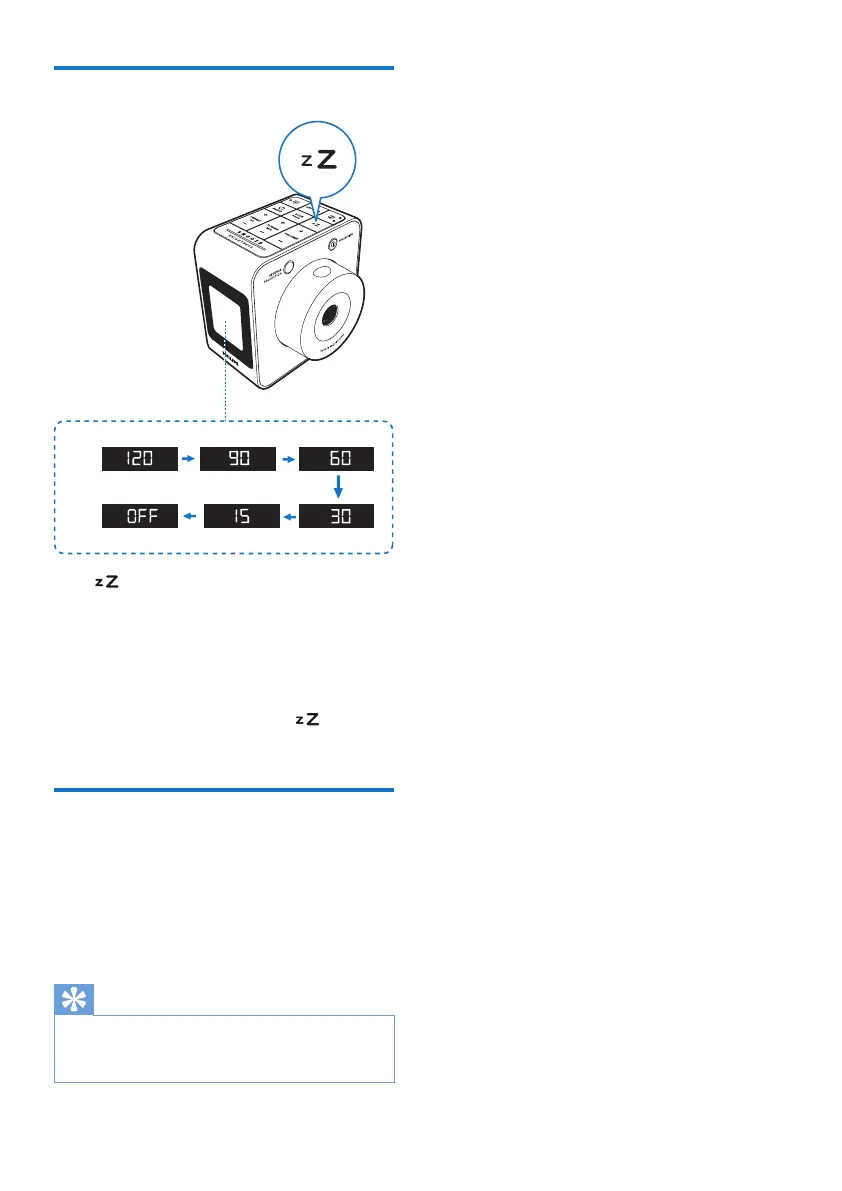
Set sleep timer
Press repeatedly to select the sleep timer
period (in minutes).
» The clock radio switches to standby
mode automatically after the preset
period.
To deactivate the sleep timer:
In sleep timer setting mode, press
repeatedly until [OFF] (off) appears.
Adjust display brightness
Press BRIGHTNESS repeatedly to select
different brightness levels:
• High
• Medium
• Low
Tip
• In battery-powered mode, if there is no operation for
10 seconds, the backlight turns off automatically to save
power. You can press any key to turn it on again.



 To Next Page