7EN
4 Listen to FM
radio
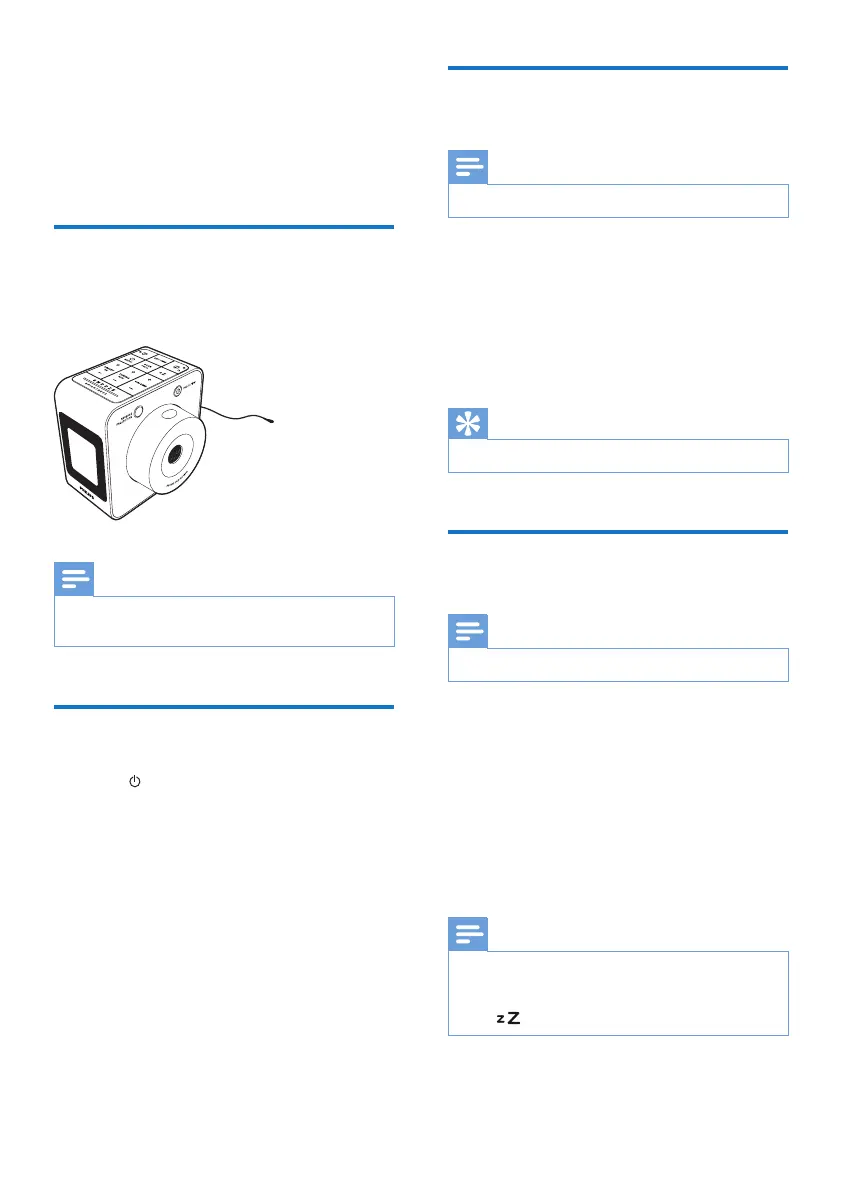
Prepare FM antenna
For better reception, fully extend and adjust the
position of the pig-tail antenna.
Note
• To prevent interference, position the antenna as far as
possible from any other electrical appliances.
Tune to FM radio stations
1 Press RADIO to turn on FM radio.
2 Press and hold + TUNING/ MIN - for two
seconds.
» The clock radio tunes to a station with
strong reception automatically.
3 Repeat step 2 to tune to more radio
stations.
To tune to a station manually:
In tuner mode, press + TUNING/ MIN -
repeatedly to select a frequency.
Store FM radio stations
automatically
Note
• You can store a maximum of 20 FM radio stations.
In FM tuner mode, press and hold SCAN/
PROG for two seconds.
» The clock radio stores all the available
FM radio stations automatically.
» Therstavailablestationbroadcasts
automatically.
Tip
• To stop full scan, press SCAN/PROG.
Store FM radio stations
manually
Note
• You can store a maximum of 20 FM radio stations.
1 In tuner mode, tune to an FM radio station.
2 Press SCAN/PROG.
» The preset number begins to blink.
3 Press + PRESET/ HR - repeatedly to select
a number.
4 Press SCAN/PROGagaintoconrm.
5 Repeat steps 1 to 4 to store other stations.
Note
• To remove a pre-stored station, store another station
in its place.
• To clear the preset list, press and hold SCAN/PROG
and simultaneously for 10 seconds.



 To Next Page