7
7.2 Linking parent unit and
baby unit
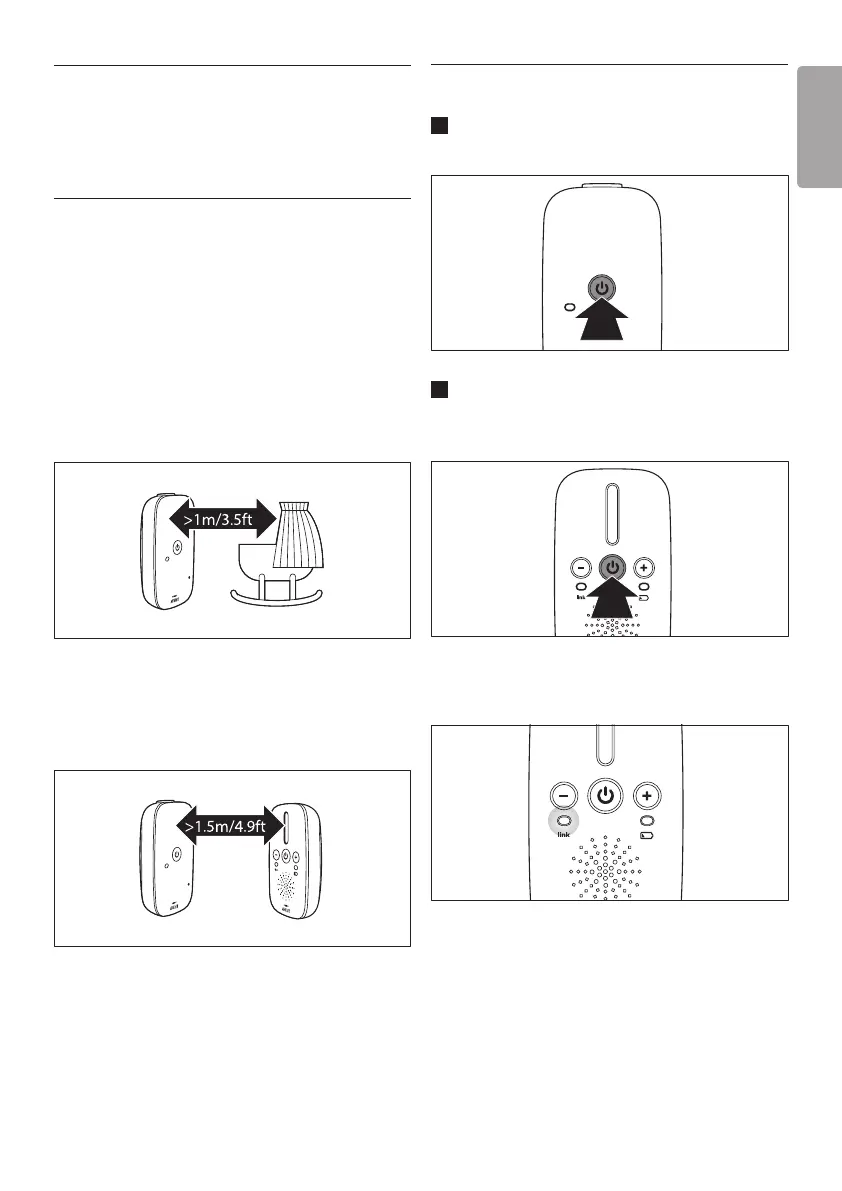
1 Pressandholdthe3buttononthebabyunit
for3secondsuntilthepower-onlightlightsup.
2 Pressandholdthe3buttonontheparent
unitfor3secondsuntilthe‘link’lightstarts
ashingred.
• When the parent unit and baby unit are
linked, the ‘link’ light turns solid green.
7 Using the baby
monitor
7.1 Positioning the baby monitor
B Warning:
Keep the baby unit out of the reach of the baby.
Never place the baby unit inside the baby’s bed
or playpen.
• Becausethecordofthebabyunitpresentsa
potentialstrangulationhazard,makesurethat
thebabyunitanditscordareatleast
1meter/3.5feetawayfromyourbaby.
• Topreventahigh-pitchedsoundfromone
orbothunits,makesuretheparentunitisat
least1.5meters/4.9feetawayfromthebaby
unit.
ENGLISH











 To Next Page