INSTRUCTIONS FOR USE
3-2
PCS 107 114
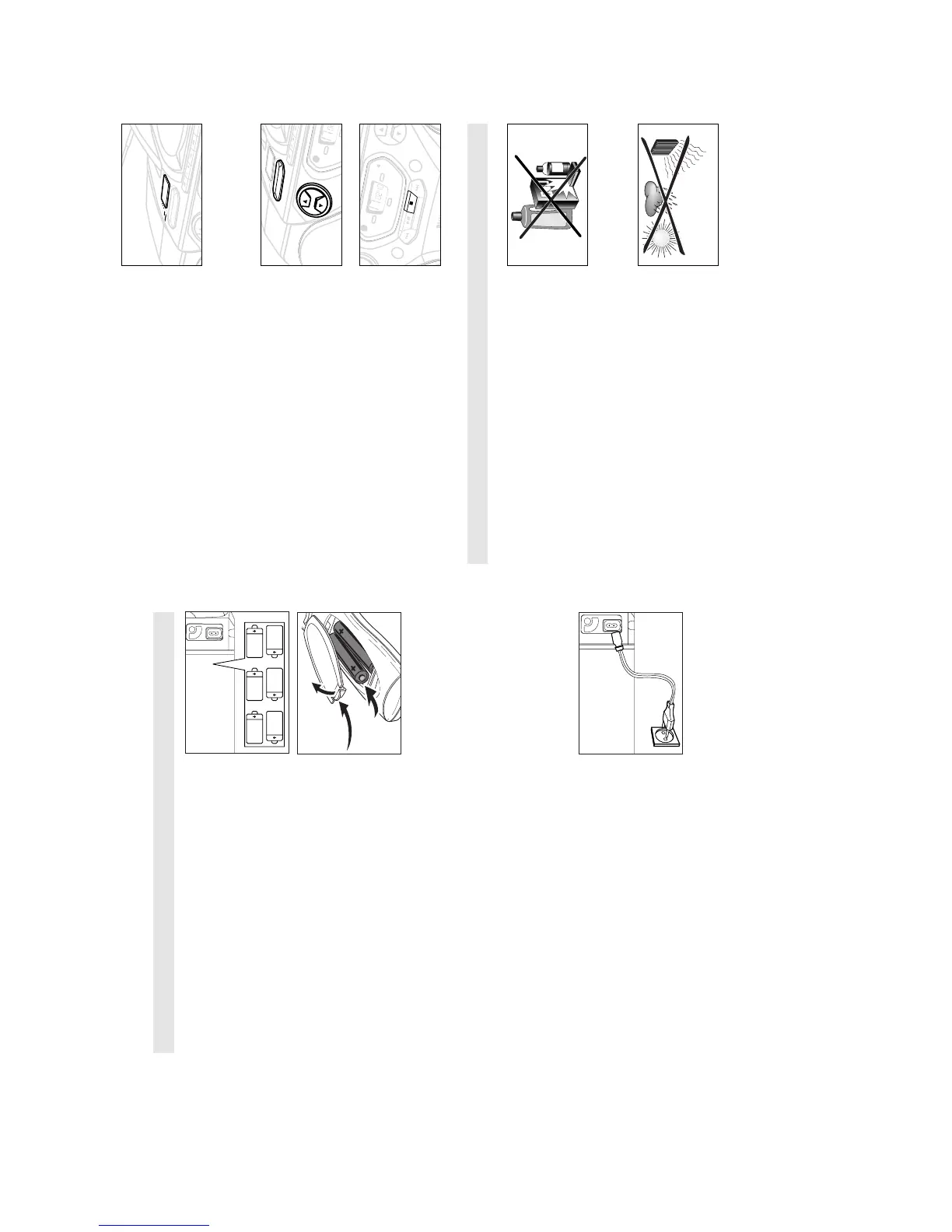
Switching on and off
1. Adjust the POWER slider to the desired sound source: CD,
TUNER or TAPE/OFF.
™ The respective function indicator: CD, TUNER or TAPE lights up.
2. To switch off, adjust the POWER slider to TAPE/OFF position
with the keys on the tape deck released.
™ The respective function indicator: CD, TUNER or TAPE goes out.
™ The volume and tuner presets will be retained in the set's
memory.
Adjusting volume and sound
1. On the set press the VOLUME control to increase or decrease
volume (or press
+
or
–
on the remote control).
™ Display shows the volume level VOL and a number from 0-32.
2. Adjust the DBB control to select dynamic bass boost on or off.
PHILIPS demo mode
1. Press the CD STOP 9 button for 5 seconds.
™ After about 30 seconds, PH..IL ..IPS scrolls across the display.
2. To return to the current display you can either:
• press any function button on the front panel. This interrupts
the demo mode for 30 seconds;
• press the CD STOP 9 button for 5 seconds. PH..IL ..IPS
scrolls once before the demo mode is cancelled.
GENERAL INFORMATION
General maintenance
• Do not expose the set, batteries, CDs or cassettes to humidity,
rain, sand or excessive heat caused by heating equipment or
direct sunlight.
• To clean the set, use a soft, slightly dampened chamois
leather. Do not use any cleaning agents containing alcohol,
ammonia, benzene or abrasives as these may harm the
housing.
Safety information
• Place the set on a hard and flat surface so that the system
does not tilt. Make sure there is adequate ventilation to
prevent the system from overheating.
• The mechanical parts of the set contain self-lubricating
bearings and must not be oiled or lubricated.
SE
AR
CH
S
T
OP-OPEN
P
AUS
E
DB
B
POWE
R
TUNER
DYNAMIC BASS BOOST
CD
T
APE
OFF
C
ODE
T
A
PE
TUNER
CD
ST
OP
PLA
Y
•
P
AUSE
SEA
RCH
•
•
•
•
•
•
SE
A
RC
H
REMOTE
SENSOR
Whenever convenient, use the AC mains supply if you want to
conserve battery life. Make sure you remove the plug from the
set and wall socket before inserting batteries.
BATTERIES (OPTIONAL)
1. Open the battery compartment and insert six batteries, type
R-20, UM-1 or D-cells, (preferably alkaline) with the correct
polarity as indicated by the "
+
" and "
-
" symbols inside the
compartment.
Remote control (supplied)
Open the battery compartment and insert two batteries,
type AAA, R03 or UM4 (preferably alkaline).
2. Replace the compartment door, making sure the batteries are
firmly and correctly in place. The set is now ready to operate.
– If BATT LOW lights up, battery power is running low.
– The BATT LOW indicator eventually goes out if the
batteries are too weak.
Incorrect use of batteries can cause electrolyte leakage and will
corrode the compartment or cause the batteries to burst.
Therefore:
• Do not mix battery types: e.g. alkaline with carbon zinc.
Only use batteries of the same type for the set.
• When inserting new batteries, do not try to mix old batteries
with the new ones.
• Remove the batteries if the set is not to be used for a long
time.
Batteries contain chemical substances, so they should
be disposed of properly.
For users in the U.K.: please follow the instructions on page 2.
Using Mains
1. Check if the mains voltage as shown on the type plate on
the bottom of the set, corresponds to your local mains
supply. If it does not, consult your dealer or service centre.
2. If your set is equipped with a voltage selector, adjust the
selector so to match with the local mains supply.
3. Connect the mains lead to the wall socket and the set is now
ready for use.
4. To disconnect the set from the power supply completely,
remove the plug from the wall outlet.
Standby power consumption . . . . . . . . . . . . . . . . . . . . . . . .3 W


 To Next Page