BDL3245E / BDL4245E / BDL4645E
9
3. Connecting External Equipment
3.1. Using the Switch Cover
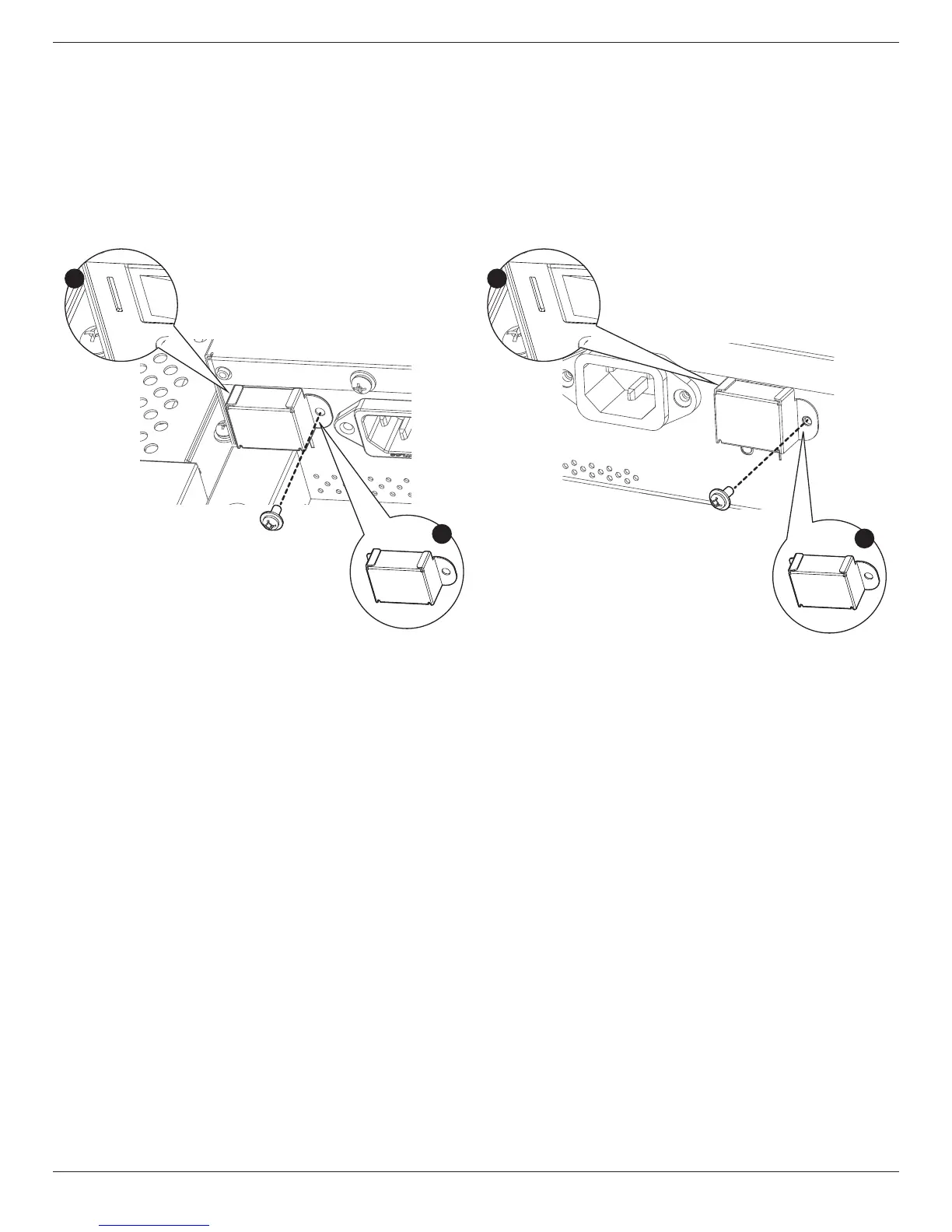
A cover for the power switch is provided to prevent the display from being turned on or off accidentally.
To lock the cover into position:
1. Align and insert the cover to the indentation located beside the power switch.
2. Use the screw to lock the cover.
BDL3245E:
1
2
Screw
Power switch cover
BDL4245E / BDL4645E:
1
2
Screw
Power switch cover











 To Next Page