EasyManua.ls Logo

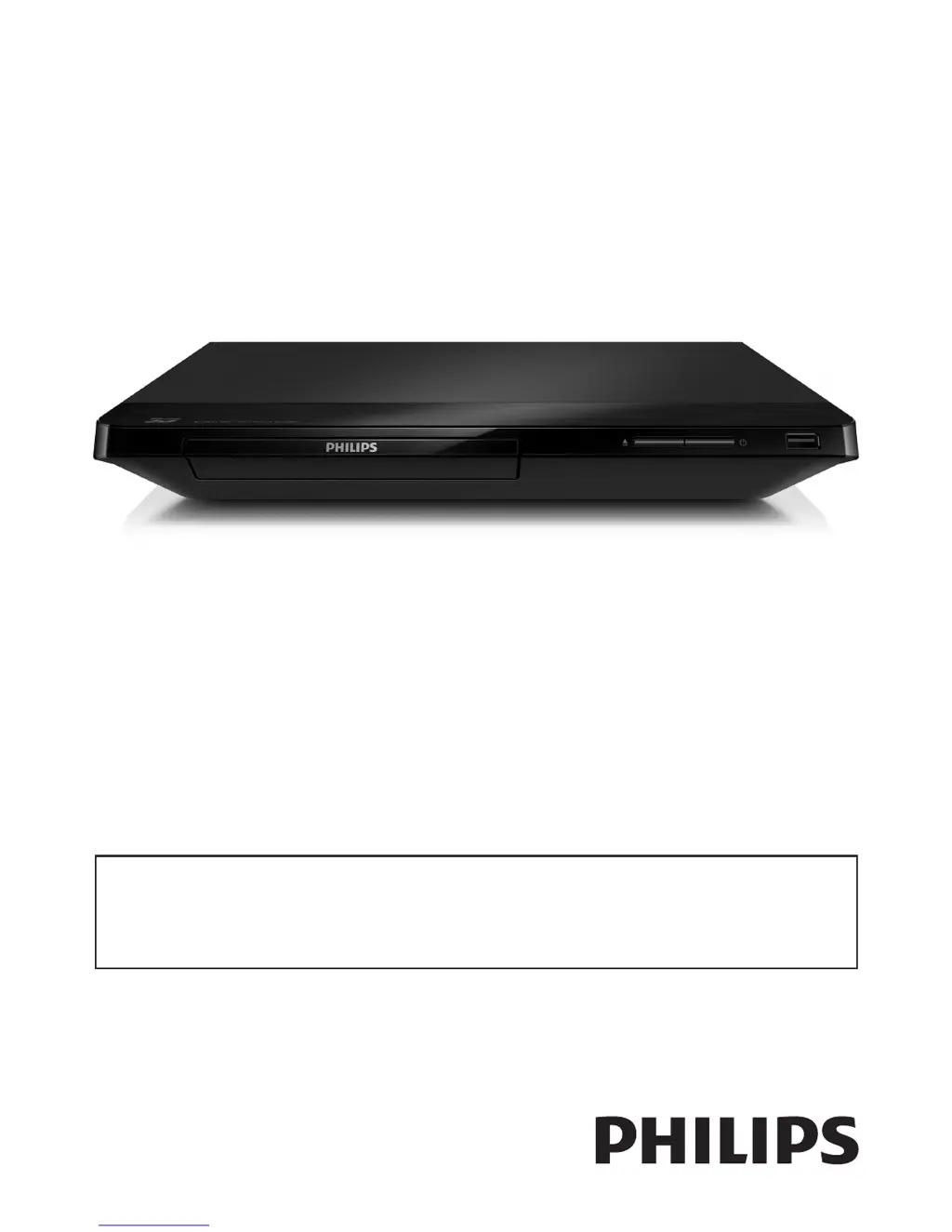
Philips BDP2205 - User Manual

Philips BDP2205
28 pages
Print Icon
To Next Page IconTo Next Page
Loading...
BDP2205
User manual
EN: For further assistance, call the customer support service in your country.
To obtain assistance in the U.S.A., Canada, Puerto Rico, or the U.S. Virgin Islands, contact Philips Customer
Care Center at 1-866-310-0744
To obtain assistance in Mexico, contact Philips Customer Care Center at 01 800 839 1989;
Mexico city: 5887-9736
For Product recycling information, please visit - www.recycle.philips.com
For product support, visit
www.hd.philips.com
P&F USA, Inc.

Other manuals for Philips BDP2205

Questions and Answers

Summary

Use your Blu-ray disc; DVD player

Basic play control

Learn how to control playback functions like play, pause, and stop.

Set up a network

Connect the player to the internet via wired or wireless connection.

Change settings

Picture

Configure display settings such as resolution, color, and TV aspect ratio.

Sound

Adjust audio output formats, night mode, and digital audio settings.

Network (installation, status...)

Manage network connections, view status, and name the product.

Update software

Update software via the Internet

Learn how to update the player's software using an internet connection.

Troubleshooting

Summary

Use your Blu-ray disc; DVD player

Basic play control

Learn how to control playback functions like play, pause, and stop.

Set up a network

Connect the player to the internet via wired or wireless connection.

Change settings

Picture

Configure display settings such as resolution, color, and TV aspect ratio.

Sound

Adjust audio output formats, night mode, and digital audio settings.

Network (installation, status...)

Manage network connections, view status, and name the product.

Update software

Update software via the Internet

Learn how to update the player's software using an internet connection.

Troubleshooting

Philips BDP2205 Specifications

Power IconPower
power consumption11 W
power supply110V, 60Hz
standby power consumption< 1W
Connectivity IconConnectivity
front connectionsUSB 2.0
rear connectionsDigital coaxial out, Ethernet, HDMI output
integrated connectionsWi-Fi
Weight and Dimensions IconWeight and Dimensions
product dimensions (W x H x D)310 x 40 x 217 mm
product weight1.2 kg
packaging dimensions (W x H x D)355 x 87 x 279 mm
weight incl. packaging1.56 kg
outer carton dimensions (L x W x H)35.5 x 27.9 x 8.7 cm

Related product manuals