EasyManua.ls Logo

Philips BDP2385 - User Manual

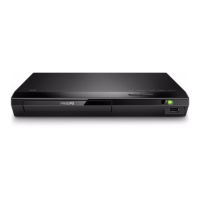
Philips BDP2385
30 pages
Print Icon
To Next Page IconTo Next Page
Loading...
BDP2385
Manuel d'utilisation
User manual
Manual del usuario
EN: For further assistance, call the customer support service in your country.
• To obtain assistance in the U.S.A., Canada, Puerto Rico, or the U.S. Virgin Islands, contact
Philips Customer Care Center at 1 (866) 226-6074
• To obtain assistance in Mexico, contact Philips Customer Care Center at 01 800 839 1989;
Mexico city: 5887-9736
ES: Para obtener mas informacion, llame al servicio de soporte al cliente de su pais.
Para obtener asistencia en los Estados Unidos, en Canada, Puerto Rico o en las Islas Virgenes de los Estados
Unidos, comuniquese con Centro de atencion al cliente de Philips al 1 (866) 226-6074
Solo para Mexico CENTRO DE ATENCION A CLIENTES LADA, 01 800 839 1989 Solo Para Mexico;
Mexico city: 5887-9736
FR: Pour obtenir de l’aide supplementaire, communiquez avec le centre de service a la clientele de votre pays.
Pour obtenir de l’aide aux Etats-Unis, au Canada, a Puerto Rico ou aux lles Vierges americaines, communiquez
avec le centre de service a la clientele Philips au : 1 (866) 226-6074
Pour obtenir l’aide au Mexique, entrez en contact avec le centre de soin de client de Philips a 01 800 839 1989;
Mexico city: 5887-9736
For Product recycling information, please visit - www.recycle.philips.com
Para obtener información de productos de reciclaje, por favor visite - www.recycle.philips.com
Pour tout renseignement sur le recyclage des produits, veuillez visiter - www.recycle.philips.com
For product support, visit
Para obtener asistencia técnica, visite
Pour en savoir plus sur l’assistance sur les produits, visitez le site
www.philips.com/support


Questions and Answers

Summary

Important Safety Instructions

Notice of compliance

Care for your product

Use your Blu-ray disc; DVD player

Basic play control

Explains fundamental operations for controlling playback using the remote.

Video, audio and picture options

Auto play

Play a Blu-ray 3 D video

BD-Live on Blu-ray

Set up a network

Enjoy Internet services

Use Philips EasyLink

Change settings

Picture

Adjusts video display settings like resolution, color depth, and picture presets.

Sound

Configures audio output settings, including HDMI, digital, and night mode.

Update software

Update software via the Internet

Instructions for updating the player's firmware using an internet connection.

Update software via USB

Steps to update the player's firmware using a USB storage device.

Product specifications

Troubleshooting

Main Unit and Basic Playback Issues

Addresses common problems with the player's buttons, power, and disc playback.

Picture and Sound Issues

Resolves problems related to video display, audio output, and HDMI connections.

Summary

Important Safety Instructions

Notice of compliance

Care for your product

Use your Blu-ray disc; DVD player

Basic play control

Explains fundamental operations for controlling playback using the remote.

Video, audio and picture options

Auto play

Play a Blu-ray 3 D video

BD-Live on Blu-ray

Set up a network

Enjoy Internet services

Use Philips EasyLink

Change settings

Picture

Adjusts video display settings like resolution, color depth, and picture presets.

Sound

Configures audio output settings, including HDMI, digital, and night mode.

Update software

Update software via the Internet

Instructions for updating the player's firmware using an internet connection.

Update software via USB

Steps to update the player's firmware using a USB storage device.

Product specifications

Troubleshooting

Main Unit and Basic Playback Issues

Addresses common problems with the player's buttons, power, and disc playback.

Picture and Sound Issues

Resolves problems related to video display, audio output, and HDMI connections.

Philips BDP2385 Specifications

General IconGeneral
TypeBlu-ray Player
Video upscalingYes
USB PortYes
EthernetYes
Playable disc formatsBD-ROM, DVD-Video, CD
Video OutputHDMI
Audio OutputHDMI
ConnectivityHDMI, USB, Ethernet

Related product manuals