EasyManua.ls Logo

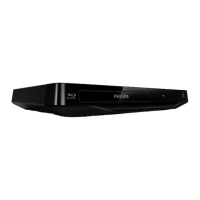
Philips BDP2501 - User Manual

Philips BDP2501
62 pages
Print Icon
To Next Page IconTo Next Page
Loading...
Register your product and get support at
www.philips.com/welcome
BDP2501
Blu-ray Disc™/
DVD Player
EN User Manual
EN For further assistance, call the customer support service in
your country.
To obtain assistance, contact Philips Customer Care Center;
México D.F. and Área Metropolitana; 58 87 97 36
Interior de la Republica; 01 800 839 19 89
Colombia; 01 800 952 0640
Costa Rica; 0800 052 1564
Guatemala; 1 800 835 0351
El Salvador; 1 800 6141
Honduras; 01 800 122 6276
ES Para obtener más información, llame al servicio de so-
porte al cliente de su país.
Para obtener asistencia, póngase en contacto con el
CENTRO DE INFORMACION AL CLIENTE,
México D.F. y Área Metropolitana; 58 87 97 36
Interior de la Republica; 01 800 839 19 89
Colombia; 01 800 952 0640
Costa Rica; 0800 052 1564
Guatemala; 1 800 835 0351
El Salvador; 1 800 6141
Honduras; 01 800 122 6276
To obtain a more detailed electronic copy of
this manua
l, g
o to www.philips.com/support
ES Manual de Usuario
Para obtener una copia electrónica más detal-
lada de este manual, visite
www.philips.com/support


Other manuals for Philips BDP2501

Questions and Answers

Summary

INTRODUCTION

Safety Instruction

Provides essential safety guidelines, warnings, and visual symbols for product operation.

FEATURES

EasyLink (HDMI CEC)

Enables integrated system control over HDMI for seamless device interaction.

BD-Live Connectivity

Allows access to interactive internet features on Blu-ray discs.

FUNCTIONAL OVERVIEW

Front Panel Controls

Details the buttons and indicators located on the front of the player.

Remote Control Guide

On-Screen Display Navigation

CONNECTIONS

Connecting to a TV via HDMI

Step-by-step instructions for connecting the player to a television using HDMI.

Connecting to an Audio System

How to connect the player to external audio equipment.

HDMI Audio Output Settings

Wired Network Connection

Wireless Network Connection

BEFORE YOU START

Initial Setup Guide

A guided process for the first-time setup of the player.

INFORMATION ON PLAYBACK

BASIC PLAYBACK

Playing Back Discs

Steps for starting disc playback and handling file lists.

Playing Contents from USB Memory Stick

Guide to accessing and playing media files stored on a USB drive.

SPECIAL PLAYBACK FEATURES

Fast Forward and Reverse Playback

Controls for quickly moving forward or backward through content.

BD-Live Internet Features

Utilizing online interactive features available on BD-Live discs.

Switching Subtitles and Styles

Options for changing subtitle language and visual style.

Switching Audio Soundtracks

How to select different audio tracks or languages during playback.

NETWORK FEATURES

LIST OF SETTINGS

SETUPS

Network Connection Setup

Comprehensive guide to establishing and testing network connectivity.

Wireless Network Connection Methods

Detailed steps for connecting wirelessly via Easy Connect, Auto Scan, or Manual Entry.

Parental Control Settings

Configuration for parental locks and password management.

Software Update Procedures

Instructions for updating the player's software via disc, USB, or network.

TROUBLESHOOTING

Network Connectivity Problems

Steps to resolve issues with internet and access point connections.

Summary

INTRODUCTION

Safety Instruction

Provides essential safety guidelines, warnings, and visual symbols for product operation.

FEATURES

EasyLink (HDMI CEC)

Enables integrated system control over HDMI for seamless device interaction.

BD-Live Connectivity

Allows access to interactive internet features on Blu-ray discs.

FUNCTIONAL OVERVIEW

Front Panel Controls

Details the buttons and indicators located on the front of the player.

Remote Control Guide

On-Screen Display Navigation

CONNECTIONS

Connecting to a TV via HDMI

Step-by-step instructions for connecting the player to a television using HDMI.

Connecting to an Audio System

How to connect the player to external audio equipment.

HDMI Audio Output Settings

Wired Network Connection

Wireless Network Connection

BEFORE YOU START

Initial Setup Guide

A guided process for the first-time setup of the player.

INFORMATION ON PLAYBACK

BASIC PLAYBACK

Playing Back Discs

Steps for starting disc playback and handling file lists.

Playing Contents from USB Memory Stick

Guide to accessing and playing media files stored on a USB drive.

SPECIAL PLAYBACK FEATURES

Fast Forward and Reverse Playback

Controls for quickly moving forward or backward through content.

BD-Live Internet Features

Utilizing online interactive features available on BD-Live discs.

Switching Subtitles and Styles

Options for changing subtitle language and visual style.

Switching Audio Soundtracks

How to select different audio tracks or languages during playback.

NETWORK FEATURES

LIST OF SETTINGS

SETUPS

Network Connection Setup

Comprehensive guide to establishing and testing network connectivity.

Wireless Network Connection Methods

Detailed steps for connecting wirelessly via Easy Connect, Auto Scan, or Manual Entry.

Parental Control Settings

Configuration for parental locks and password management.

Software Update Procedures

Instructions for updating the player's software via disc, USB, or network.

TROUBLESHOOTING

Network Connectivity Problems

Steps to resolve issues with internet and access point connections.

Philips BDP2501 Specifications

General IconGeneral
Depth271 mm
Width344 mm
Height83 mm
Weight1000 g
Full HDYes
Device typeBlu-Ray player
Aspect ratio4:3, 16:9
Product colorBlack
Audio decodersDTS 2.0, Dolby Digital
Playback modesPause, Repeat, Slow
DVD region code4
AC input voltage120 V
AC input frequency60 Hz
Blu-ray region codeA
Playback disc typesBD-R, BD-RE, CD-R, CD-RW, DVD+R, DVD+RW, DVD-R, DVD-RW
Disc types supportedBD, BD-R, BD-RE, CD, CD-R, CD-RW, DVD, DVD+R, DVD+RW, DVD-R, DVD-RW
Playback disc formatsBlu-Ray video, CD audio, CD video, DVD-Video, Picture CD
Supported video modes1080p
Card reader integratedNo
USB 2.0 ports quantityUSB 2.0 ports have a data transmission speed of 480 Mbps, and are backwards compatible with USB 1.1 ports. You can connect all kinds of peripheral devices to them.
Audio formats supportedAAC, FLAC, MP3, PCM, WAV
Gross weight (imperial)3.1 lbs
Image formats supportedJPG, PNG
Video formats supportedAVCHD, H.264, MPEG2
Digital audio coaxial out-
Analog signal format systemNTSC
On Screen Display (OSD) languagesENG, ESP, FRE
Audio output channels- channels

Related product manuals