EasyManua.ls Logo

Philips BDP2900 - User Manual

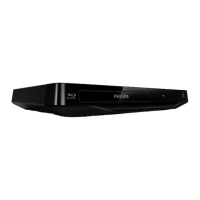
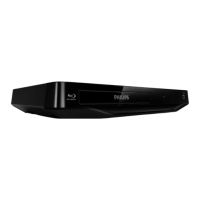
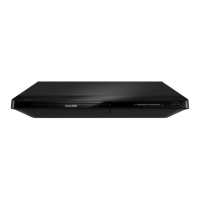
Philips BDP2900
22 pages
Print Icon
To Next Page IconTo Next Page
Loading...
BDP2930
User manual
Register your product and get support at
www.philips.com/welcome
BDP2900

Other manuals for Philips BDP2900

Question and Answer IconNeed help?

Do you have a question about the Philips BDP2900 and is the answer not in the manual?

Summary

Blu-ray Player Operation Guide

Basic Playback Controls

Learn to operate the player using the remote control for basic playback functions.

Video, Audio, and Picture Settings

Video Playback Options

Adjust video playback options including subtitle language, character set, and time search.

Picture Adjustments for Slideshows

Customize slideshows with picture rotation, zoom, duration, and transition effects.

Audio Playback Configuration

Configure audio settings such as repeat mode and selecting audio languages.

DivX Video Playback Features

DivX VOD Code Registration

Register your player with a DivX VOD code to enable purchased DivX video playback.

DivX Subtitle Management

Select and manage subtitle languages and character sets for DivX video files.

Creating Musical Slideshows

BonusView on Blu-ray

BD-Live Online Services

Network Setup and Internet Connection

Philips EasyLink Connectivity

Player Settings and Customization

Picture Settings Configuration

Adjust picture settings like TV display, HDMI video resolution, and color depth.

Sound Settings Configuration

Set up audio preferences, including night mode, HDMI audio, and digital audio formats.

Network Setup and Status

Manage network connections, initiate installation, and check network status.

Preference Settings Management

Advanced Player Options

Software Update Procedures

Updating Software via Internet

Connect to the internet to automatically download and install player software updates.

Updating Software via USB

Download software files from the web to a USB device for manual player software updates.

Technical Specifications

Disc Region Code Information

Details on the DVD and Blu-ray region codes supported by this player.

Supported Playable Media

Lists compatible disc types (DVD, Blu-ray, CD) and USB storage devices.

Supported File Formats

Specifies the video, audio, and picture file formats the player can process.

Video Output Specifications

Details video signal systems (PAL/NTSC) and HDMI output resolutions.

Audio Output Specifications

Information on HDMI and coaxial audio outputs, sampling frequencies, and bit rates.

Troubleshooting Common Issues

Player Unit Malfunctions

Troubleshoot issues where player buttons are unresponsive by power cycling the unit.

No Picture Display Problems

Resolve issues where no image is shown on the TV screen, including HDMI connection checks.

Summary

Blu-ray Player Operation Guide

Basic Playback Controls

Learn to operate the player using the remote control for basic playback functions.

Video, Audio, and Picture Settings

Video Playback Options

Adjust video playback options including subtitle language, character set, and time search.

Picture Adjustments for Slideshows

Customize slideshows with picture rotation, zoom, duration, and transition effects.

Audio Playback Configuration

Configure audio settings such as repeat mode and selecting audio languages.

DivX Video Playback Features

DivX VOD Code Registration

Register your player with a DivX VOD code to enable purchased DivX video playback.

DivX Subtitle Management

Select and manage subtitle languages and character sets for DivX video files.

Creating Musical Slideshows

BonusView on Blu-ray

BD-Live Online Services

Network Setup and Internet Connection

Philips EasyLink Connectivity

Player Settings and Customization

Picture Settings Configuration

Adjust picture settings like TV display, HDMI video resolution, and color depth.

Sound Settings Configuration

Set up audio preferences, including night mode, HDMI audio, and digital audio formats.

Network Setup and Status

Manage network connections, initiate installation, and check network status.

Preference Settings Management

Advanced Player Options

Software Update Procedures

Updating Software via Internet

Connect to the internet to automatically download and install player software updates.

Updating Software via USB

Download software files from the web to a USB device for manual player software updates.

Technical Specifications

Disc Region Code Information

Details on the DVD and Blu-ray region codes supported by this player.

Supported Playable Media

Lists compatible disc types (DVD, Blu-ray, CD) and USB storage devices.

Supported File Formats

Specifies the video, audio, and picture file formats the player can process.

Video Output Specifications

Details video signal systems (PAL/NTSC) and HDMI output resolutions.

Audio Output Specifications

Information on HDMI and coaxial audio outputs, sampling frequencies, and bit rates.

Troubleshooting Common Issues

Player Unit Malfunctions

Troubleshoot issues where player buttons are unresponsive by power cycling the unit.

No Picture Display Problems

Resolve issues where no image is shown on the TV screen, including HDMI connection checks.

Philips BDP2900 Specifications

Power IconPower
power consumption11 W
power supply110V, 60Hz
standby power consumption<0.66 W
Weight and Dimensions IconWeight and Dimensions
product dimensions310 x 40 x 203 mm
product weight1.25 kg
packaging dimensions420 x 90 x 303 mm
weight including packaging2.0 kg

Related product manuals