EasyManua.ls Logo

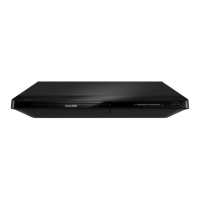
Philips BDP2100/F7 - User Manual

Philips BDP2100/F7
30 pages
Print Icon
To Next Page IconTo Next Page
Loading...
BDP2100
www.philips.com/welcome
User manual
Always there to help you
Register your product and get support at
Question?
Contact
Philips
Question and Answer IconNeed help?

Do you have a question about the Philips BDP2100/F7 and is the answer not in the manual?

Summary

Hookup and Play

HDMI Connection

Instructions for connecting the player to a TV using an HDMI cable for video and audio.

Video and Audio Line Out Connection

Instructions for connecting the player to a TV using composite video and analog audio cables.

Important Information

Important Safety Instructions

Critical safety guidelines to follow before and during product use.

Using Your Blu-ray;DVD Player

Basic Playback Controls

Explanation of essential remote control buttons for playing discs.

Internet Services Setup

Connecting the player to the internet and accessing online services like Netflix and YouTube.

Software Updates

Updating Software via Internet

Procedure for downloading and installing software updates over a network connection.

Updating Software via USB

Steps to prepare and install software updates using a USB storage device.

Troubleshooting Common Issues

Connection and Setup Problems

Solutions for issues related to initial connection, setup, and player buttons.

Picture and Sound Output Issues

Troubleshooting for no picture, incorrect picture display, or no audio output.

Summary

Hookup and Play

HDMI Connection

Instructions for connecting the player to a TV using an HDMI cable for video and audio.

Video and Audio Line Out Connection

Instructions for connecting the player to a TV using composite video and analog audio cables.

Important Information

Important Safety Instructions

Critical safety guidelines to follow before and during product use.

Using Your Blu-ray;DVD Player

Basic Playback Controls

Explanation of essential remote control buttons for playing discs.

Internet Services Setup

Connecting the player to the internet and accessing online services like Netflix and YouTube.

Software Updates

Updating Software via Internet

Procedure for downloading and installing software updates over a network connection.

Updating Software via USB

Steps to prepare and install software updates using a USB storage device.

Troubleshooting Common Issues

Connection and Setup Problems

Solutions for issues related to initial connection, setup, and player buttons.

Picture and Sound Output Issues

Troubleshooting for no picture, incorrect picture display, or no audio output.

Philips BDP2100/F7 Specifications

General IconGeneral
Output Resolution1080p
HDMI OutputYes
USB PortYes
Ethernet PortYes
Wi-FiNo
Playable Disc FormatsDVD-Video, CD, CD-R/RW, DVD+R/+RW, DVD-R/-RW
Audio OutputDigital Coaxial
Video Formats SupportedMPEG-2

Related product manuals