EN 23
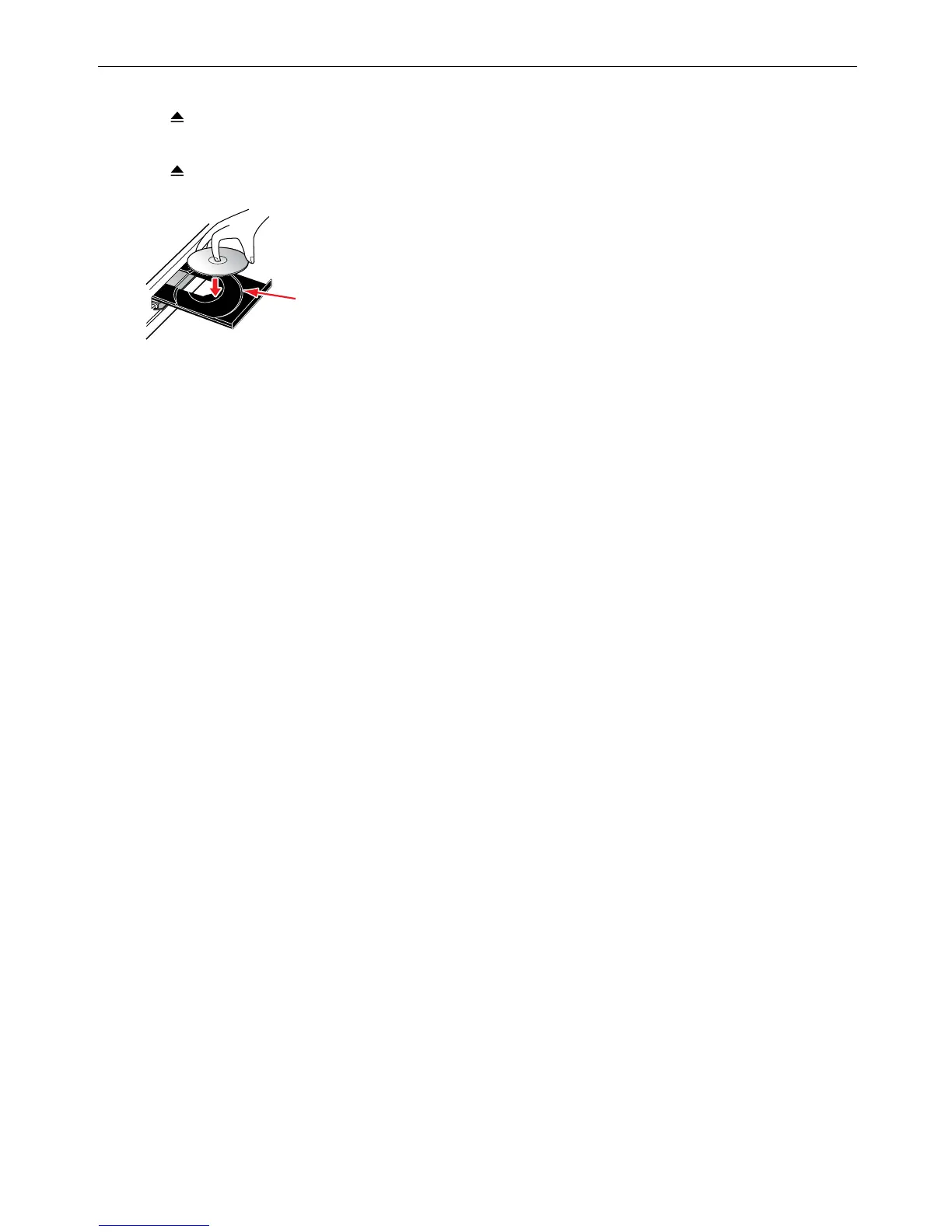
6.3. How to Insert a Disc
1. Press [ (OPEN/CLOSE)] to Open the disc tray.
2. Place the Disc on the disc tray with its label side facing up.
3. Press [
(OPEN/CLOSE)] to Close the disc tray.
• It may take a while to load the disc.
Align the Disc to the disc tray guide.



 To Next Page