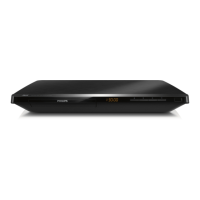
EasyManua.ls Logo

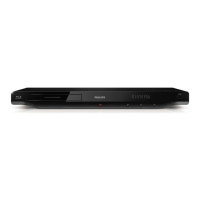
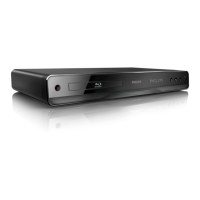
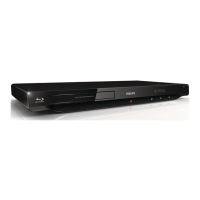
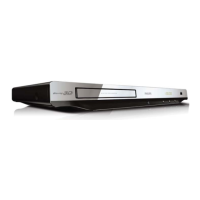
Philips BDP3406/F7 - User Manual

Philips BDP3406/F7
62 pages
Print Icon
To Next Page IconTo Next Page
Loading...
For product support, visit
Para obtener asistencia técnica, visite
Pour en savoir plus sur l’assistance sur les produits, visitez le site
www.hd.philips.com
© 2011 P&F USA, Inc.
BDP3406/F7
EN User manual 3
ES Manual del usuario 29
FR Mode d’emploi 49
For Product recycling information, please visit - www.recycle.philips.com
Para obtener información de productos de reciclaje, por favor visite - www.recycle.philips.com
Pour tout renseignement sur le recyclage des produits, veuillez visiter - www.recycle.philips.com
EN: For further assistance, call the customer support service in your country.
To obtain assistance in the U.S.A., Canada, Puerto Rico, or the U.S. Virgin Islands, contact
Philips Customer Care Center at 1-866-309-0866
To obtain assistance in Mexico, contact Philips Customer Care Center at 01 800 504 62 00
ES: Para obtener mas informacion, llame al servicio de soporte al cliente de su pais.
Para obtener asistencia en los Estados Unidos, en Canada, Puerto Rico o en las Islas Virgenes de los Estados
Unidos, comuniquese con Centro de atencion al cliente de Philips al 1-866-309-0866
• Solo para Mexico CENTRO DE ATENCION A CLIENTES LADA. 01 800 504 62 00 Solo Para Mexico.
FR: Pour obtenir de l’aide supplementaire, communiquez avec le centre de service a la clientele de votre pays.
Pour obtenir de l’aide aux Etats-Unis, au Canada, a Puerto Rico ou aux Iles Vierges americaines, communiquez
avec le centre de service a la clientele Philips au : 1-866-309-0866
• Pour obtenir l’aide au Mexique, entrez en contact avec le centre de soin de client de Philips a 01 800 504 62 00

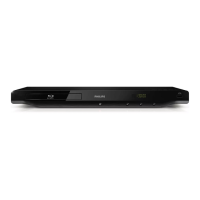
Other manuals for Philips BDP3406/F7

Questions and Answers

  • T
    Tyler SmithAug 19, 2025
    Why is there no sound on HDMI connection with my Philips BDP3406/F7 Blu-ray Player?
    • A
      Ashley McclainAug 20, 2025
      If you are not getting any sound on your Philips Blu-ray player through the HDMI connection, it could be because the connected device is not HDCP compliant or is only DVI-compatible. Also, if 'Bitstream' is selected under the 'HDMI Audio' or 'Digital Audio' menu, interactive sounds may be muted. Try deselecting 'Bitstream'.
  • J
    jerryoneillAug 21, 2025
    What to do if there is no audio output from the loudspeakers of the external audio device (home theater or amplifier) when using my Philips BDP3406/F7 Blu-ray Player?
    • M
      Michelle BuchananAug 21, 2025
      If you're not getting any audio output from the loudspeakers of the external audio device (home theater or amplifier) when using your Philips Blu-ray Player, make sure the audio cables are connected to the audio input of the audio device and switch the external audio device to the correct audio source input.
  • D
    Donna FosterAug 23, 2025
    What to do if there is no audio output from the TV when using my Philips BDP3406/F7?
    • D
      David HayesAug 25, 2025
      If you are not getting any audio output from the TV when using your Philips Blu-ray Player, make sure that the audio cables are connected to the audio input of the TV and that the TV is switched to the correct source input for the player.
  • B
    Brenda BurnettAug 26, 2025
    How to fix EasyLink feature if it does not work on Philips Blu-ray Player?
    • D
      David RichardsonAug 26, 2025
      To resolve issues with EasyLink on your Philips Blu-ray Player, ensure the player is connected to a Philips brand EasyLink TV and that the EasyLink option is turned on.
  • T
    Taylor BowmanAug 27, 2025
    How to fix the buttons on Philips BDP3406/F7 Blu-ray Player if they do not work?
    • P
      Paul FordAug 27, 2025
      To address unresponsive buttons on your Philips Blu-ray Player, disconnect the player from the power supply for a few minutes, and then reconnect it.
  • S
    sarahmartinAug 30, 2025
    What to do if there is no picture on my Philips BDP3406/F7?
    • J
      Jonathan BarnesAug 30, 2025
      If you're not getting a picture on your Philips Blu-ray Player, ensure the TV is set to the correct source input. For composite connections, select a video resolution of 480i/576i or 480p/576p under [HDMI Video] on the player. Check that the HDMI cable isn't faulty and replace it if necessary. You can also press the numeric buttons “731” on the remote control, or wait 10 seconds for auto recovery. Note that if the player is connected to an unauthorized display device, the audio and video signals may not be output. Also, ensure the disc and TV support high-definition video.
  • M
    matthewsjimmyAug 31, 2025
    Why is Netflix and Vudu working slowly on my Philips BDP3406/F7?
    • B
      Brooke SmithSep 1, 2025
      If Netflix and Vudu are working slowly on your Philips Blu-ray Player, consult your wireless router’s user manual for details on indoor range, transfer rate, and other signal quality factors. You may also need a high-speed internet connection for your router.
  • G
    gwilliamsSep 3, 2025
    What to do if Netflix and Vudu does not work on my Philips Blu-ray Player?
    • Z
      zevansSep 3, 2025
      If Netflix and Vudu aren't working on your Philips Blu-ray Player, ensure the player is correctly connected to the network and that network installation is complete. Also, check the router connection, referring to its user manual for guidance.
  • T
    Trevor GoodSep 4, 2025
    Why can't I read the contents of a connected USB storage on my Philips BDP3406/F7?
    • J
      Joseph MooreSep 4, 2025
      If your Philips Blu-ray Player is not reading the contents of a connected USB storage device, verify that the USB storage device's format is compatible with the player and that the file system is supported. If you're using a portable hard drive disc (HDD), it might need an external power source.
  • J
    Jesse FowlerSep 6, 2025
    Why is the wireless network not found or distorted on my Philips BDP3406/F7?
    • C
      Cameron CruzSep 6, 2025
      If the wireless network is not found or is distorted on your Philips Blu-ray Player, ensure the network is correctly connected and the network installation is complete. Also, make sure that the wireless network is not being disturbed by microwave ovens, DECT phones, or other neighboring Wi-Fi devices. If the wireless network continues to have issues, consider trying a wired network installation.

Summary

Hookup and Play

Initial Setup and Connections

Guides on connecting the player, remote, and power supply for initial use.

Audio;Video Output Connections

Details HDMI, VIDEO, COAXIAL, and AUDIO OUT connections for display and sound.

Use Your Blu-ray Disc; DVD Player

Basic Play Control

Explains essential playback functions using the remote control buttons.

Change Settings

Troubleshooting

Main Unit Issues

Solutions for unresponsive buttons or power issues with the main unit.

Picture and Display Problems

Addresses no picture, HDMI issues, and HD playback errors.

Audio Output Issues

Troubleshooting steps for no audio from TV or external devices.

Playback and Connectivity Issues

Covers disc, DivX, USB, EasyLink, and BD-Live playback problems.

Philips BDP3406/F7 Specifications

General IconGeneral
TypeBlu-ray Player
Output resolution1080p
HDMIYes
USBYes
EthernetYes
Wi-FiNo
Playable disc formatsDVD, CD

Related product manuals