EasyManua.ls Logo

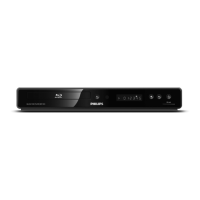
Philips BDP3020 - User Manual

Philips BDP3020
54 pages
Print Icon
To Next Page IconTo Next Page
Loading...
FR Manuel de l’Utilisateur
Register your product and get support at
www.philips.com/welcome
BDP5010
EN User manual
ES Manual del usuario
EN: For further assistance, call the customer support service in your country.
To obtain assistance in the U.S.A., Canada, Puerto Rico, or the U.S. Virgin Islands, contact Philips
Customer Care Center at 1-866-309-0866
To obtain assistance in Mexico, contact Philips Customer Care Center at 01 800 504 62 00
ES: Para obtener más información, llame al servicio de soporte al cliente de su país.
Para obtener asistencia en los Estados Unidos, en Canadá, Puerto Rico o en las Islas Vírgenes de los
Estados Unidos, comuníquese con Centro de atención al cliente de Philips al 1-866-309-0866
Solo para Mexico CENTRO DE ATENCIÓN A CLIENTES LADA. 01 800 504 62 00 Solo
Para México.
FR: Pour obtenir de l’aide supplémentaire, communiquez avec le centre de service à la clientèle de
votre pays.
Pour obtenir de l’aide aux États-Unis, au Canada, à Puerto Rico ou aux Îles Vierges américaines,
communiquez avec le centre de service à la clientèle Philips au : 1-866-309-0866
Pour obtenir l’aide au Mexique, entrez en contact avec le centre de soin de client de Philips à
01 800 504 62 00
Register your product and get support at
www.philips.com/welcome
BDP3020/F7
BDP3020/F8

Other manuals for Philips BDP3020

Question and Answer IconNeed help?

Do you have a question about the Philips BDP3020 and is the answer not in the manual?

Summary

Precautions

Safety Instructions

Essential safety guidelines for using the apparatus, including warnings about fire and electric shock risks.

Laser Safety

Information regarding the laser system used in the apparatus and potential hazards.

Copyright Information

Details on copyright protection technology and restrictions on copying or broadcasting.

Electrical and Fire Safety

Precautions to avoid electrical shock and fire hazards, including handling the power cord.

Location and Handling

Recommendations for the optimal placement and handling of the unit to prevent damage.

Dew Condensation Warning

Information on potential dew condensation inside the unit and actions to take.

Recycling and Disposal

Guidelines for recycling packaging materials and disposing of batteries properly.

Progressive Scan Output Notice

Notes regarding compatibility issues with progressive scan output on some televisions.

Maintenance

Servicing

Instructions on how to seek customer service and troubleshooting before returning the product.

Cleaning the Cabinet

Methods for cleaning the exterior surfaces of the unit without damaging them.

Cleaning Discs

Proper techniques for cleaning discs to ensure optimal playback performance.

Disc Handling

Guidelines for handling discs to prevent fingerprints and dust, and notes on unplayable disc types.

Supplied Accessories

Trademark Information

Features

Blu-ray Disc Playback

Details on enjoying high-definition playback from Blu-ray Discs.

BD-Java Interactive Functions

Information on interactive features like games or menus supported by BD-Java discs.

DVD Upscaling

Explanation of how the player upscales standard definition DVDs to high definition.

Media Playback Compatibility

Overview of compatibility with DVD, CD, and SD card media for various file types.

Surround Sound

Description of the multi-channel surround sound capabilities for an immersive audio experience.

User Interface and Remote Control

Information on the intuitive user interface and the functions of the remote control.

HDMI Connection

Guidance on connecting the player to HDTVs using HDMI cables for high-quality output.

EasyLink (HDMI CEC)

Details on operating linked devices using the EasyLink (HDMI CEC) feature.

Pop-up Menu

Explanation of the pop-up menu feature available on some BD-videos.

HDMI Deep Color

Information on the HDMI Deep Color feature for enhanced picture quality.

HDMI 1080 p;24 Output

Details on the HDMI 1080p/24 output feature for smoother motion playback.

SD Memory Card Playback

Guidance on playing back MP3 and JPEG files stored on an SD Memory Card.

Product Information

How to access and view the unit's hardware and software version information.

Symbols Guide

Explanation of symbols used throughout the manual to indicate media compatibility.

Functional Overview

Front Panel Layout

Description of the buttons and indicators on the front panel of the Blu-ray player.

Rear Panel Layout

Details of the input and output terminals located on the rear panel of the unit.

Remote Control Overview

Identification and function of each button on the remote control.

Installing Remote Batteries

Step-by-step instructions for inserting batteries into the remote control.

Using the Remote Control

Tips and operational ranges for using the remote control effectively.

Front Panel Display

Explanation of the icons and information displayed on the unit's front panel.

On-Screen Display Guide

Guide to navigating the home menu and other on-screen display elements.

Connections

Connecting to the TV

Instructions for connecting the Blu-ray player to various types of televisions.

HDMI Video; Audio Connection

Details on establishing an HDMI connection for high-quality video and audio.

Component Video Connection

Guidance on connecting via component video for enhanced picture quality.

Standard Video Connection

Instructions for connecting using standard composite video and audio cables.

HDMI Mode and Output Signals

Configuring HDMI output resolution and understanding signal compatibility.

Copyright Protection System

Information on HDCP copy protection required for digital content playback.

Connecting to an Audio System

Steps for connecting the player to stereo systems or AV receivers for audio output.

Audio Output Settings

Configuration options for audio output formats from analog and digital jacks.

HDMI Audio Connection

Specifics on connecting the audio output via HDMI to an AV receiver.

Network Connection

Instructions for connecting the unit to a network for BD-Live and firmware updates.

Before You Start

Finding the Viewing Channel on Your TV

Guide to selecting the correct TV input channel to view the player's output.

Information on Playback

Playable Discs and Files

List of compatible disc types and file formats supported by the player.

SD Memory Card Notes

Important notes regarding SD Memory Card compatibility and file system support.

Unplayable Discs and Files

Disc and file types that cannot be played back by this unit.

Color Systems

Explanation of NTSC color system and its importance for disc playback.

Region Codes

Information on region code compatibility for BD-video and DVD-video discs.

Disc Playback Hints

Tips and icon descriptions for navigating disc content and understanding playback elements.

File List Guide

How to interpret and navigate the file lists for audio CDs, videos, and music.

How to Insert a Disc

Step-by-step instructions for inserting and ejecting discs into the player.

Basic Playback

Playing Back a BD or DVD

Instructions for starting, pausing, and stopping playback of Blu-ray and DVD discs.

Playing Back Audio CD, DivX, MP3, JPEG

Guide to playing back audio CDs and discs containing DivX, MP3, and JPEG files.

Recommended Specifications

Recommended specifications for DivX, MP3, and JPEG file playback.

Navigating File Lists

How to navigate through folders and files using the player's interface.

Kodak Picture CD Playback

Instructions for playing JPEG files from a Kodak Picture CD.

Reading the SD Memory Card

Guide to inserting, playing files from, and removing SD Memory Cards.

About DivX and DivX VOD

Information on DivX video format, DivX Certified devices, and DivX Video On-Demand services.

DivX with External Subtitle

How to display user-created subtitles with DivX video playback.

Title and Disc Menu

How to access and navigate title menus and disc menus for BD-video and DVD-video.

Special Playback

Fast Forward; Fast Reverse

How to fast forward or fast reverse playback for different media types.

Slow Forward Playback

Instructions for performing slow motion playback.

Step by Step Playback

How to advance playback one frame at a time.

Zoom Function

How to zoom in on the picture and navigate the zoomed image.

Repeat Playback

Options for repeating chapters, titles, tracks, or all media content.

A-B Repeat

How to set and play back a specific segment of content repeatedly.

Slide Show

Instructions for viewing JPEG files as a slide show with timed transitions.

PIP (BONUSVIEW) Setting

How to use the Picture-in-Picture feature for BD-videos with secondary video.

BD-Live with Internet

How to use interactive BD-Live functions by connecting the unit to the Internet.

Title and Chapter Search

How to search for specific titles or chapters during playback.

Direct Search

Using number buttons to directly search for titles or chapters.

Track Search

How to skip to the next or previous track or file during playback.

Time Search

How to jump to a specific playback time using the INFO button.

Switching Subtitles

How to select and change subtitle languages during playback.

Switching Audio Soundtrack

How to select different audio streams or languages during playback.

Switching Camera Angles

How to change camera angles for scenes shot from multiple viewpoints.

List of Settings

Language and Subtitle Settings

Settings for audio language, subtitle language, and disc menu language.

Video Output Settings

Configuration options for HDMI resolution, deep color, component output, and de-interlacing.

Audio Output Settings

Settings for Night Mode, Down Sampling, Virtual Surround, HDMI Audio, and Digital Out.

Display and Control Settings

Settings for Ratings Lock, Angle Icon, Auto Standby, screen brightness, and screen saver.

Network and DivX VOD Settings

Configuration for EasyLink, network connection, DivX VOD, and disabling network features.

Factory Default Settings

Options for resetting settings, SD card, local storage, and network settings to factory defaults.

Setups

TV Shape Adjustment

Adjusting the aspect ratio of the video source to fit the TV monitor without distortion.

HDMI Video Resolution Setting

Setting the video signal resolution output from the HDMI OUT jack.

HDMI Audio Configuration

Configuring the audio format for the sound output from the HDMI OUT jack.

Digital Output Configuration

Setting the audio format for the sound output from the DIGITAL OUT (COAXIAL) jack.

Ratings Lock Setup

Setting a ratings lock level and password to restrict playback of certain content.

Network Connection Configuration

Setting up network parameters like IP address, DNS, and connection speed for internet access.

Proxy Server Settings

Configuring proxy server address and port if required by the network environment.

Software Upgrade and Factory Reset

Instructions for upgrading software via disc or network, and resetting the unit to factory defaults.

Troubleshooting

Power Issues

Solutions for problems related to the remote control and power.

Video Signal Problems

Troubleshooting steps for no video signal, incorrect resolution, or HDMI issues.

Audio Signal Problems

Solutions for issues with no audio signal from TV speakers or audio systems.

Disc Playback Issues

Common problems encountered during disc playback, including compatibility and region code errors.

File Playback Issues

Troubleshooting for playback of JPEG, MP3, and DivX files, including file not found errors.

Network Connection Problems

Solutions for issues connecting to the network or using BD-Live functions.

Glossary

Analog Audio

Definition of analog audio signals and comparison to digital audio.

Aspect Ratio

Explanation of the width-to-height ratio of a TV screen.

BD-Live

Definition of BD-Live, its functions, and internet connectivity requirements.

Blu-ray Disc (BD)

Description of Blu-ray Disc technology, capacity, and features.

DivX

Definition of DivX codec and its use in compressing video files.

HDMI

Definition of HDMI (High Definition Multimedia Interface) for audio-visual transmission.

LAN (Local Area Network)

Definition of a Local Area Network and its role in connecting devices.

MP3 (MPEG audio layer 3)

Definition of MP3 audio compression and its playback compatibility.

Region Code

Explanation of region codes for discs and players, and compatibility.

Router

Definition of a router as a networking device for directing internet traffic.

Subnet Mask

Explanation of a subnet mask used to determine network segments.

Title

Definition of a title as a collection of chapters on a BD-video or DVD-video.

Specifications

General Specifications

Overview of the player's general specifications including power, dimensions, and operating conditions.

Terminals

List and description of all input and output terminals on the front and rear panels.

One (1) Year Limited Warranty

Warranty Coverage

Details on what is covered under the limited warranty and the warranty period.

Who is Covered

Information on who is eligible for the warranty coverage, typically the original purchaser.

What is Covered

Explanation of the company's options for repairing or replacing defective products.

What is Not Covered

Exclusions from the limited warranty, including damage from misuse or unauthorized modifications.

Obtaining Assistance

Contact information and procedures for obtaining warranty service and support.

Summary

Precautions

Safety Instructions

Essential safety guidelines for using the apparatus, including warnings about fire and electric shock risks.

Laser Safety

Information regarding the laser system used in the apparatus and potential hazards.

Copyright Information

Details on copyright protection technology and restrictions on copying or broadcasting.

Electrical and Fire Safety

Precautions to avoid electrical shock and fire hazards, including handling the power cord.

Location and Handling

Recommendations for the optimal placement and handling of the unit to prevent damage.

Dew Condensation Warning

Information on potential dew condensation inside the unit and actions to take.

Recycling and Disposal

Guidelines for recycling packaging materials and disposing of batteries properly.

Progressive Scan Output Notice

Notes regarding compatibility issues with progressive scan output on some televisions.

Maintenance

Servicing

Instructions on how to seek customer service and troubleshooting before returning the product.

Cleaning the Cabinet

Methods for cleaning the exterior surfaces of the unit without damaging them.

Cleaning Discs

Proper techniques for cleaning discs to ensure optimal playback performance.

Disc Handling

Guidelines for handling discs to prevent fingerprints and dust, and notes on unplayable disc types.

Supplied Accessories

Trademark Information

Features

Blu-ray Disc Playback

Details on enjoying high-definition playback from Blu-ray Discs.

BD-Java Interactive Functions

Information on interactive features like games or menus supported by BD-Java discs.

DVD Upscaling

Explanation of how the player upscales standard definition DVDs to high definition.

Media Playback Compatibility

Overview of compatibility with DVD, CD, and SD card media for various file types.

Surround Sound

Description of the multi-channel surround sound capabilities for an immersive audio experience.

User Interface and Remote Control

Information on the intuitive user interface and the functions of the remote control.

HDMI Connection

Guidance on connecting the player to HDTVs using HDMI cables for high-quality output.

EasyLink (HDMI CEC)

Details on operating linked devices using the EasyLink (HDMI CEC) feature.

Pop-up Menu

Explanation of the pop-up menu feature available on some BD-videos.

HDMI Deep Color

Information on the HDMI Deep Color feature for enhanced picture quality.

HDMI 1080 p;24 Output

Details on the HDMI 1080p/24 output feature for smoother motion playback.

SD Memory Card Playback

Guidance on playing back MP3 and JPEG files stored on an SD Memory Card.

Product Information

How to access and view the unit's hardware and software version information.

Symbols Guide

Explanation of symbols used throughout the manual to indicate media compatibility.

Functional Overview

Front Panel Layout

Description of the buttons and indicators on the front panel of the Blu-ray player.

Rear Panel Layout

Details of the input and output terminals located on the rear panel of the unit.

Remote Control Overview

Identification and function of each button on the remote control.

Installing Remote Batteries

Step-by-step instructions for inserting batteries into the remote control.

Using the Remote Control

Tips and operational ranges for using the remote control effectively.

Front Panel Display

Explanation of the icons and information displayed on the unit's front panel.

On-Screen Display Guide

Guide to navigating the home menu and other on-screen display elements.

Connections

Connecting to the TV

Instructions for connecting the Blu-ray player to various types of televisions.

HDMI Video; Audio Connection

Details on establishing an HDMI connection for high-quality video and audio.

Component Video Connection

Guidance on connecting via component video for enhanced picture quality.

Standard Video Connection

Instructions for connecting using standard composite video and audio cables.

HDMI Mode and Output Signals

Configuring HDMI output resolution and understanding signal compatibility.

Copyright Protection System

Information on HDCP copy protection required for digital content playback.

Connecting to an Audio System

Steps for connecting the player to stereo systems or AV receivers for audio output.

Audio Output Settings

Configuration options for audio output formats from analog and digital jacks.

HDMI Audio Connection

Specifics on connecting the audio output via HDMI to an AV receiver.

Network Connection

Instructions for connecting the unit to a network for BD-Live and firmware updates.

Before You Start

Finding the Viewing Channel on Your TV

Guide to selecting the correct TV input channel to view the player's output.

Information on Playback

Playable Discs and Files

List of compatible disc types and file formats supported by the player.

SD Memory Card Notes

Important notes regarding SD Memory Card compatibility and file system support.

Unplayable Discs and Files

Disc and file types that cannot be played back by this unit.

Color Systems

Explanation of NTSC color system and its importance for disc playback.

Region Codes

Information on region code compatibility for BD-video and DVD-video discs.

Disc Playback Hints

Tips and icon descriptions for navigating disc content and understanding playback elements.

File List Guide

How to interpret and navigate the file lists for audio CDs, videos, and music.

How to Insert a Disc

Step-by-step instructions for inserting and ejecting discs into the player.

Basic Playback

Playing Back a BD or DVD

Instructions for starting, pausing, and stopping playback of Blu-ray and DVD discs.

Playing Back Audio CD, DivX, MP3, JPEG

Guide to playing back audio CDs and discs containing DivX, MP3, and JPEG files.

Recommended Specifications

Recommended specifications for DivX, MP3, and JPEG file playback.

Navigating File Lists

How to navigate through folders and files using the player's interface.

Kodak Picture CD Playback

Instructions for playing JPEG files from a Kodak Picture CD.

Reading the SD Memory Card

Guide to inserting, playing files from, and removing SD Memory Cards.

About DivX and DivX VOD

Information on DivX video format, DivX Certified devices, and DivX Video On-Demand services.

DivX with External Subtitle

How to display user-created subtitles with DivX video playback.

Title and Disc Menu

How to access and navigate title menus and disc menus for BD-video and DVD-video.

Special Playback

Fast Forward; Fast Reverse

How to fast forward or fast reverse playback for different media types.

Slow Forward Playback

Instructions for performing slow motion playback.

Step by Step Playback

How to advance playback one frame at a time.

Zoom Function

How to zoom in on the picture and navigate the zoomed image.

Repeat Playback

Options for repeating chapters, titles, tracks, or all media content.

A-B Repeat

How to set and play back a specific segment of content repeatedly.

Slide Show

Instructions for viewing JPEG files as a slide show with timed transitions.

PIP (BONUSVIEW) Setting

How to use the Picture-in-Picture feature for BD-videos with secondary video.

BD-Live with Internet

How to use interactive BD-Live functions by connecting the unit to the Internet.

Title and Chapter Search

How to search for specific titles or chapters during playback.

Direct Search

Using number buttons to directly search for titles or chapters.

Track Search

How to skip to the next or previous track or file during playback.

Time Search

How to jump to a specific playback time using the INFO button.

Switching Subtitles

How to select and change subtitle languages during playback.

Switching Audio Soundtrack

How to select different audio streams or languages during playback.

Switching Camera Angles

How to change camera angles for scenes shot from multiple viewpoints.

List of Settings

Language and Subtitle Settings

Settings for audio language, subtitle language, and disc menu language.

Video Output Settings

Configuration options for HDMI resolution, deep color, component output, and de-interlacing.

Audio Output Settings

Settings for Night Mode, Down Sampling, Virtual Surround, HDMI Audio, and Digital Out.

Display and Control Settings

Settings for Ratings Lock, Angle Icon, Auto Standby, screen brightness, and screen saver.

Network and DivX VOD Settings

Configuration for EasyLink, network connection, DivX VOD, and disabling network features.

Factory Default Settings

Options for resetting settings, SD card, local storage, and network settings to factory defaults.

Setups

TV Shape Adjustment

Adjusting the aspect ratio of the video source to fit the TV monitor without distortion.

HDMI Video Resolution Setting

Setting the video signal resolution output from the HDMI OUT jack.

HDMI Audio Configuration

Configuring the audio format for the sound output from the HDMI OUT jack.

Digital Output Configuration

Setting the audio format for the sound output from the DIGITAL OUT (COAXIAL) jack.

Ratings Lock Setup

Setting a ratings lock level and password to restrict playback of certain content.

Network Connection Configuration

Setting up network parameters like IP address, DNS, and connection speed for internet access.

Proxy Server Settings

Configuring proxy server address and port if required by the network environment.

Software Upgrade and Factory Reset

Instructions for upgrading software via disc or network, and resetting the unit to factory defaults.

Troubleshooting

Power Issues

Solutions for problems related to the remote control and power.

Video Signal Problems

Troubleshooting steps for no video signal, incorrect resolution, or HDMI issues.

Audio Signal Problems

Solutions for issues with no audio signal from TV speakers or audio systems.

Disc Playback Issues

Common problems encountered during disc playback, including compatibility and region code errors.

File Playback Issues

Troubleshooting for playback of JPEG, MP3, and DivX files, including file not found errors.

Network Connection Problems

Solutions for issues connecting to the network or using BD-Live functions.

Glossary

Analog Audio

Definition of analog audio signals and comparison to digital audio.

Aspect Ratio

Explanation of the width-to-height ratio of a TV screen.

BD-Live

Definition of BD-Live, its functions, and internet connectivity requirements.

Blu-ray Disc (BD)

Description of Blu-ray Disc technology, capacity, and features.

DivX

Definition of DivX codec and its use in compressing video files.

HDMI

Definition of HDMI (High Definition Multimedia Interface) for audio-visual transmission.

LAN (Local Area Network)

Definition of a Local Area Network and its role in connecting devices.

MP3 (MPEG audio layer 3)

Definition of MP3 audio compression and its playback compatibility.

Region Code

Explanation of region codes for discs and players, and compatibility.

Router

Definition of a router as a networking device for directing internet traffic.

Subnet Mask

Explanation of a subnet mask used to determine network segments.

Title

Definition of a title as a collection of chapters on a BD-video or DVD-video.

Specifications

General Specifications

Overview of the player's general specifications including power, dimensions, and operating conditions.

Terminals

List and description of all input and output terminals on the front and rear panels.

One (1) Year Limited Warranty

Warranty Coverage

Details on what is covered under the limited warranty and the warranty period.

Who is Covered

Information on who is eligible for the warranty coverage, typically the original purchaser.

What is Covered

Explanation of the company's options for repairing or replacing defective products.

What is Not Covered

Exclusions from the limited warranty, including damage from misuse or unauthorized modifications.

Obtaining Assistance

Contact information and procedures for obtaining warranty service and support.

Philips BDP3020 Specifications

Picture and Display IconPicture and Display
picture enhancementProgressive scan, Video upscaling, High Def (720p, 1080i, 1080p), Noise Reduction
aspect ratio16:9, 4:3
Sound IconSound
sound systemDolby Digital, DTS
Video Playback IconVideo Playback
playback mediaCD-R/CD-RW, DVD-Video, DVDR/-RW, CD, DVD, BD Video, BD-R/RE 2.0, BDROM
compression formatsMPEG2, H.264, VC-1
video disc playback systemNTSC
Audio Playback IconAudio Playback
playback mediaMP3-CD, CD-R/RW, CD, MP3-DVD
compression formatMP3, PCM, Dolby Digital, DTS
multichannel decodingDolby Digital
Still Picture Playback IconStill Picture Playback
playback mediaCD-R/RW, DVD-R/-RW
picture compression formatJPEG
picture enhancementSlideshow, Rotate, Zoom, High Definition Resolution
Connectivity IconConnectivity
rear connectionsAnalog audio Left/Right out, Composite video (CVBS) output, HDMI output, Component Video output, Ethernet
Power IconPower
power supply120V, 60Hz
Dimensions IconDimensions
set dimensions360 x 50 x 215 mm

Related product manuals