28
SPECIAL PLAYBACK
EN
Available repeat function varies depending on the discs.
1) During playback, press [REPEAT] repeatedly to
select the desired repeat function.
You can play back the specific part (between point A and
point B) repeatedly.
1) During playback, press [REPEAT A-B] once at the
point where you want to set point A.
2) During playback, press [REPEAT A-B] again at the
point where you want to set point B.
As soon as you set point B, the part between point A
and point B will start to play repeatedly.
To cancel A-B repeat:
Press [REPEAT A-B] repeatedly until “Off” appears.
1) Follow steps 1 to 3 in “Playing Back an Audio CD or a
Disc with DivX® / MP3 / JPEG Files” on pages 22-23.
2) Open the folder which contains the desired JPEG
files.
3) Use [K / L / s / B] to select a desired file to be
played back, then press [B (play)] or [OK].
• An image will be played back from the selected file
and go to the next one in turn every 10 seconds.
4) Press [C (stop)] to stop playback.
To return to the first item:
Press [TOP MENU].
To return to the file played last:
Press [DISC MENU / POP-UP MENU].
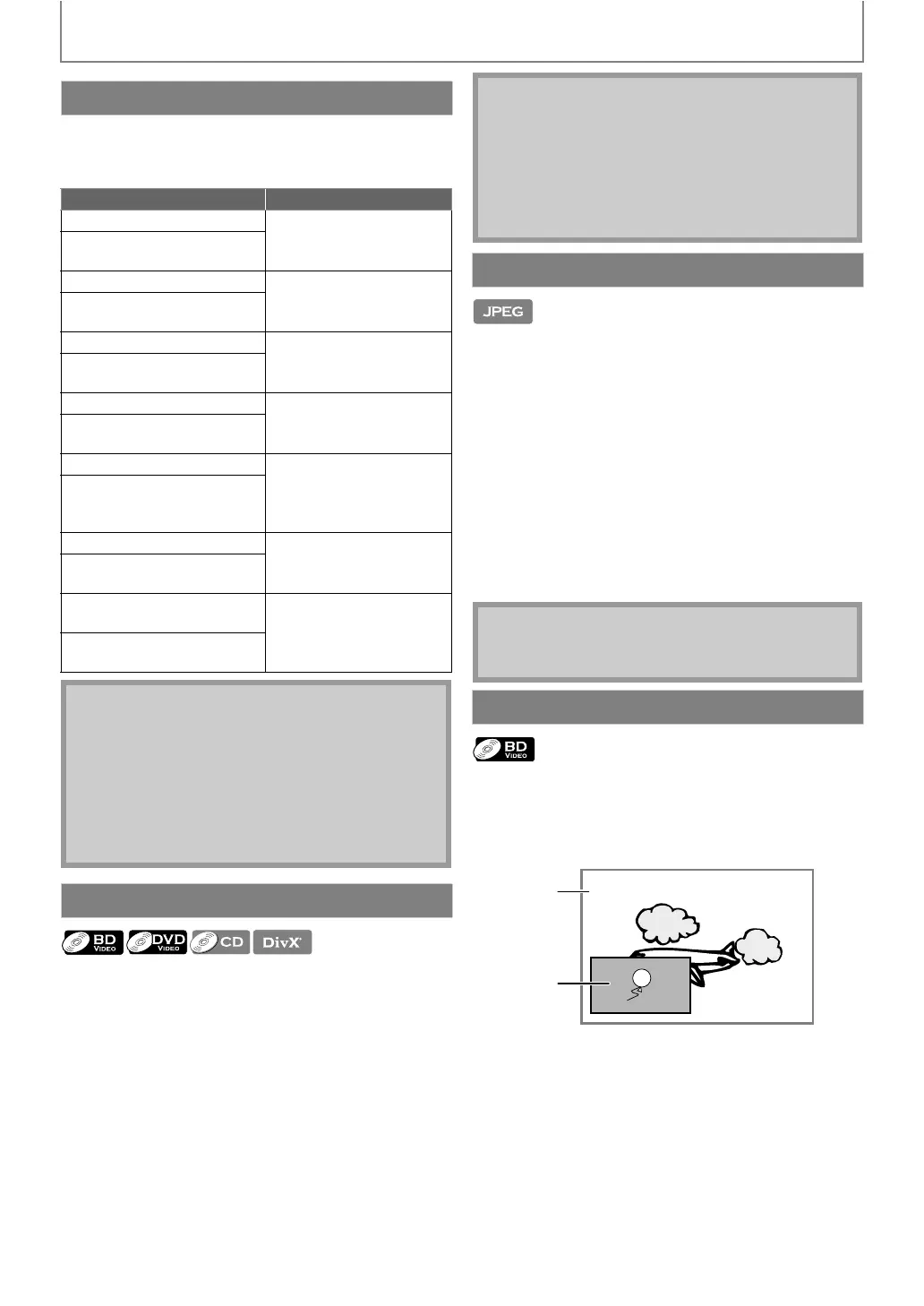
Some BD-videos have the PiP function which enables you
to display the secondary video in the primary video. You
can call up the secondary video by pressing
[BONUSVIEW (PiP)] whenever the scene contains the
secondary video.
1) During playback, press [BONUSVIEW (PiP)].
PiP information will appear.
2) Use [K / L] to select the secondary video you want
to show.
• The secondary video will be displayed with the
secondary audio.
•You can use [K / L] to switch between “On” or “Off”.
3) Press [BACK U] to remove the PiP information.
• On how to output the secondary audio, refer to
“Switching Audio Soundtrack” on page 31 and
“Blu-ray Disc Audio” on page 34.
Repeat Playback
REPEAT MODE AVAILABLE MEDIA
Chapter Repeat
BD-video / DVD-video
The current chapter will be
played back repeatedly.
Title Repeat
BD-video / DVD-video
The current title will be
played back repeatedly.
Track Repeat
Audio CD / DTS-CD /
DivX® / MP3
The current track or file will
be played back repeatedly.
All Repeat
Audio CD / DTS-CD
All tracks in the media will be
played back repeatedly.
Group Repeat
DivX® / MP3 / JPEG
The current group (folder)
will be played back
repeatedly.
Random Repeat (Audio CD)
Audio CD / DTS-CD
Repeats the random
playback.
Random Repeat
(DivX® / MP3 / JPEG)
DivX® / MP3 / JPEG
Repeats the random
playback in a folder.
Note
• The repeat setting will be cancelled when you stop
playback.
• If you press [REPEAT A-B] when the repeat setting
for BD, DVD or CD playback is set, the repeat setting
will be cancelled.
• When the repeat setting is set for a MP3 folder (file),
the repeat setting will be cancelled if you select
other MP3 folder (file) to playback.
A-B Repeat
Note
• Point B should be set within the same title or track as
point A.
• If you press [REPEAT A-B] when the repeat setting
for BD, DVD or CD playback is set, the repeat setting
will be cancelled.
• For some DivX® files, A-B repeat playback may not
function.
Slide Show
Note
• Large-size JPEG files take a few moments to be
displayed.
PiP (BONUSVIEW) Setting
Primary
video
Secondary
video



 To Next Page