Need help?
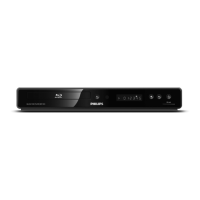
Do you have a question about the Philips BDP3000 and is the answer not in the manual?
Crucial warnings and guidelines for safe operation and product care.
Steps for connecting the player to a TV for video and audio output.
Guide for connecting via component video for standard TVs.
Guide for connecting via composite video for standard TVs.
Setting up internet connection for updates and BD-Live.
Guide to establishing an internet connection for online features.
Steps to insert and play a disc in the player.
Using the remote for playback functions like play, pause, stop.
Information specific to playing Blu-ray discs and their features.
Basic playback controls for music tracks.
Adjusting video output resolution and display formats.
Configuring audio output options and formats.
Procedures for updating the product's firmware.
Updating the software using a network connection.
Updating the software using a USB flash drive.
Steps to resolve issues with the remote control not working.
Troubleshooting display and picture-related problems.
Resolving no-picture issues when using HDMI.
Troubleshooting HD signal reception.
Troubleshooting audio output problems.
Steps to fix no sound issues from the TV speakers.
Troubleshooting sound issues with external audio devices.
Resolving no sound when using HDMI connection.
Problems related to disc playback.
Solutions when a disc fails to play.
 Power
Power| power supply | 230-240 V, 50 Hz |
|---|---|
| power consumption | 25 W |
| standby power consumption | 0.5 W |
 Sound
Sound| signal to noise ratio | 105 dB |
|---|---|
| dynamic range | 100 dB |
| frequency response | (20 kHz) ±0.5 dB |
 Weight and Dimensions
| packaging dimensions | 525 x 125 x 285 mm |
|---|---|
| weight including packaging | 3.77 kg |
| product dimensions | 435 x 58 x 227 mm |
| product weight | 3.00 kg |


 To Next Page