9
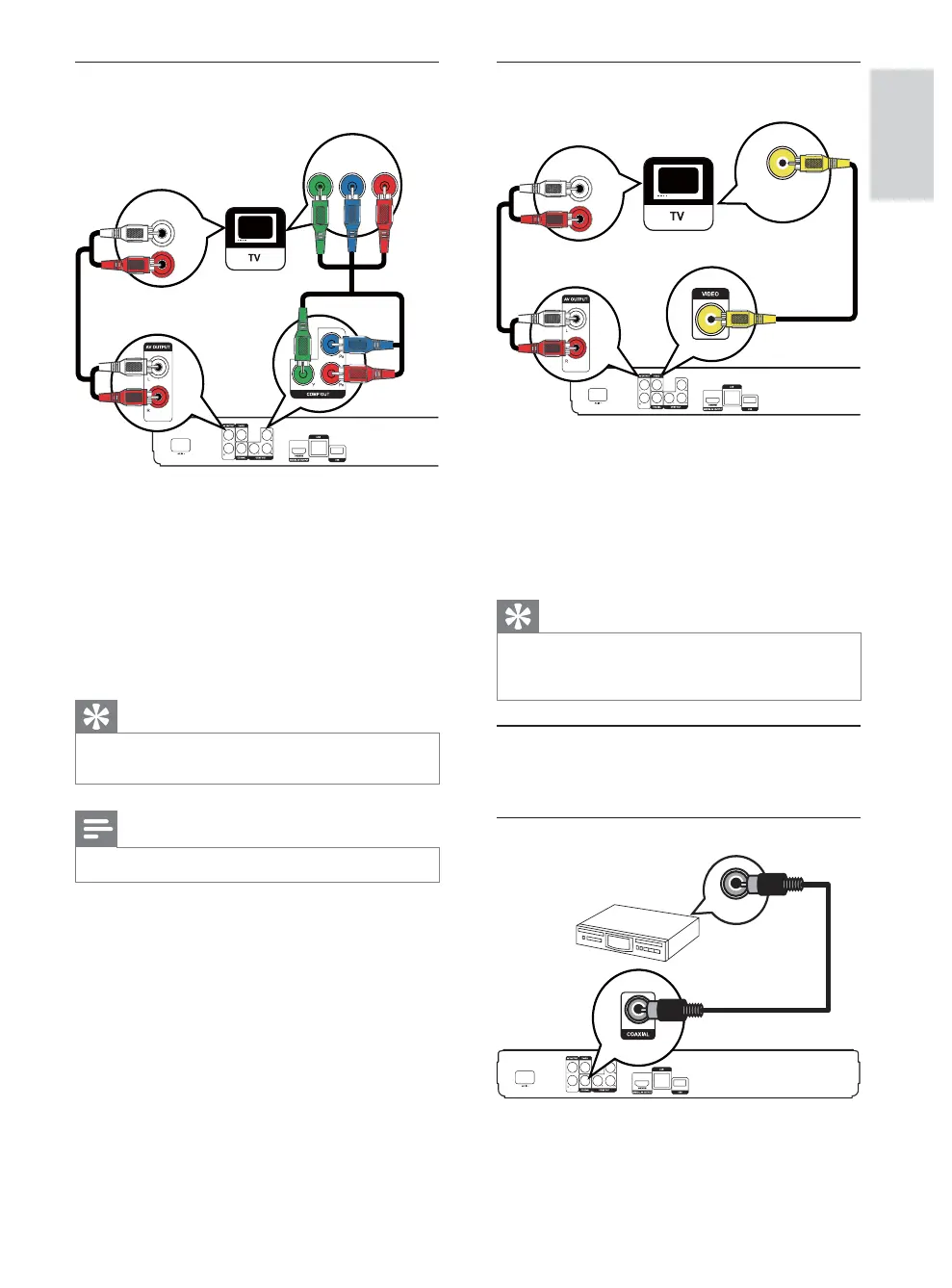
Option 3: Connect to the composite
video jack
1 Connect a composite video cable to:
the VIDEO jack on this product.
the VIDEO input jack on the TV.
2 Connect the audio cables to:
the AUDIO L/R-AV OUTPUT jacks on
this product.
the AUDIO input jacks on the TV.
Tip
The video input jack on the TV might be labeled as A/V
IN, VIDEO IN, COMPOSITE or BASEBAND.
This type of connection provides standard picture quality.
Route audio to other devices
To enhance audio play, you can route the audio from
this product to other devices.
&RQQHFWWRGLJLWDODPSOLÀHUUHFHLYHU
1 &RQQHFWDFRD[LDOFDEOHQRWVXSSOLHGWR
the COAXIAL jack on this product.
the COAXIAL/DIGITAL input jack on
the device.
AUDIO IN
VIDEO IN
COAXIAL
Option 2: Connect to the component
video jack
1 &RQQHFWWKHFRPSRQHQWYLGHRFDEOHVQRW
VXSSOLHGWR
the Y Pb Pr jacks on this product.
the COMPONENT VIDEO input jacks
on the TV.
2 Connect the audio cables to:
the AUDIO L/R-AV OUTPUT jacks on
this product.
the AUDIO input jacks on the TV.
Tip
The component video input jack on the TV might be
labeled as Y Pb/Cb Pr/Cr or YUV.
Note
This type of connection provides good picture quality.
PbY
Pr
AUDIO IN
English
EN



 To Next Page