13
5 Play
Play a disc
Caution
Do not place any objects other than discs into the disc •
compartment.
1 Press on the front panel to open the disc
compartment.
You may also press and hold•
on the
remote control to open/close the disc
compartment.
2 Insert a disc with its label facing up.
3 Press to close the disc compartment and
start disc play.
To view disc play, turn on the TV to the •
video input.
To stop disc play, press•
.
Note
Check disc/file formats supported (see “Your product” > •
“Playable media”).
If the password entry menu is displayed, enter the
•
password before you can play the locked or restricted
disc (see “Adjust settings” > “Preference Setup” >
[Parental Control] ).
If you pause or stop a disc, the screen saver appears after
•
10 minutes of inactivity. To deactivate the screen saver,
press any button.
After you pause or stop a disc and no button is pressed
•
within 30 minutes, this product automatically switches
to standby.
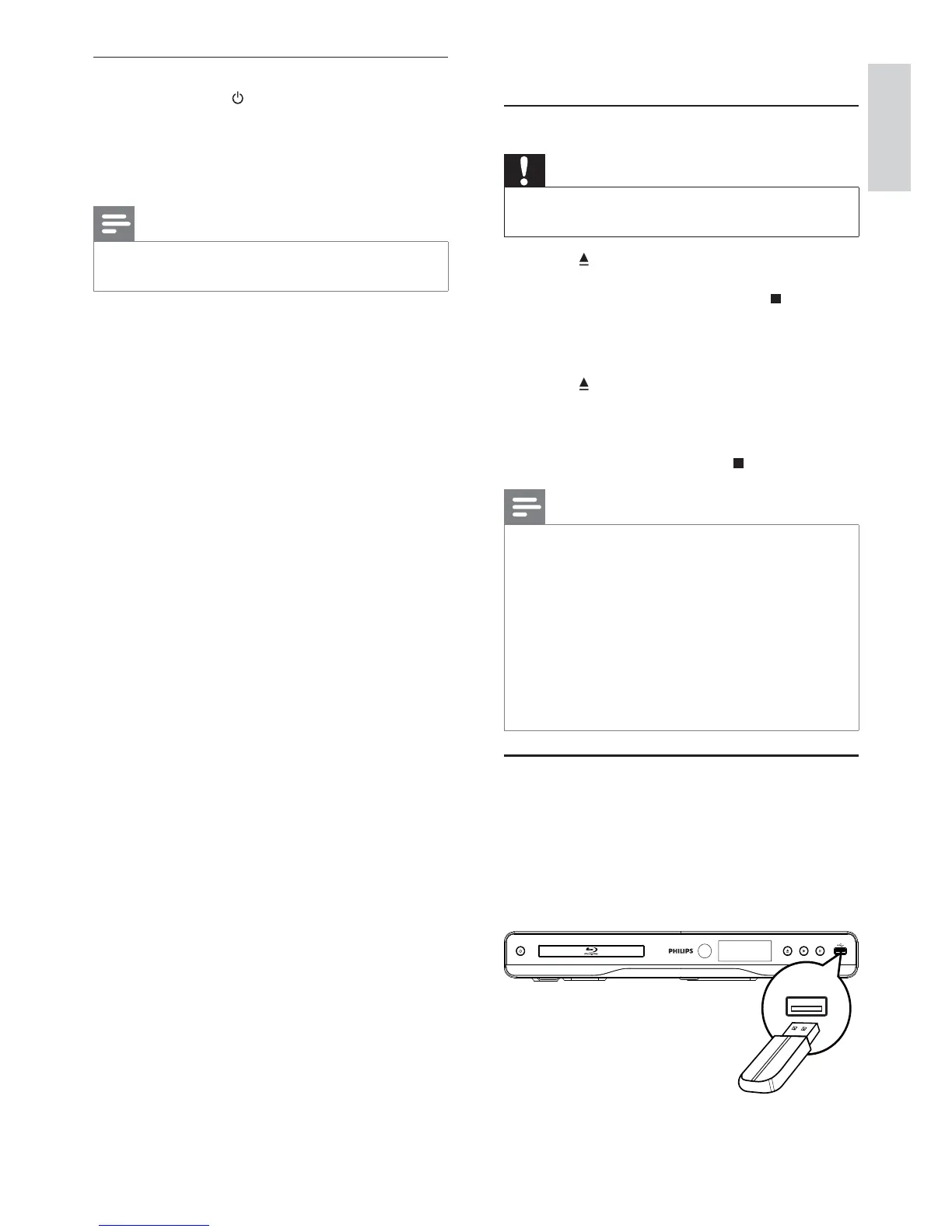
Play from a USB device
Play or view media files on the following USB devices:
flash drive•
memory card reader•
HDD (This product can detect only a portable •
hard disc drive with USB power peak current
no more than 500mA.)
One-touch standby
1
Press and hold (standby) for more than
3 seconds.
All the connected devices (if the device »
supports one-touch standby) automatically
switch to standby.
Note
Philips does not guarantee interoperability with other •
HDMI CEC devices.
English
EN



 To Next Page