EN 40
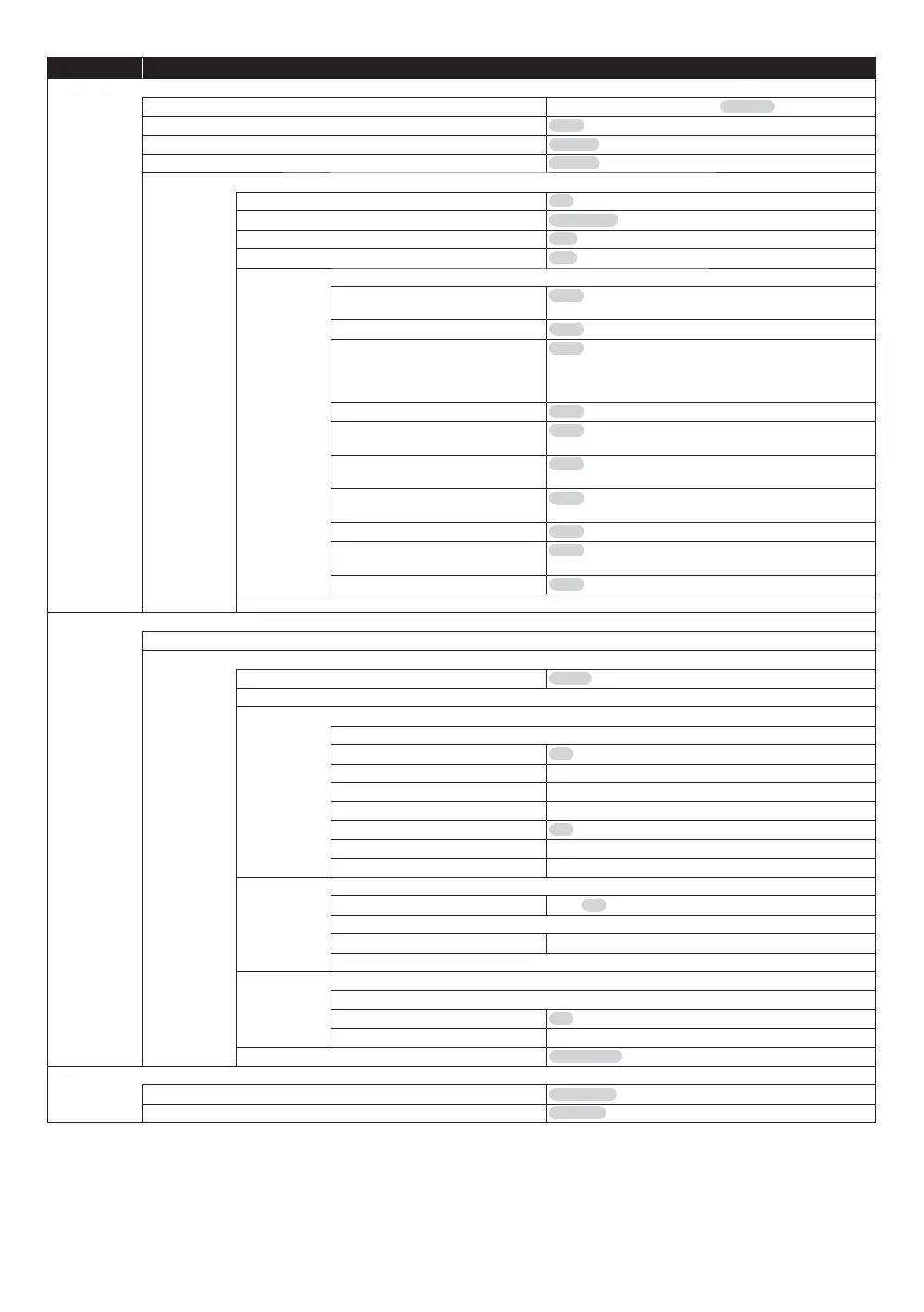
Category Menus / Oprions
Language
Audio Language
English / French / Spanish / Original / Other
Subtitle Language
Auto / English / French / Spanish / Other
Menu Language
English / French/ Spanish / Other
On-screen Language
English / French / Spanish
Closed Caption
Closed Caption Display
On / Off
Closed Caption Type
Analog CC / Digital CC
Analog CC
CC1 - CC4
Digital CC
CC1 - CC6
Manual setting
Font Color
Auto / White / Black / Red / Green / Blue / Yellow /
Magenta / Cyan
Font Size
Auto / Normal / Small / Large
Font Style
Auto / Monospaced with serifs / Proportionally
spaced with serifs / Monospaced without serifs /
Proportionally spaced without serifs / Casual font
type / Cursive font type / Small capitals
Font Opacity
Auto / Solid / Translucent / Transparent
Font Edge
Auto / None / Raised / Depressed / Uniform / Left
drop shadowed / Right drop shadowed
Font Edge Color
Auto / White / Black / Red / Green / Blue / Yellow /
Magenta / Cyan
BG Color
Auto / White / Black / Red / Green / Blue / Yellow /
Magenta / Cyan
BG Opacity
Auto / Solid / Translucent / Transparent
Window Color
(
*
)
Auto / White / Black / Red / Green / Blue / Yellow /
Magenta / Cyan
Window Opacity
(
*
)
Auto / Solid / Translucent / Transparent
CC Reset
Network
Easy Network Setting
Network Settings
LAN Connection Mode
Wired / Wireless
Wireless Settings
IP Address/DNS Settings
Connection Test
IP Address Auto Configuration
On / Off
IP Address Displays the input screen.
Subnet Mask Displays the input screen.
Default Gateway Displays the input screen.
DNS Auto Configuration
On / Off
Primary DNS Displays the input screen.
Secondary DNS Displays the input screen.
Proxy Server Settings
Reset to factory preset
Yes / No
Proxy Address
Proxy Port Number Displays the input screen.
Connection Test
Network Service Settings
Setting Unit Name
Audio Auto Gain Control
On / Off
Terms of Use
BD-Live Internet Access
Allow (ALL) / Allow (Limited) / Prohibit
Ratings
DVD-Video Ratings
8 No Limit / 7 / 6 / 5 /4 /3 /2 /1 / 0 Lock All
BD-Video Ratings
No Limit / 0-21 year(s) / Enter year(s)
(
*
)
These settings are not available for the analog closed captioning.



 To Next Page