EasyManua.ls Logo

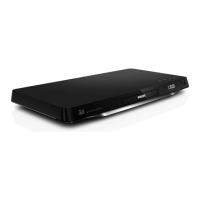
Philips BDP7750 - User Manual

Philips BDP7750
33 pages
Print Icon
To Next Page IconTo Next Page
Loading...
www.philips.com/welcome
Always there to help you
Register your product and get support at
BDP7750
User manual 9
Manual pengguna 33
คู่มือผู้ใช้
57
使用手冊
77
Question?
Contact
Philips
BDP7750_98_UM_V1.0.indb 1 8/5/2013 11:43:47 AM
Question and Answer IconNeed help?

Do you have a question about the Philips BDP7750 and is the answer not in the manual?

Summary

Use your Blu-ray disc; DVD player

Basic play control

Explains how to control playback functions like play, pause, stop, and navigation.

DivX videos

Information on playing DivX files, including VOD codes and subtitle settings.

Play a Blu-ray 3 D video

Steps to play 3D Blu-ray discs, including requirements and settings.

Set up a network

Guide to connecting the player to a network for accessing services.

Change settings

Picture

Adjusts video display settings like resolution, color, and picture modes.

Sound

Configures audio output, including night mode, HDMI audio, and channel settings.

Network (installation, Smart TV...)

Manages network connections, including installation and Smart TV settings.

Update software

Update software via the Internet

Procedures for updating the player's firmware using an internet connection.

Update software via USB

Instructions for updating the player's firmware using a USB storage device.

Troubleshooting

Main unit

Addresses issues related to the player's main functions and buttons.

Picture

Solutions for problems with no picture or incorrect video output.

Sound

Troubleshooting steps for audio output issues on TV or external speakers.

Safety and important notice

Safety

Essential safety precautions to prevent electric shock, fire, and injury.

Summary

Use your Blu-ray disc; DVD player

Basic play control

Explains how to control playback functions like play, pause, stop, and navigation.

DivX videos

Information on playing DivX files, including VOD codes and subtitle settings.

Play a Blu-ray 3 D video

Steps to play 3D Blu-ray discs, including requirements and settings.

Set up a network

Guide to connecting the player to a network for accessing services.

Change settings

Picture

Adjusts video display settings like resolution, color, and picture modes.

Sound

Configures audio output, including night mode, HDMI audio, and channel settings.

Network (installation, Smart TV...)

Manages network connections, including installation and Smart TV settings.

Update software

Update software via the Internet

Procedures for updating the player's firmware using an internet connection.

Update software via USB

Instructions for updating the player's firmware using a USB storage device.

Troubleshooting

Main unit

Addresses issues related to the player's main functions and buttons.

Picture

Solutions for problems with no picture or incorrect video output.

Sound

Troubleshooting steps for audio output issues on TV or external speakers.

Safety and important notice

Safety

Essential safety precautions to prevent electric shock, fire, and injury.

Philips BDP7750 Specifications

General IconGeneral
BrandPhilips
ModelBDP7750
CategoryBlu-ray Player
LanguageEnglish

Related product manuals