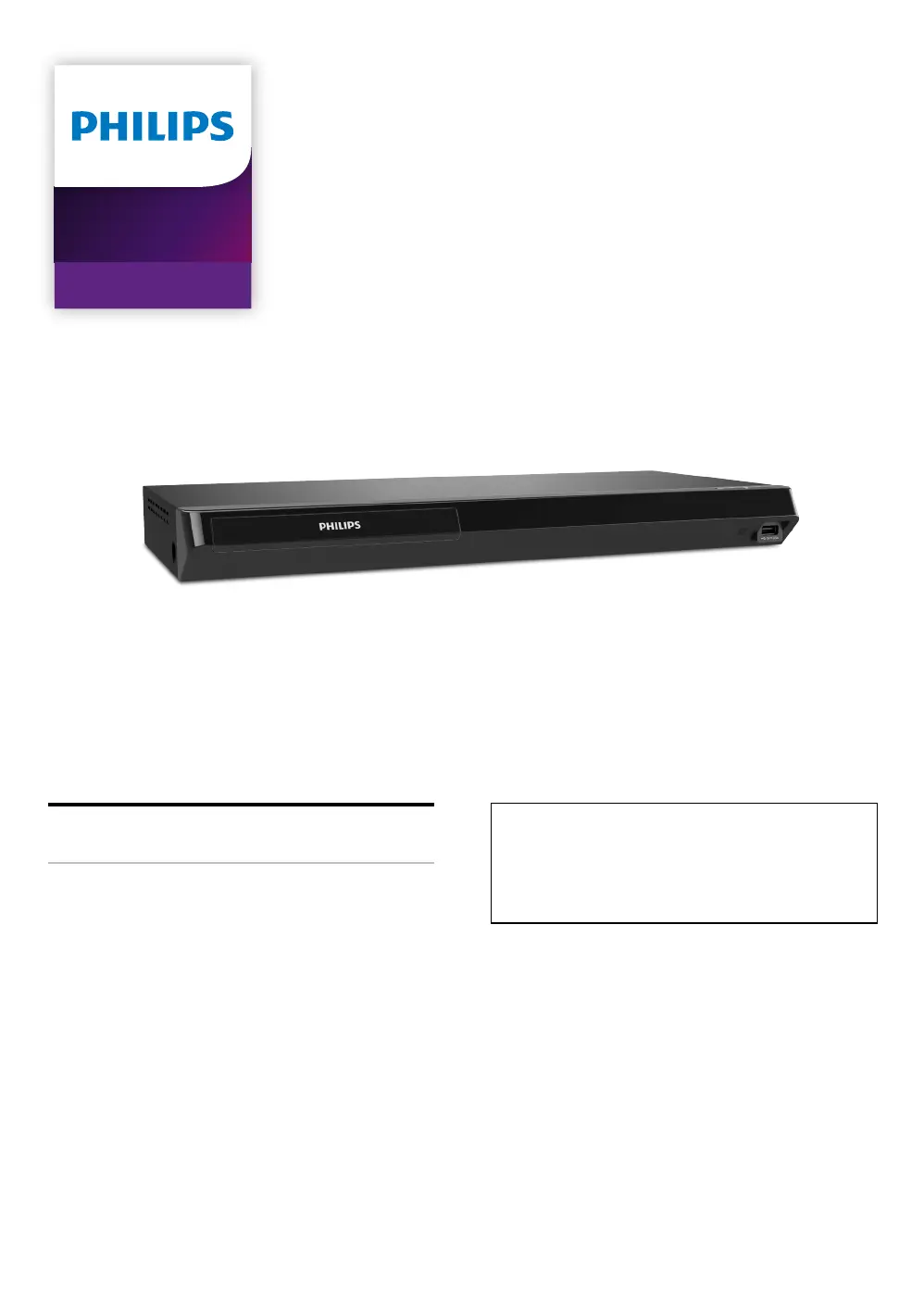
Why Philips Blu-ray Player cannot connect to network while PC is connected?
- KKevin VaughnSep 8, 2025
Check your Internet service contract to see if your Internet Service Provider prevents multiple devices from connecting at the same time.
Why Philips Blu-ray Player cannot connect to network while PC is connected?
Check your Internet service contract to see if your Internet Service Provider prevents multiple devices from connecting at the same time.
Why Philips BDP7502 remote control not working?
Try reducing the distance to the infrared sensor window on the Philips Blu-ray Player. Make sure the player’s AC power cord is plugged into a power outlet. Check the batteries in the remote control, ensuring they are correctly inserted (+/-). It is also recommended to check the IR signal.
How to resolve no sound or distorted sound on Philips BDP7502 Blu-ray Player?
Begin by adjusting the volume. Check that the speakers are connected correctly and that the HDMI connection is secure. Ensure the HDMI cable is not plugged into an HDMI-DVI adapter or projector that doesn't handle digital sound. Finally, review the settings in the “Audio” menu.
Why is there no sound or picture on my Philips Blu-ray Player?
Ensure that both your TV and the Philips Blu-ray Player are turned on. Verify that the connections to the TV are correctly made. Also, check if your TV or another connected device supports HDCP, as the unit will not output a video signal if HDCP is not supported.
What to do if there is no audio/video signal from my Philips BDP7502 via HDMI?
If your Philips Blu-ray player is connected to a non-certified HDMI device, the audio/video signal may not output correctly. Ensure the display device is set to the correct input/video source. Try an HDMI hotplug: disconnect and reconnect the HDMI cable with both devices powered on. Check for TV software updates from the TV manufacturer and verify that your HDMI cable is a certified version.
What to do if Philips BDP7502 Blu-ray Player cannot connect to the Internet although the connection test passes?
Make sure that the ethernet cable is properly connected to the modem and router. Confirm that another device, such as a PC, can connect to the Internet.
How to troubleshoot Philips BDP7502 Blu-ray Player cannot use Easy Connect?
If the access point's security mode is set to “WEP”, change the setting to “AES + TKIP”, then try “Easy Connect” again. Connect the unit to the access point using “Auto setup” or “Manual setup” mode.
Why does an error message appear when selecting 'Auto' in the 'Menu language' on my Philips Blu-ray Player?
Make sure that the unit is connected to a TV that is compatible with HDMI CEC and the “EasyLink” is set to “On.”
Why does the 'BD-ROM Data(USB) Check' message appear on my Philips BDP7502 Blu-ray Player?
Connect a USB memory stick before inserting the Blu-ray Disc. The unit checks the USB memory stick for BD-Live content when loading a Blu-ray Disc.
What causes picture to freeze on Philips Blu-ray Player during disc playback?
Check the disc for fingerprints or scratches. If present, clean the disc with a soft cloth, wiping from the center to the outer edge.
Precautions regarding handling the power cord and unit to prevent hazards.
Identification of controls and inputs on the top and front of the unit.
Identification of ports and connections available on the rear of the unit.
Explanation of the function of each button on the remote control.
Step-by-step guide for inserting batteries and important safety precautions.
Overview and explanation of the main home menu interface.
Instructions for connecting the unit to a TV or AV receiver via HDMI.
Table detailing audio output options and supported formats via HDMI.
Guide for setting up a wired Ethernet connection to the network.
Guide for setting up a wireless Wi-Fi connection to the network.
Step-by-step instructions for the initial setup process of the player.
Lists playable discs and supported file formats for playback.
Step-by-step instructions for inserting a disc into the player.
General procedure for playing discs and selecting files for playback.
Necessary equipment and settings for playing Ultra HD Blu-ray discs.
How to play various file types from a USB memory stick.
Precautions against disconnecting USB while accessing content to prevent data loss.
Prerequisites and initial steps for using network services like Netflix and YouTube.
Overview of all customizable settings available on the unit.
Guide for establishing a network connection, including connection test.
Steps for setting up a wired network connection using auto setup.
Steps for manually configuring network settings for a wired connection.
Steps for setting up a wireless network connection using Easy Connect.
Steps for automatically scanning and connecting to wireless networks.
Steps for manually entering network details for wireless connection.
How to set and select the video output resolution for HDMI.
Procedure to change or set the parental control password.
How to set the desired rating level for parental controls.
Procedure for updating the unit's software using physical media.
Procedure for updating the unit's software via an Internet connection.
Precautions regarding handling the power cord and unit to prevent hazards.
Identification of controls and inputs on the top and front of the unit.
Identification of ports and connections available on the rear of the unit.
Explanation of the function of each button on the remote control.
Step-by-step guide for inserting batteries and important safety precautions.
Overview and explanation of the main home menu interface.
Instructions for connecting the unit to a TV or AV receiver via HDMI.
Table detailing audio output options and supported formats via HDMI.
Guide for setting up a wired Ethernet connection to the network.
Guide for setting up a wireless Wi-Fi connection to the network.
Step-by-step instructions for the initial setup process of the player.
Lists playable discs and supported file formats for playback.
Step-by-step instructions for inserting a disc into the player.
General procedure for playing discs and selecting files for playback.
Necessary equipment and settings for playing Ultra HD Blu-ray discs.
How to play various file types from a USB memory stick.
Precautions against disconnecting USB while accessing content to prevent data loss.
Prerequisites and initial steps for using network services like Netflix and YouTube.
Overview of all customizable settings available on the unit.
Guide for establishing a network connection, including connection test.
Steps for setting up a wired network connection using auto setup.
Steps for manually configuring network settings for a wired connection.
Steps for setting up a wireless network connection using Easy Connect.
Steps for automatically scanning and connecting to wireless networks.
Steps for manually entering network details for wireless connection.
How to set and select the video output resolution for HDMI.
Procedure to change or set the parental control password.
How to set the desired rating level for parental controls.
Procedure for updating the unit's software using physical media.
Procedure for updating the unit's software via an Internet connection.
| Brand | Philips |
|---|---|
| Model | BDP7502 |
| Category | Blu-ray Player |
| Language | English |
Loading...