EN 12
3.4. Guide to on-screen display
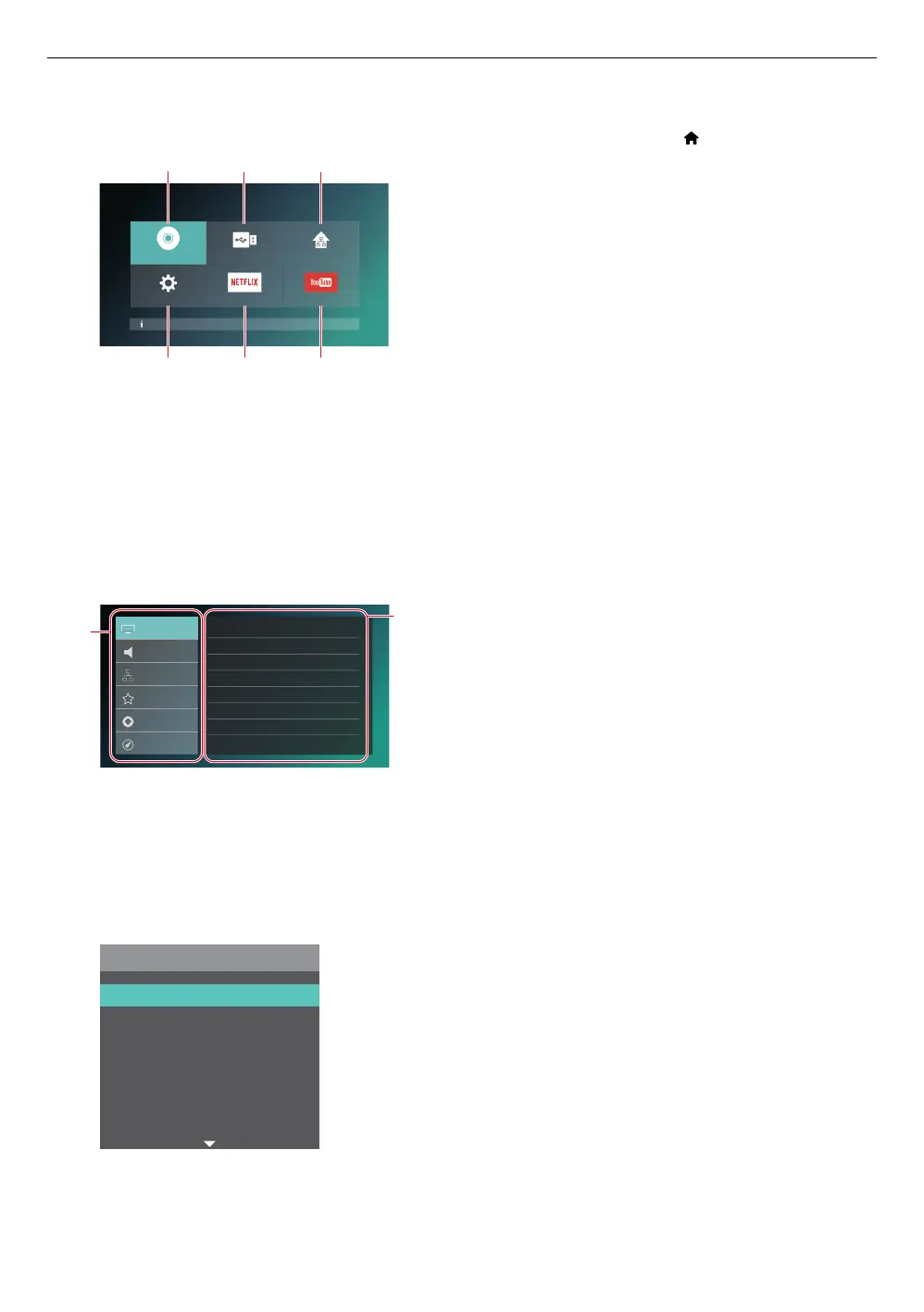
C Home menu
When you turn on the unit, the home menu will appear automatically. Otherwise, press [ (HOME)].
Disc not inserted.
Disc USB Home Network
Setup NETFLIX YouTube
4
5 6
1. ˝Disc˝: Initiates playback of inserted disc, displays thumbnails of tracks / files.
2. ˝USB˝: Displays thumbnails of tracks / files on the connected USB memory stick.
3. ˝Home Network˝: Accesses the home network menu.
4. ˝Setup˝: Accesses the setup menu
5. ˝NETFLIX˝: Accesses NETFLIX
6. ˝YouTube˝: Accesses YouTube
C Setup menu
Audio
Network
Video
3D output
TV display
HDMI video
24p output
Color space
High Dynamic Range Output
Noise reduction
Auto(2D)
16:9 Widescreen
Auto
Auto
YCbCr(4:4:4)
Dolby Vision
O
Advanced
Preferences
Accessibility
1
2
1. Category
2. Menus / Options: Displays options for the highlighted item on the left whenever available
C Play menu
During playback, press [OPTIONS] to display the play menu.
(e.g.) Blu-ray Disc™
Options
Info
Search
Audio
Subtitle
Subtitle Style
Repeat
Angle



 To Next Page