EN 33
8.7. PiP (BONUSVIEW™) setting
[BD Video]
BD
VIDEO
BD
VIDEO
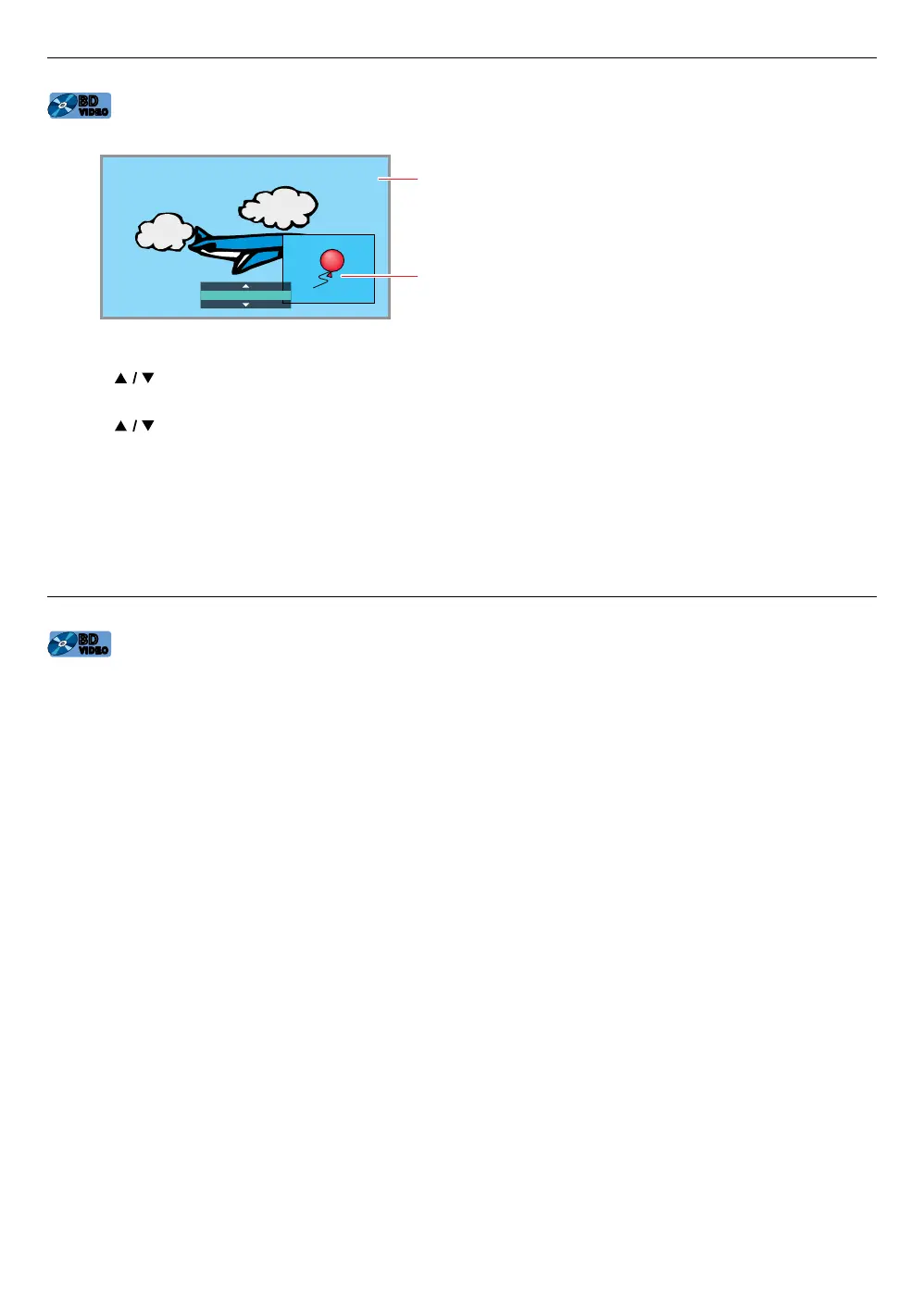
Some BD-videos have the PiP function which enables you to display the secondary video in the primary video.
1 / 2 MPEG
Primary video
Secondary video
1. During playback, press [OPTIONS] to display the play menu.
2. Use [
] to select “PiP” then press [OK].
• PiP information will appear.
3. Use [ ] to select the secondary video you want to show.
• The secondary video will be displayed with secondary audio.
4. Press [OPTIONS] to exit.
• To select the secondary audio output, refer to “Switching audio soundtrack” on page 37.
NoteD
• Secondary video may not be displayed all the time, depending on the scene, it may or may not be available for
display.
8.8. Enjoying BD-Live™ discs using Internet
[BD Video]
BD
VIDEO
BD
VIDEO
You can enjoy BD-Live™ which enables you to use interactive features when the unit is connected to the Internet.
Examples of BD-Live™ features:
• Online access to additional content such as movie trailers, subtitles, BD-Java applications, etc.
• While downloading, special video data may be played back.
- Service and functions differ depending on the disc. Follow the instructions given by the disc when using the
BD-Live™ function.
- Connect a USB memory stick with at least 1 GB of available memory before using BD-Live™ features on a
Blu-ray Disc™.
- Do not disconnect the USB memory stick while using BD-Live™ features.
NoteD
• You must connect the unit to the Internet and set up necessary settings in order to use BD-Live™.
• For the network connection, refer to “Connection to the network” on page 16.
• For the network setup, refer to “Network connection” on page 44.
• For certain discs, “BD-Live access level” under “Network” under “Setup” may need to be changed.
• Depending on your connection environment, it may take a few moments to connect to the Internet or the
Internet may not be connected. Refer to “TROUBLESHOOTING” on page 55.
• Some discs with BD-Live™ function require memory when playing back the content. If you cannot play back a
disc with BD-Live™ function, connect a USB memory stick (1 GB or more of available memory).
• Not all BD-Video discs have a BD-Live™ content. To enjoy the BD-Live™ features, please use discs with a BD-
Live™ content.
NoteD for AACS online
• The player or disc ID may be sent to the content provider when playing back a disc with BD-Live™ function.
• If you save your viewing history on the server by using these ID’s, you will be introduced to other similar movies.
• You can save game score histories.



 To Next Page