EasyManua.ls Logo

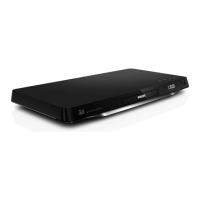
Philips BDP7501 - User Manual

Philips BDP7501
59 pages
Print Icon
To Next Page IconTo Next Page
Loading...
Register your product and get support at
www.philips.com/welcome
User Manual
BDP7501
4K Ultra HD
Blu-ray Player
For further assistance, call the customer support
service in your country.
To obtain assistance, contact Philips Customer Care
Center;
México D.F. and Área Metropolitana; 58 87 97 36
Interior de la Republica; 01 800 839 19 89
Colombia; 01 800 952 0640
Costa Rica; 0800 052 1564
Guatemala; 1 800 835 0351
El Salvador; 1 800 6141
Honduras; 01 800 122 6276

Table of Contents

Other manuals for Philips BDP7501

Question and Answer IconNeed help?

Do you have a question about the Philips BDP7501 and is the answer not in the manual?

Summary

Introduction and Safety

Safety Instructions and Warnings

Provides instructions for safe operation, safety symbols, FCC notice, and laser safety.

Product Features

Product Features Overview

Details on Ultra HD Blu-ray, Blu-ray, 3D, BD-J, DVD upscaling, media, DLNA, Netflix, YouTube, HDR.

Functional Overview

Remote Control Operations

Explanation of each button and its function on the remote control.

Connections

HDMI Video and Audio Connectivity

Instructions for connecting the player to a TV or AV receiver via HDMI.

Network Connectivity

Steps for setting up wired and wireless network connections.

Before You Start

Initial Setup Procedure

Step-by-step guide for completing the initial setup process.

Basic Playback

Playing Discs

General instructions for playing back various types of discs.

Ultra HD Blu-ray Playback

Specific requirements and steps for playing Ultra HD Blu-ray discs.

Blu-ray 3 D Playback

Specific requirements and steps for playing Blu-ray 3D discs.

Setting Configurations

HDMI and Video Settings

Configuration options for HDMI output, resolution, HDR, and video adjustments.

Setup Procedures

HDMI Video and HDR Setup

Detailed explanation of HDMI video resolution and High Dynamic Range setup.

Network Installation and Configuration

Steps for network installation, including wired, wireless, IP, and proxy settings.

Setup Procedures Continued

Software Update Procedure

Instructions for updating the player's firmware via the internet.

Troubleshooting Guide

Common Problems and Solutions

Troubleshooting common issues with video, audio, playback, network, and USB.

Summary

Introduction and Safety

Safety Instructions and Warnings

Provides instructions for safe operation, safety symbols, FCC notice, and laser safety.

Product Features

Product Features Overview

Details on Ultra HD Blu-ray, Blu-ray, 3D, BD-J, DVD upscaling, media, DLNA, Netflix, YouTube, HDR.

Functional Overview

Remote Control Operations

Explanation of each button and its function on the remote control.

Connections

HDMI Video and Audio Connectivity

Instructions for connecting the player to a TV or AV receiver via HDMI.

Network Connectivity

Steps for setting up wired and wireless network connections.

Before You Start

Initial Setup Procedure

Step-by-step guide for completing the initial setup process.

Basic Playback

Playing Discs

General instructions for playing back various types of discs.

Ultra HD Blu-ray Playback

Specific requirements and steps for playing Ultra HD Blu-ray discs.

Blu-ray 3 D Playback

Specific requirements and steps for playing Blu-ray 3D discs.

Setting Configurations

HDMI and Video Settings

Configuration options for HDMI output, resolution, HDR, and video adjustments.

Setup Procedures

HDMI Video and HDR Setup

Detailed explanation of HDMI video resolution and High Dynamic Range setup.

Network Installation and Configuration

Steps for network installation, including wired, wireless, IP, and proxy settings.

Setup Procedures Continued

Software Update Procedure

Instructions for updating the player's firmware via the internet.

Troubleshooting Guide

Common Problems and Solutions

Troubleshooting common issues with video, audio, playback, network, and USB.

Philips BDP7501 Specifications

General IconGeneral
Width220 mm
Height95 mm
ManualYes
Weight1600 g
Device typeBlu-Ray player
Product colorBlack
Audio decodersDTS, Dolby Digital
Package weight2800 g
Playback modesPause, Repeat, Shuffle
Cables includedHDMI
DVD region code1
AC input voltage120 V
AC input frequency60 Hz
Blu-ray region codeA
Disc types supportedBD-R, BD-RE, BD-ROM, CD, CD-R, CD-RW, DVD, DVD+R, DVD+RW, DVD-R, DVD-RW
Supported video modes-
Card reader integratedNo
USB 2.0 ports quantityUSB 2.0 ports have a data transmission speed of 480 Mbps, and are backwards compatible with USB 1.1 ports. You can connect all kinds of peripheral devices to them.
Audio formats supportedAAC, FLAC, MP3, WAV
Image formats supportedJPG
Video formats supportedH.264, M2T, MOV, MP4, MPG, MTS, TS
Digital audio coaxial out0
Power consumption (standby)0.2 W
Power consumption (typical)26 W
On Screen Display (OSD) languagesENG, ESP, FRE
Audio output channels7.1 channels

Related product manuals