EN 39
10. LIST OF SETTINGS
In the setup menu, you can customize various kinds of settings as you prefer.
Refer to the following instructions to navigate through the setup menu.
1. Press [ Q (home)] to access the home menu.
2. Use [ K / L / 0 / 1 ] to select “Setup”, then press [OK].
3. Use [ K / L ] to select the desired setting, then press [OK].
4. Use [ K / L ] to move the highlight up and down in the list.
5. To make a selection or to access options of an item, select the desired item, then press [OK].
• To go back to the previous screen, press [ BACK Y ] .
6. Press [ Q (home)] to exit.
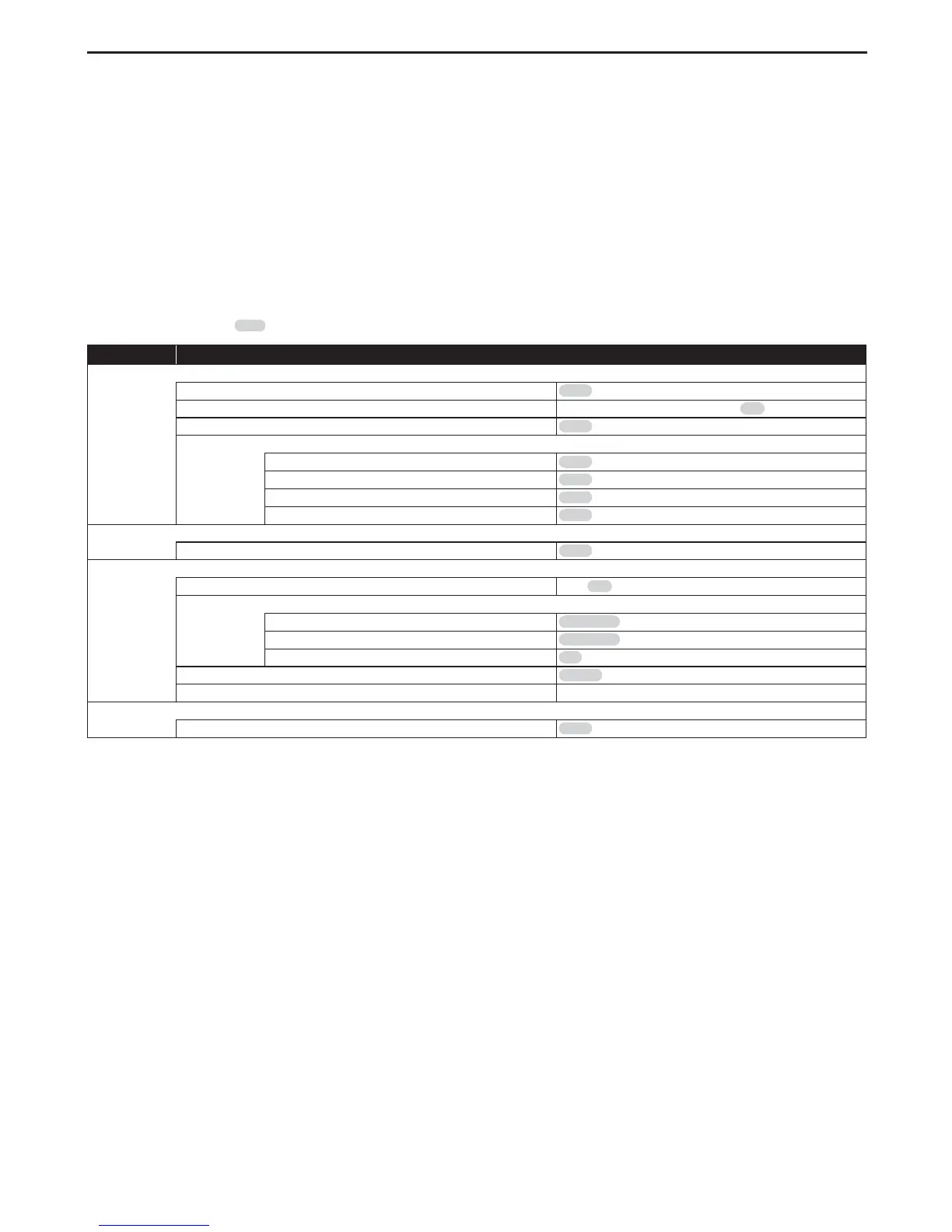
Refer to the following table for the types of settings you can customize.
The item with the grey is the default setting.
Category Menus / Oprions
HDMI
Resolution
Auto / 480p / 1080i / 1080p / 4K
4k/60p Output
4K/60p(4:4:4) / 4K/60p(4:2:0) / Off
24p Output
Auto / Off
Advanced Settings
Deep Color Output
Auto / Off
High Dynamic Range Output
Auto / Off
Contents Type Flag
Auto / Off
7.1ch Audio Reformatting
Auto / Off
Video
Still Mode (paused video)
Auto / Field / Frame
Audio
Dynamic Range Compression
On / Off / Auto
Digital Audio Output
DD/DD+/DTHD
Bitstream / PCM
DTS/DTS-HD
Bitstream / PCM
BD-Video Secondary Audio
On / Off
Downmix
Stereo / Surround encoded
Audio Delay 0 - 250ms (by 10ms)
3D
3D BD-Video Playback
Auto / Set before play



 To Next Page