EN 22
C Hint for Disc Playback
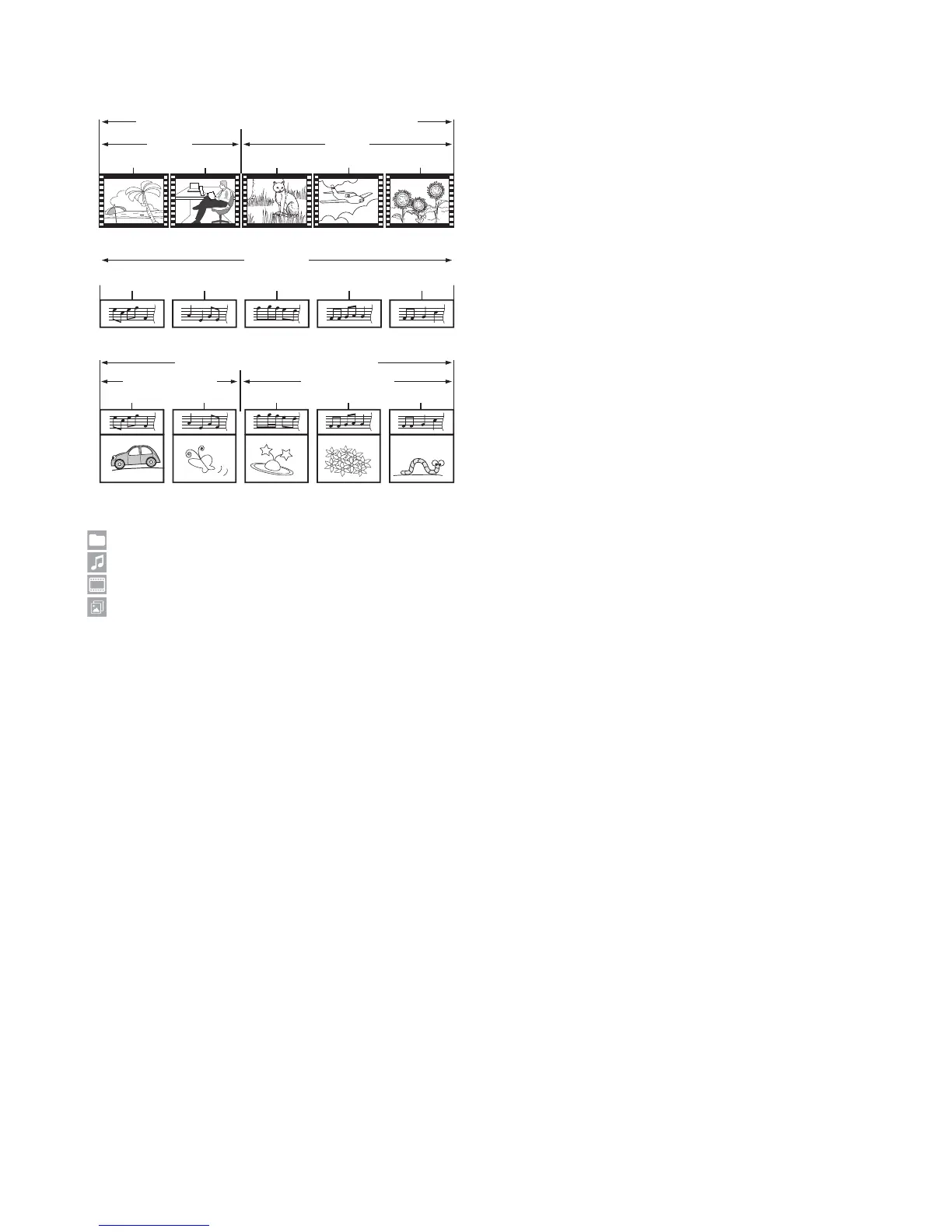
The contents of a disc are generally divided into sections
or folders (groups of titles / files) as shown below.
Ultra HD Blu-ray, BD-video, DVD-video, AVCHD
Audio CD
MP3, FLAC,AAC,WAV,MP4,MPEG2
title 1
chapter 1
track 1
file 1
folder (group 1) folder (group 2)
chapter 1
track 3
file 3
chapter 2
track 2
file 2
chapter 2
track 4
file 4
chapter 3
track 5
file 5
title 2
C Description for Icons
: group (folder) icon
: music file icon
: video file icon
: photo file icon
– “Folders” refers to the groups of files.
– “Tracks” refers to the contents recorded on the audio
CD.
– “Files” refers to the contents on a disc which are
recorded in AVCHD, MP3, FLAC, AAC, WAV, MP4,
MPEG2, JPEG file format.
NoteD
• If there is an unrecognizable character in a file name, the
next recognizable character(s) moves over to the place
for the unrecognizable character.



 To Next Page