11
EN
Button Action
SMART TV Select to connect to Smart TV.
Open or close the disc
compartment.
Video, audio and picture
options
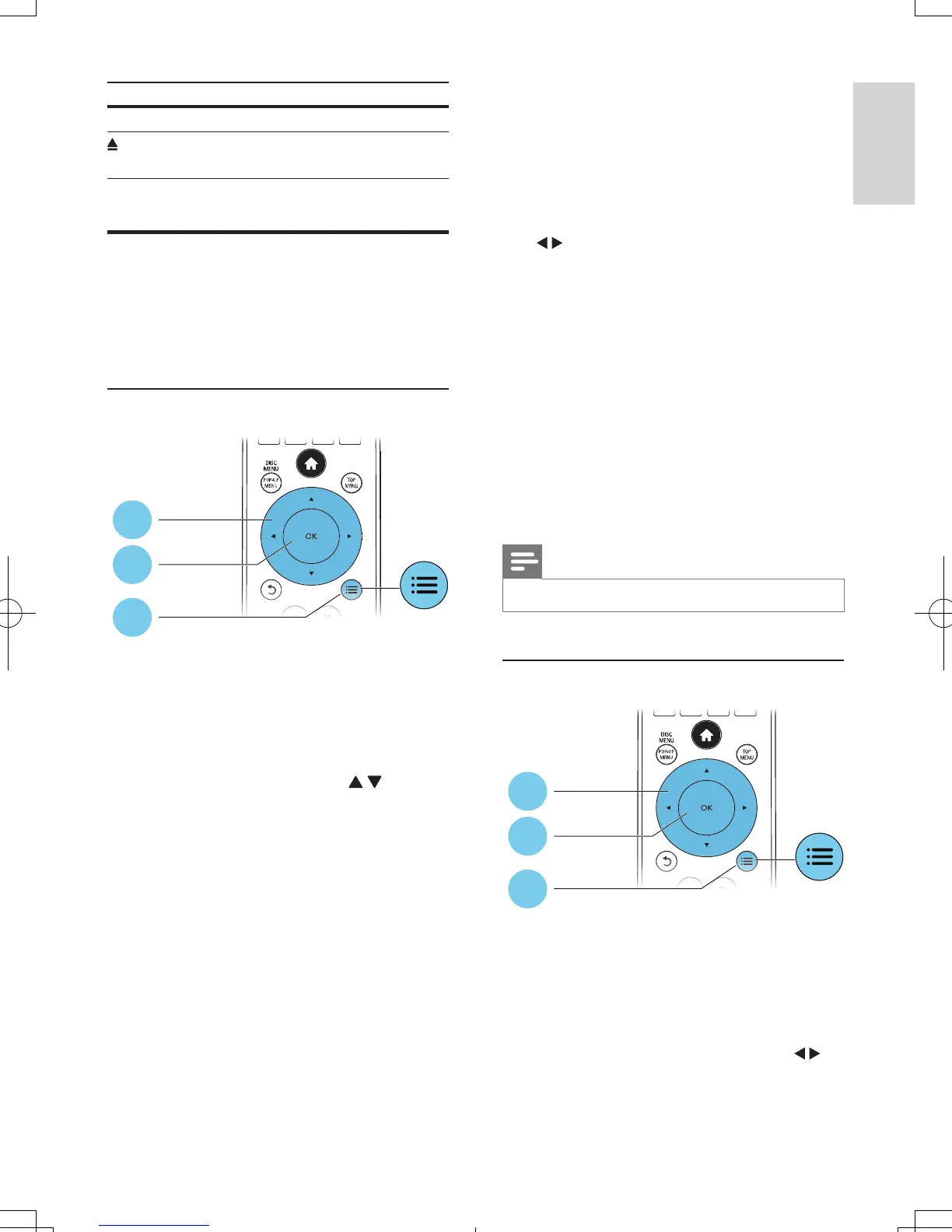
More options are available for video or picture
play from a disc or USB storage device.
Video options
Access more options during video play.
• [Audio language]: Select an audio language.
• [Subtitle Language]: Select a subtitle
language.
• [Subtitle shift]: Change the subtitle
position on the screen. Press to
change the subtitle position.
• [Information]: Display play information.
• [Character set]: Select a character set that
supports the DivX video subtitle (only for
DivX videos).
• [Time search]: Skip to a specic time
via the numeric buttons on the remote
control.
• [2nd audio language]: Select the second
audio language (only for Blu-ray discs that
support BonusView).
• [2nd Subtitle Language]: Select the second
subtitle language (only for Blu-ray discs that
support BonusView).
• [Titles]: Select a title.
1
2
3
• [Chapters]: Select a chapter.
• [Angle list]: Select a camera angle.
• [Menus]: Display a disc menu.
• [PIP selection]: Display a picture-in-picture
window (only for Blu-ray discs that support
BonusView).
• [Zoom]: Zoom into a video picture. Press
to select a zoom factor.
• [Repeat]: Repeat a chapter or title.
• [Repeat A-B]: Mark two points within a
chapter for repeat play, or turn off repeat
mode.
• [2D to 3D]: Convert instantly a 2D video
to be viewed in 3D effect.
• [Picture settings]: Select the most
optimum picture setting (powered by
CinemaPerfect HD).
• [Audio sync]: Synchronize audio with
video (HDMI connection between this
player and your TV is needed).
Note
• Available video options depend on the video source.
Picture options
Access more options during slideshow.
• [Rotate +90]: Rotate a picture 90 degrees
clockwise.
• [Rotate -90]: Rotate a picture 90 degrees
counter-clockwise.
• [Zoom]: Zoom into a picture. Press to
select a zoom factor.
• [Information]: Display picture information.
1
2
3
BDP7750_98_UM_V1.0.indb 11 8/5/2013 11:44:01 AM



 To Next Page