EN 16
continued on next page
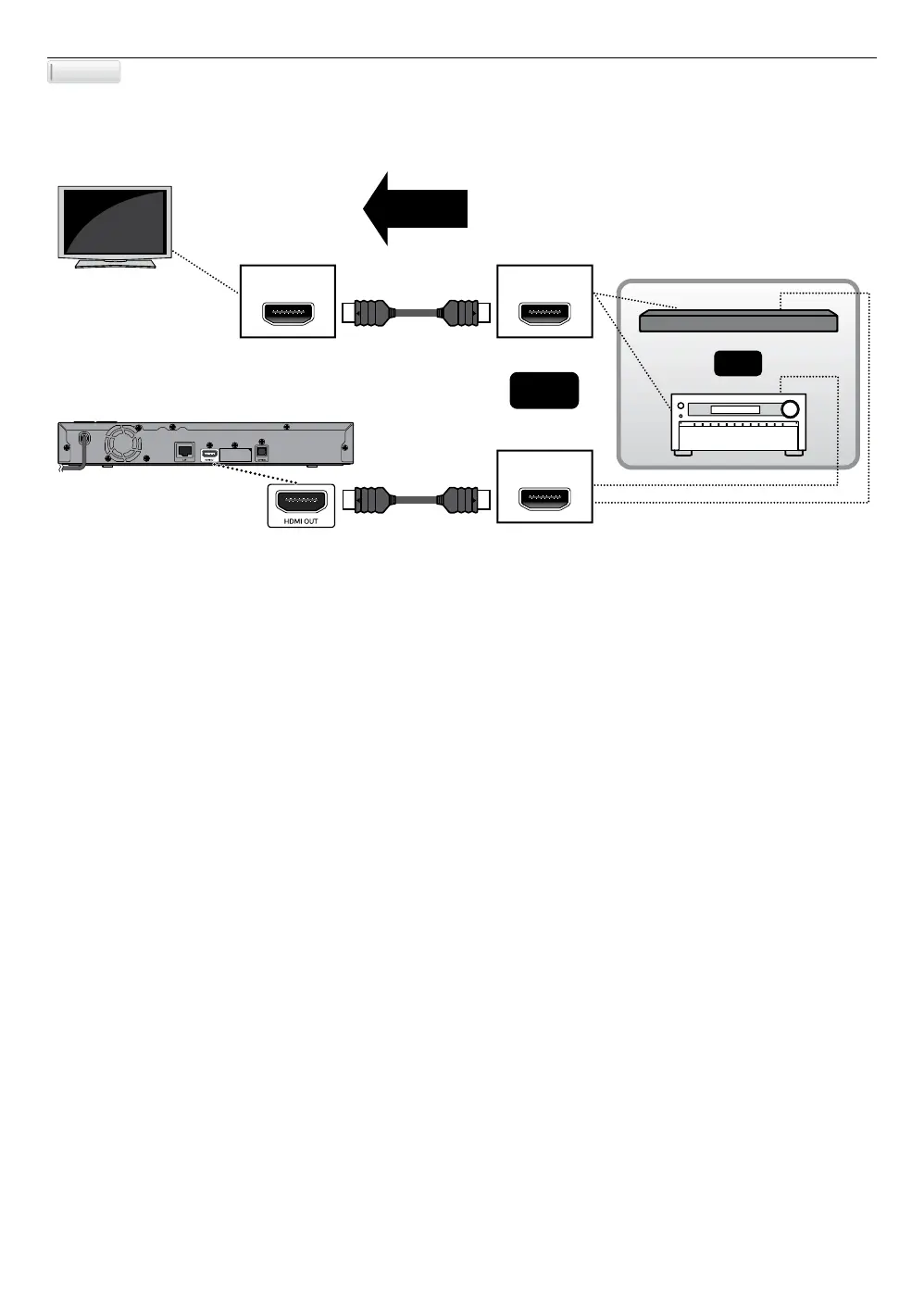
C Connecting the unit through a soundbar or AV receiver
With this connection method, the video is output from the TV, and the sound is output from the soundbar or AV
receiver.
HDMI IN HDMI OUT
HDMI IN
4K / 4K HDR
Pass-through
or
and
HDMI cable
HDMI cable
NoteD
• For 4K, 4K HDR or Dolby Vision playback, please your TV supports 4K, 4K HDR or Dolby Vision input.
• Use an 18 Gbps high-speed HDMI cable which supports 4K, 4K HDR or Dolby Vision when you connect to TV.
• If you have questions regarding the capabilities and settings of your TV or AV receiver, please contact their
manufacturer(s).
• When “Voice Guide” is set to on:
- The “Voice Guide” setting will be turned off when the “HDMI audio” or “Digital audio” setting is set to
“Bitstream” or “Re-encode”.
- Turning off the “HDMI audio” or “Digital audio” setting will not affect the “Voice Guide” setting.
Method 3



 To Next Page