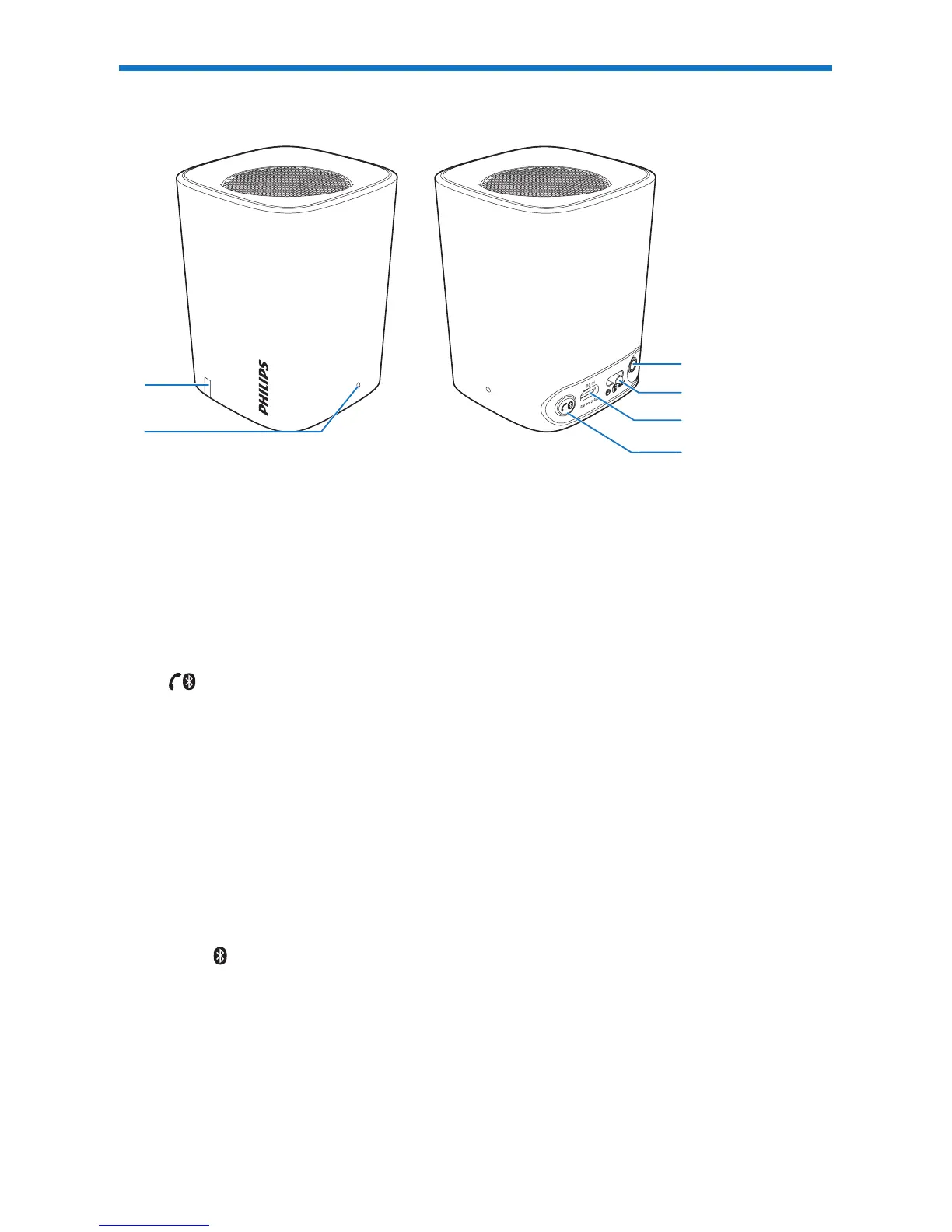
a Battery/Bluetooth indicator
• Lightsup,ashesorturnsoffdependingonthestatusofBT100.
• For details, see the following section Charging indicator and Bluetooth
indicator.
b Integrated microphone
c
• Press to answer an incoming call.
• Press to end the current call.
• Press and hold for 3s to reject an incoming call.
• Press and hold for 3s to change call between BT100 and mobile phone.
• In Bluetooth mode, press and hold for 8s to clear the pairing
information.
d DC IN
• Charge BT100 through the USB cable.
e OFF AUX
• Slide to select Bluetooth/AUX IN mode.
• Slide to power off the speaker.
f AUX
• Connect to an external player.
d
c
b
e
f
a



 To Next Page