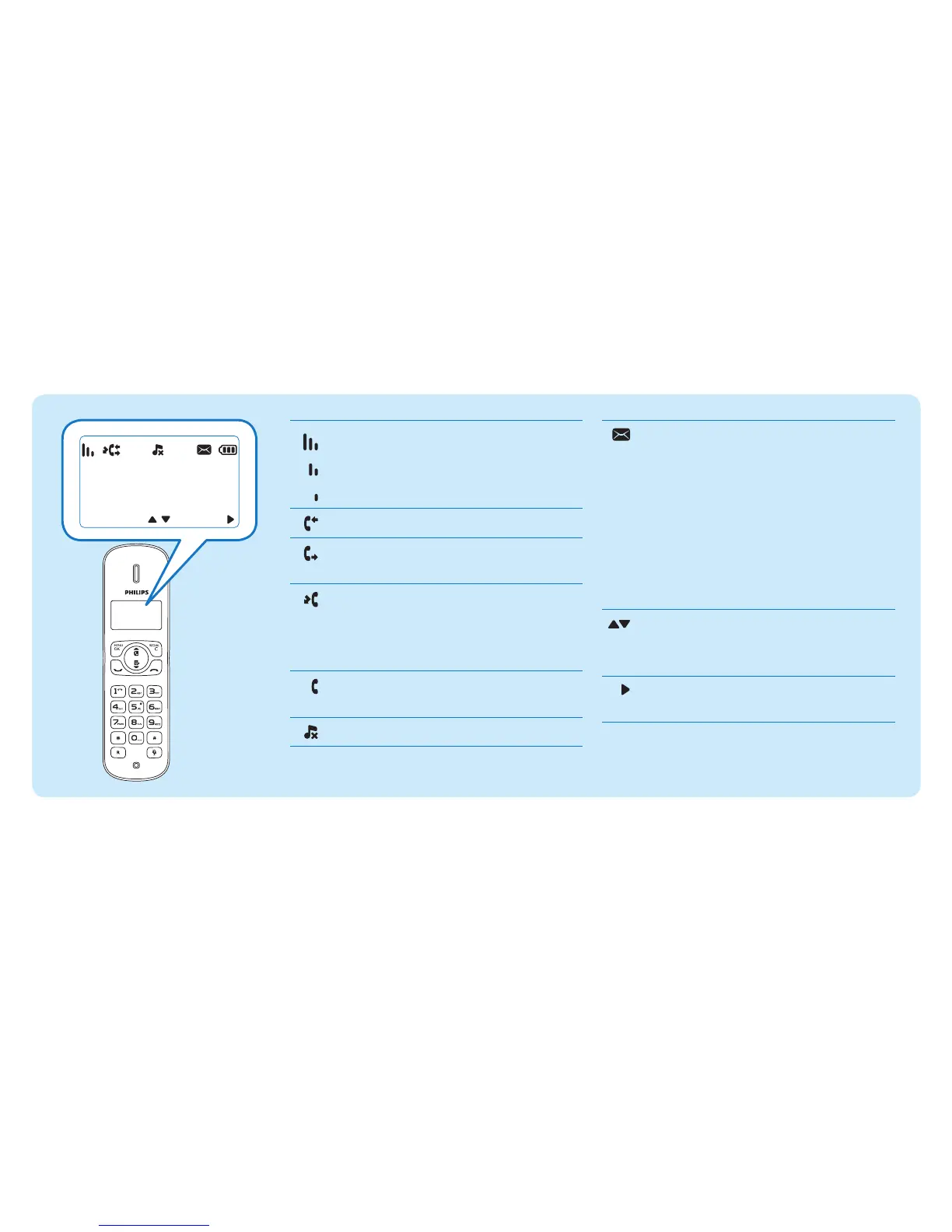
It displays the connection between
the handset and the base. The more
the bars are shown, the better the
connection is.
It indicates a received call in the call log.
It indicates an outgoing call in the
redial list.
Itasheswhenthereisanewmissed
call.
It remains steadily on when browsing
the missed calls in call log.
Itasheswhenreceivingincomingcall.
It remains steadily on during a call.
The ringer is off.
If you are using a voice mailbox from
yourprovider,thisiconasheswhen
there is a new message.
It remains steadily on when the voice
messages are already viewed in the
call log.
The icon is not shown when there is
no voice message.
* This is network dependent
It displays when you scroll up/down
a list or increase and decrease the
volume.
There are more digits on the right.
Press REDIAL/C to read.



 To Next Page