EasyManua.ls Logo

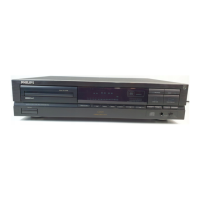
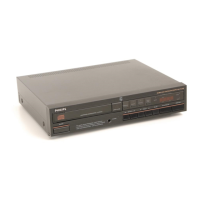
Philips CDC 925 - Operating the CD Changer; Front Panel Controls; Remote Control Functions; Display Indicators

Philips CDC 925
15 pages
Print Icon
To Next Page IconTo Next Page
To Previous Page IconTo Previous Page
Loading...
OPERATION
<H>
4
Mains
fuse
holder
(not
all
versions)
See
Tower
supply
setting
1
.
5
Voltage
selector
(not
all
versions)
See
Tower
supply
setting'.
FRONT
OF
PLAYER
1
POWER
STANDBY/OFF
-
Switching
on
and
off.
2
0-9
digit
buttons
-
Selecting
another
track
during
play.
-
Selecting
a
track
to
start
play
with.
-
Selecting
tracks
when
compiling
a
programme.
-
Selecting
the
recording
time
when
making
a
tape
recording
(EDIT).
Selecting
the
playing
time
in
the
TIMER
EDIT
mode.
3
P(rogramme)
-
Opening
and
closing
the
memory
when
compiling
a
programme.
4
C(ancel)
-
Erasing
track
numbers
from
a
programme.
5
Display
-
Informs
you
about
the
functioning
of
the
player.
6
DISC
SELECT
-
Selecting
another
CD
during
play.
-
Selecting
a
CD
to
start
play
with.
-
Selecting
CDs
when
compiling
a
programme.
The
DISC
button
on
the
remote
control
has
the
same
function.
7
OPEN/CLOSE
-
Opening
and
closing
the
CD
compartment.
8
l(nfra)
R(ed)
SENSOR-
Receives
the
signals
from
the
remote
control.
9
REVIEW
-
Checking
a
programme.
10
SHUFFLE
-
Playing
in
random
order.
11
SCAN
-
Automatically
playing
the
beginning
of
each
track.
12
!
TRACK
!
-
Selecting
another
track
during
play.
-
Selecting
a
track
to
start
play
with.
-
Selecting
the
recording
time
when
making
a
tape
recording
(EDIT).
-
Selecting
the
playing
time
in
the
TIMER
EDIT
mode.
The
PREV
(=
!
TRACK)
and
NEXT
(=
TRACK
»
buttons
on
the
remote
control
have
the
same
function.
13
STOP/CP
-
Stopping
play.
-
Erasing
a
programme
(CP
=
Clear
Programme).
14
PLAY/REPLAY
-
Starting
play.
-
Returning
to
the
beginning
of
a
track.
15
PAUSE
-
interrupting
play.
16
SEARCH
►►
-
Fast
search
to
a
particular
passage
during
play.
17
EDIT
-
Entering
the
recording
time
when
making
a
tape
recording.
-
Entering
the
playing
time
in
the
TIMER
EDIT
mode.
18
TIME
-
Selecting
the
time
information
you
want
to
see.
19
REPEAT
-
Repeating
play.
20
PHONES
-
Connecting
headphones.
21
LEVEL
-
Adjusting
the
volume
when
listening
with
head¬
phones.
22
QUICK
PLAY
-
Immediate
playing
of
a
particular
CD.
23
LOAD
-
Rotating
the
turntable
in
the
CD
compartment
when
inserting
CDs.
22
23
5
English

Other manuals for Philips CDC 925

Related product manuals