English
25
Your CD recorder is able to play the two decks sequentially
(CHANGER mode). This is the default setting.
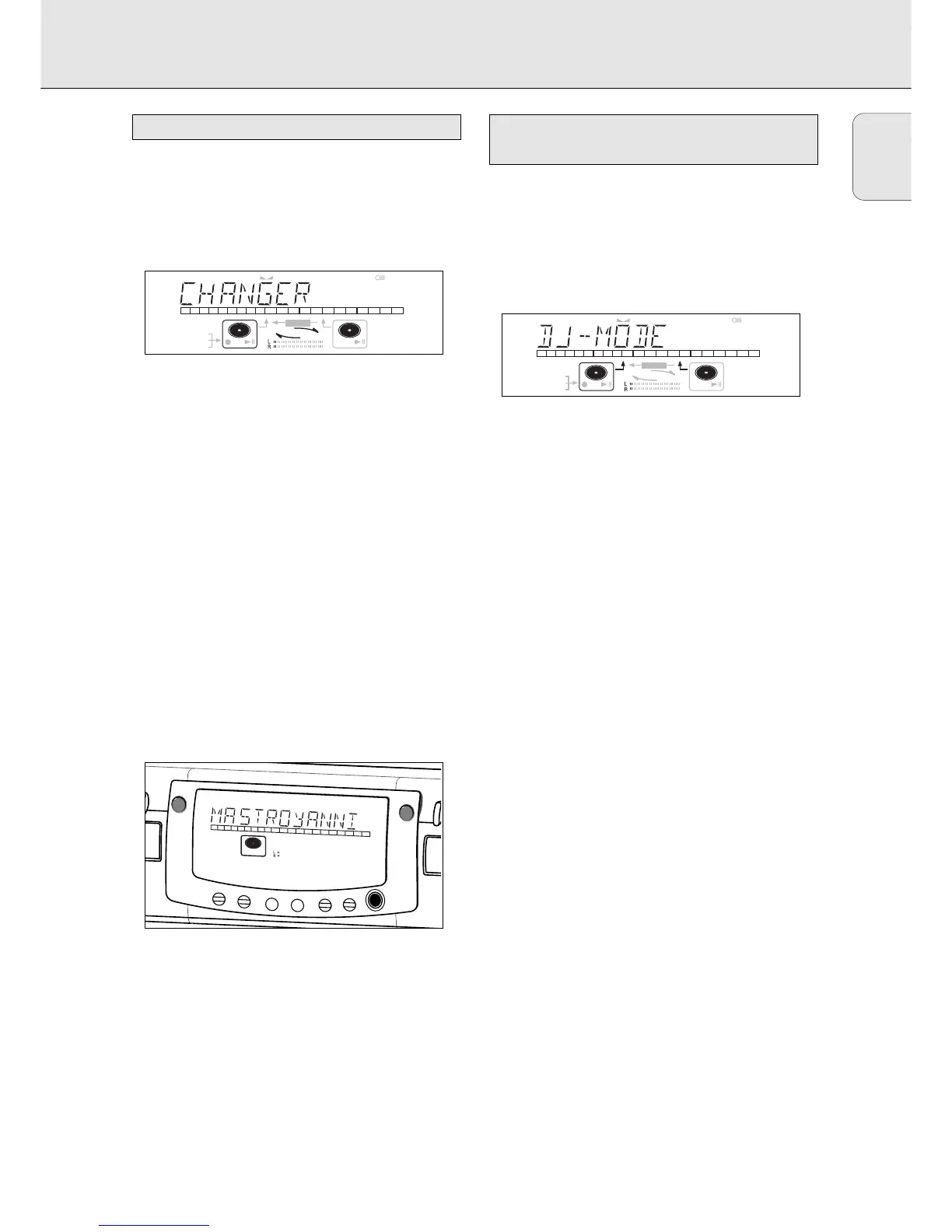
1 Select Changer mode using the DJ MODE key.
➜ CHANGER appears on the display and iCHANGERh
lights up.
2 On the deck you want to play, press PLAY/PAUSE 2;to
start CD play.
➜ 2 lights up, the track number and track time of the track
being played will appear on the display.
➜ After playing the first disc, the second disc will be
played automatically.
•Press DISPLAY once, twice or three times to see:
➜ remaining track time, total remaining time, permanent
text information (see Menu mode)
•To interrupt play temporarily, press PLAY/PAUSE 2;again.
➜ ; lights on the display.
•To continue play, press PLAY/PAUSE 2;again.
3 To stop play, press STOP 9.
➜ The number of tracks and the total playing time appear
on the display.
• If you want to see the information for the other deck, press
the CDR key or the CD key in the display frame.
With this double deck it is possible to play the CD recorder
deck and/or the CD player deck individually (at the same
time). In this case the extra CD output must also be connected
to an amplifier.
1 Select DJ mode using the DJ MODE key.
➜ DJ MODE appears on the display and j k lights up.
2 On the deck you want to play, press PLAY/PAUSE 2;to
start CD play.
➜ 2 lights up and the track number and track time of the
track in play appear on the display.
•You can also play the two decks at the same time. By
pressing the CDR key or the CD key you can choose the
deck you want to listen to.
•Press DISPLAY once, twice or three times to see:
➜ remaining track time, total remaining time, permanent
text information (see Menu mode)
•To interrupt play temporarily, press PLAY/PAUSE 2;again.
➜ ; lights on the display.
•To continue play, press PLAY/PAUSE 2;again.
3 To stop play, press STOP 9.
➜ The number of tracks and the total playing time appear
on the display. If you want to see this information about
the other deck, press CDR or CD.


 To Next Page