9EN
6 Reconnect the negative terminal of the car
battery.
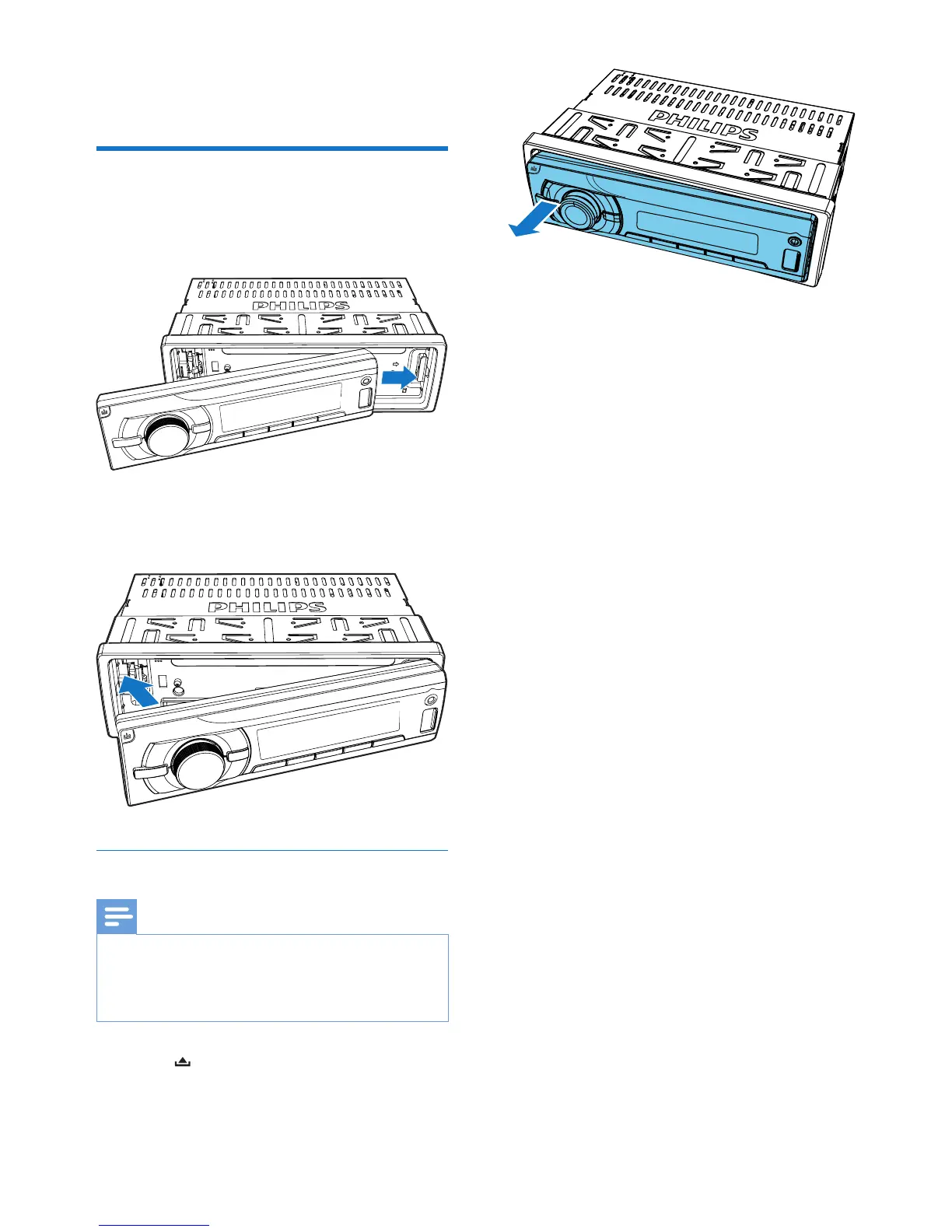
Attach the front panel
1
Insert the notch on the front panel to the
chassis on the main unit.
2 Press the left end of the front panel
inwards until it is securely locked with a
"click".
Detach the front panel
Note
•
Before you insert a micro SD card or reset the system,
detach the front panel.
• Before you detach the front panel, make sure that the
system is turned off.
1 Press to release the front panel.
2 Pull the front panel outwards to remove it.



 To Next Page