20 EN
12 Additional
information
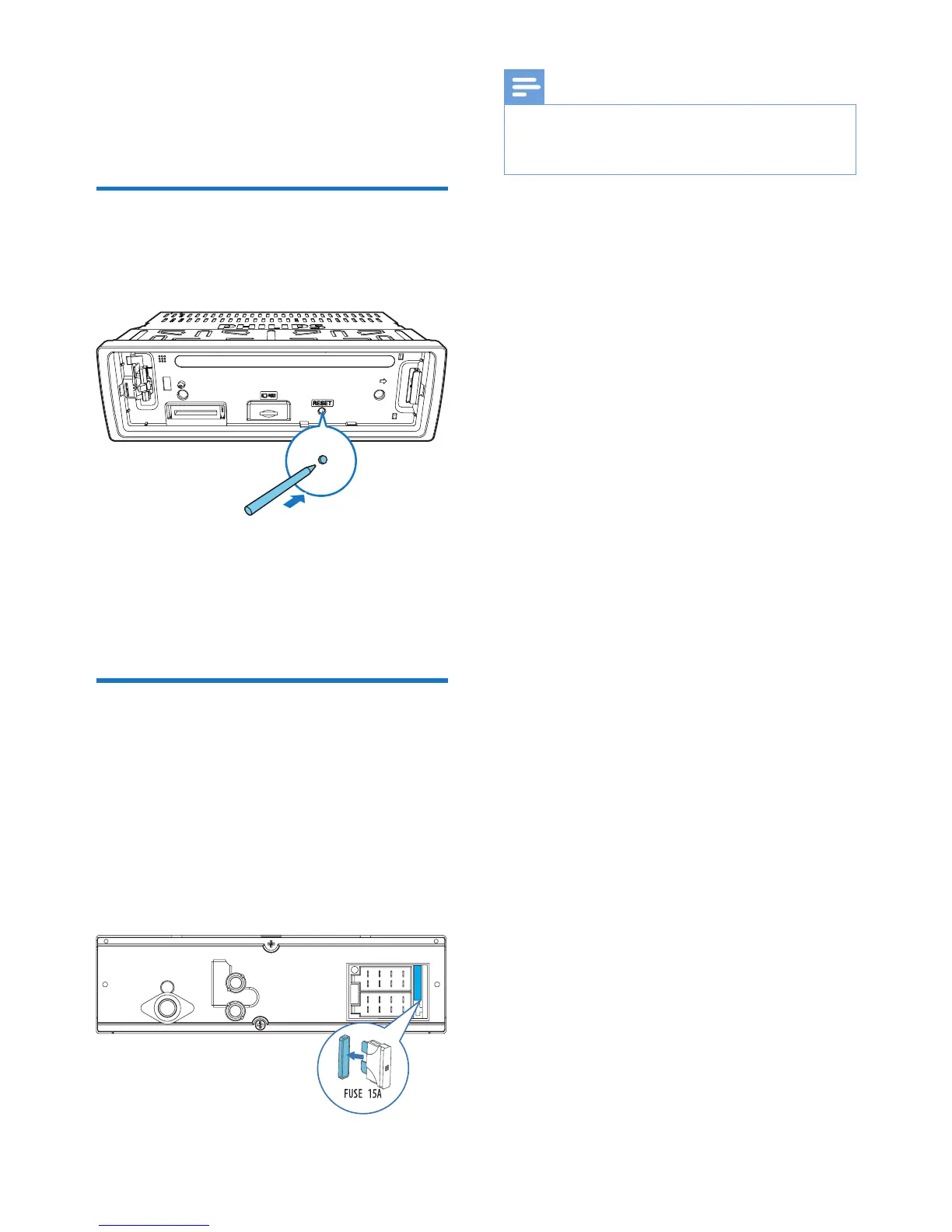
Reset the system
If the system works abnormally, reset the
system to factory default settings.
1 Detach the front panel.
2 Press the RESET button with the tip of a
ball-point pen or toothpick.
» All settings are reset to factory default.
Replace the fuse
If there is no power, check the fuse and replace
it if it is damaged.
1 Check the electric connection.
2 Remove the damaged fuse from the rear
panel.
3 Insert a new fuse with the same
specications (15 A).
REAR
L
R
Note
•
If the fuse gets damaged immediately after it is
replaced, an internal malfunction may occur. In such
case, consult your local retailer.



 To Next Page